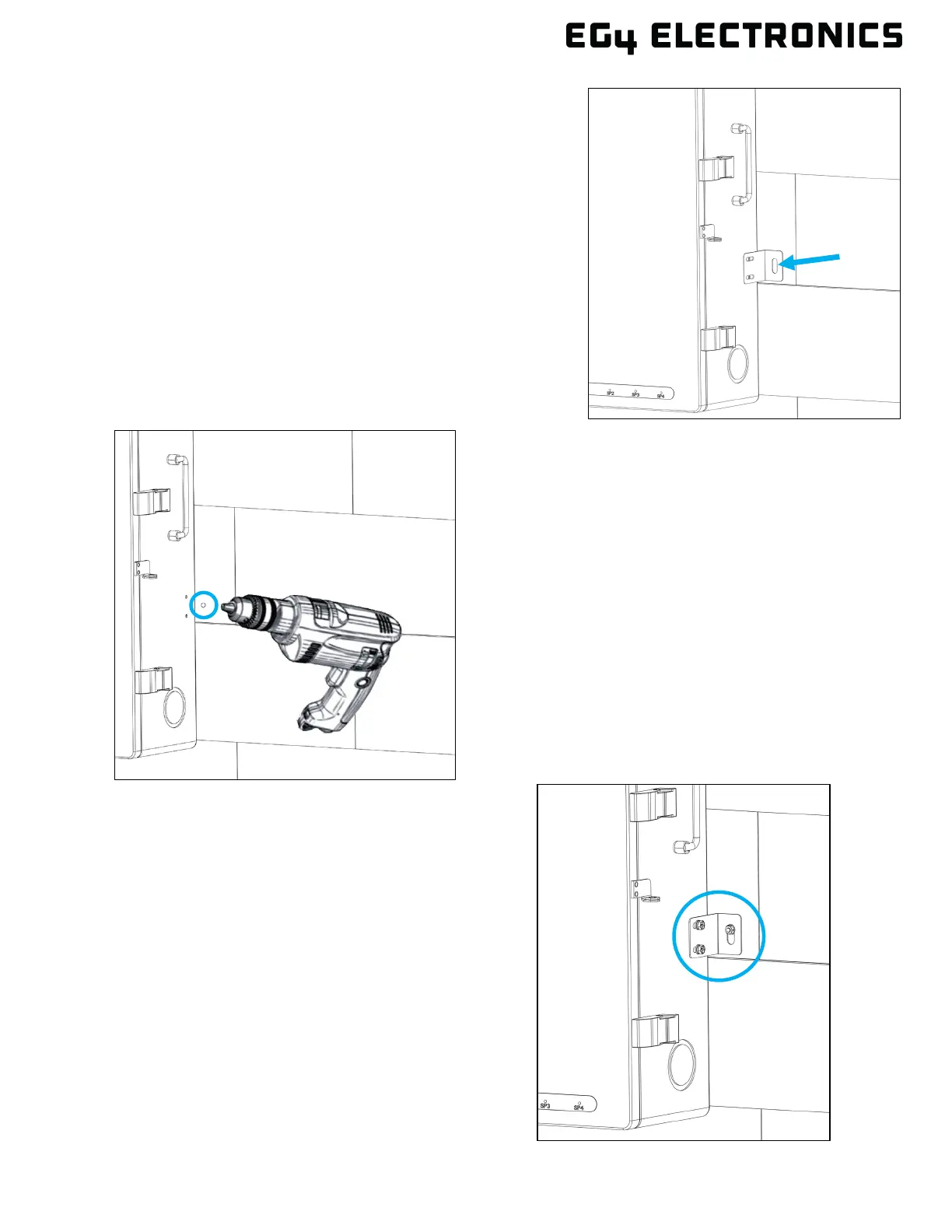
6. Temporarily mount the L-bracket to the side of the
GridBOSS (located at the bottom, one on each side).
Place a mark on the wall based on the hole location
inside the L-bracket. Repeat this step for both sides.
7. Remove the L-bracket and drill a hole at the
marking. Use the drill bit size based on the
anchor type or screw size as directed in
step 3. Repeat this step for both sides.
8. Use the correct hardware to attach the L-
brackets (one on each side) to the GridBOSS
and to the wall. Once the bracket is secure, the
wall installation is complete.



 To Next Page