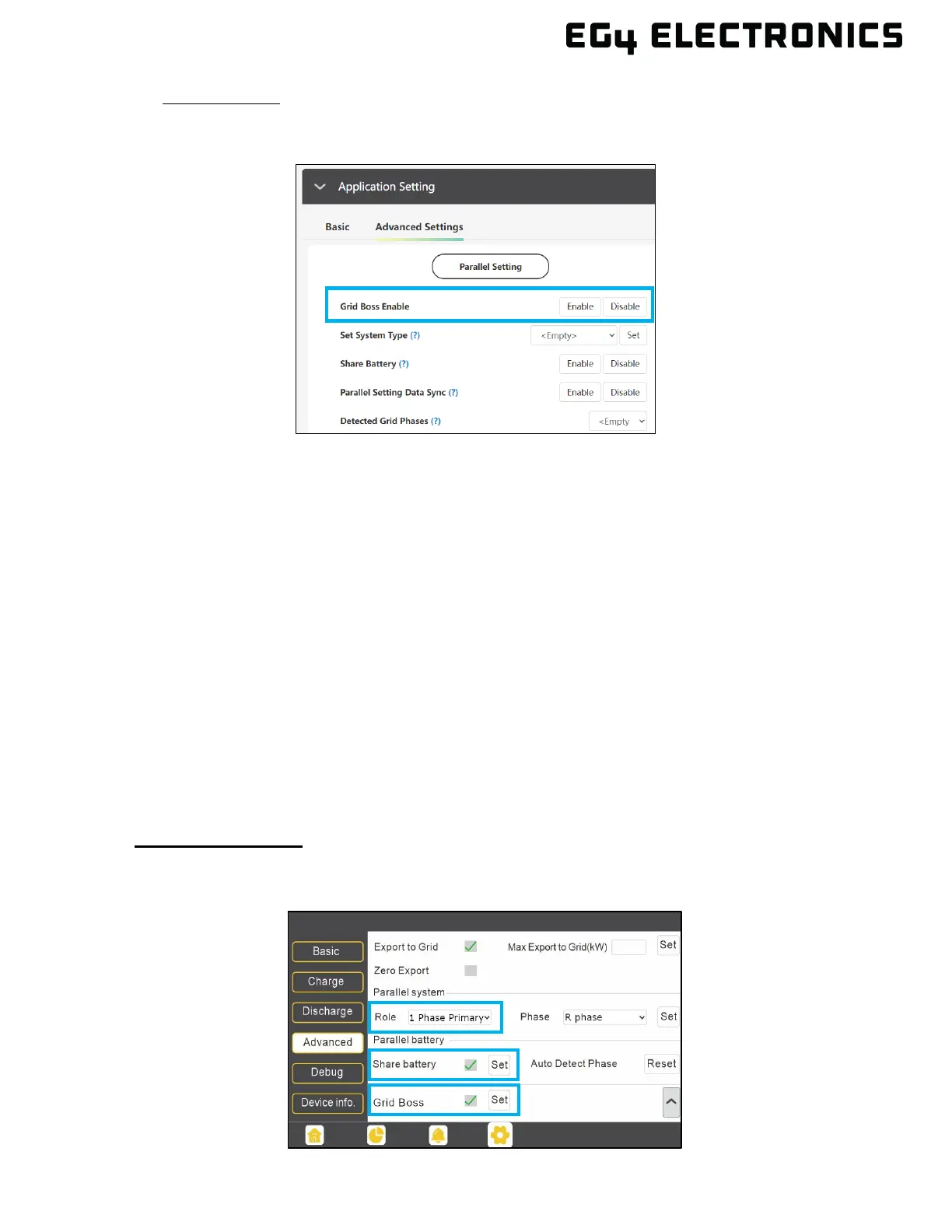
• Monitor Center: Select the “Maintenance” tab and then select “Working Mode” in the upper
right area of the screen. Expand “Application Setting” and then select “Advanced Settings.”
Select “Enable” next to the “Grid Boss Enable” setting.
4. Switch the GridBOSS hybrid inverter breaker(s) to the on position. This should power on the
GridBOSS using the inverter’s grid port as the power source. If the “Grid Boss Enable” setting
was not enabled in the previous step, the GridBOSS will not power on.
5. Verify that the GridBOSS hybrid LED is illuminated and is solid green.
6. Verify that all grid settings are configured appropriately based on enabling or disabling grid sell-
back. All grid sell-back functionality is configured within the inverter settings. The FlexBOSS will
require using the EG4 Monitor Center, mobile app, or external FlexBOSS Screen Kit.
7. Enable grid input to the GridBOSS by turning on the grid breaker (if equipped) or the breaker
providing grid access.
6.8 VERIFY CONFIGURATION
1. Visually inspect the GridBOSS’ front panel LEDs. The “Grid” and “Hybrid” LEDs should be solid
green. If there is a flashing LED, see section 11 for additional troubleshooting information.
2. Verify inverter settings using the LCD or Monitor Center:
Using the LCD Panel:
Verify the settings shown below using the inverter’s LCD panel. The inverter will also display a
small green “Grid Boss” icon on the bottom left of the home page.



 To Next Page