11.4 INTERNAL FUSE REPLACEMENT
GridBOSS contains two internal fuses that protect the unit from overcurrent situations. One fuse
protects line 1, and the other protects line 2. If a fuse needs to be replaced, follow the steps listed
below. Before starting the replacement procedure, locate the two extra fuses shipped with the
GridBOSS.
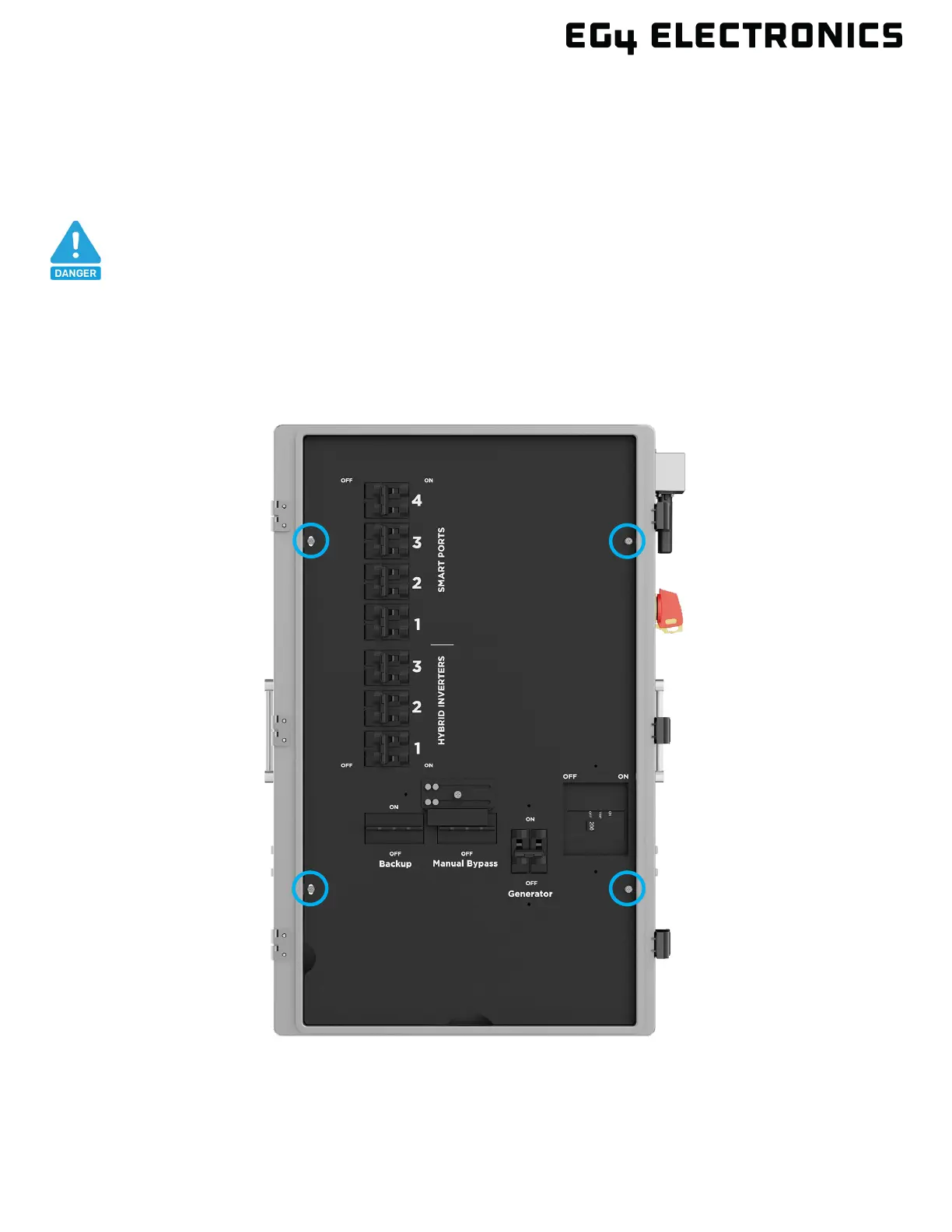
1. The front inner black cable box cover must be removed to obtain access to the fuse area. Open
the front door by releasing the three clasps on the right side of the unit. Next, remove the four
screws as identified in the image below and then carefully remove the inner black cable box
cover by lifting it out of the chassis.
DANGER
Before working on the unit, verify that all breakers are in the off position and
that there is no voltage/current at each breaker and lug connection point.



 To Next Page