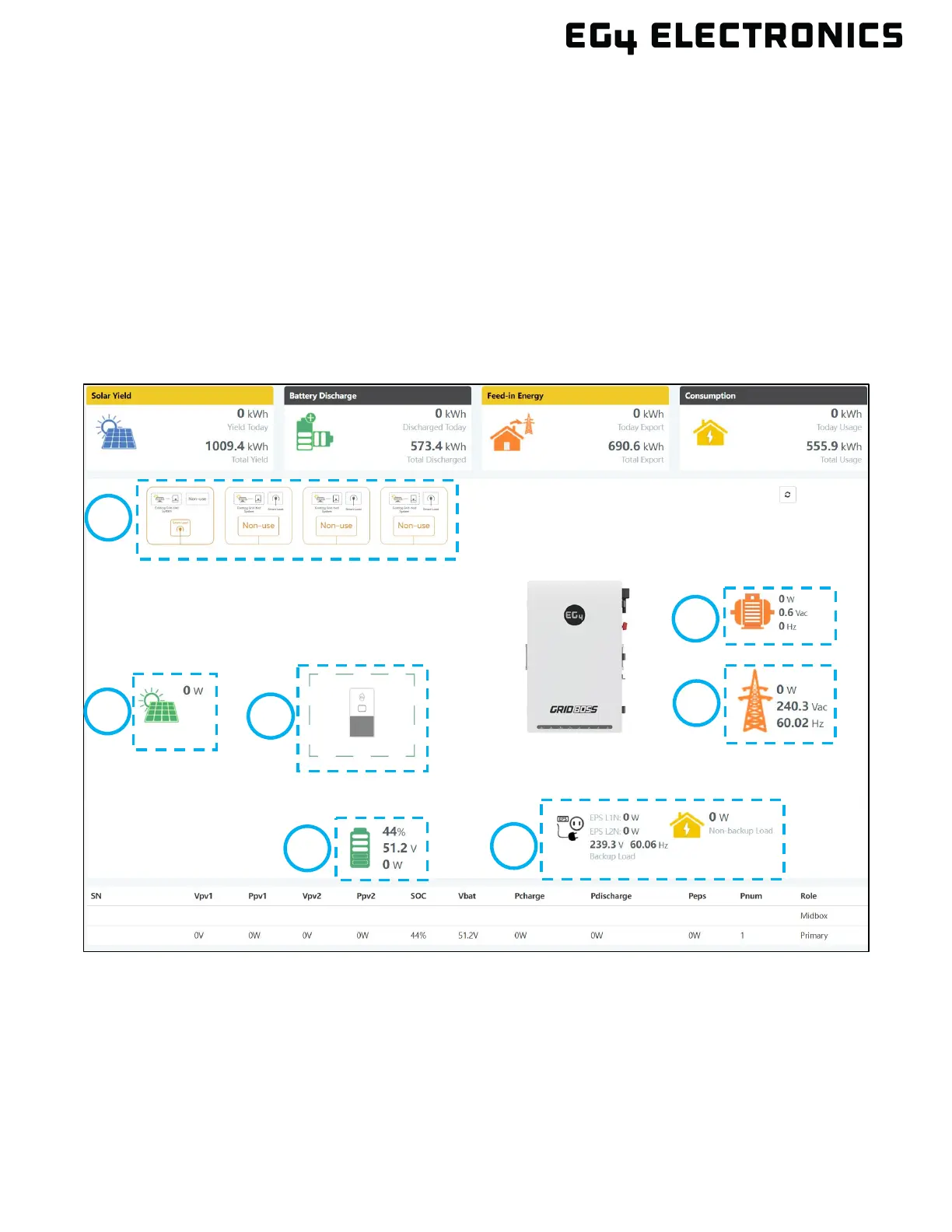
9. EG4 MONITOR CENTER
New areas are added to the EG4
®
Monitor Center main page when viewing GridBOSS. All AC input and
output information shows what is directly connected to the GridBOSS ports. All DC input and output
information is pulled from the hybrid inverter.
A. Smart Ports: Smart port information by port (numbered left to right)
B. Generator: Generator information
C. Solar: The total amount of incoming solar from all attached hybrid inverters
D. Inverter: Attached hybrid inverter(s)
E. Grid: Grid watts, AC voltage, and frequency attached to the GridBOSS grid port
F. Battery: Total battery SOC, voltage, and watts
G. Load Ports: Backup load and non-backup load output data
D



 To Next Page