8.2 EXISTING ACCOUNTS
When an EG4
®
account already exists, newly added EG4 hardware that uses a dongle can be added
to it. This can be completed using the EG4
®
Monitor Center or the mobile app.
Using EG4
®
Monitor Center
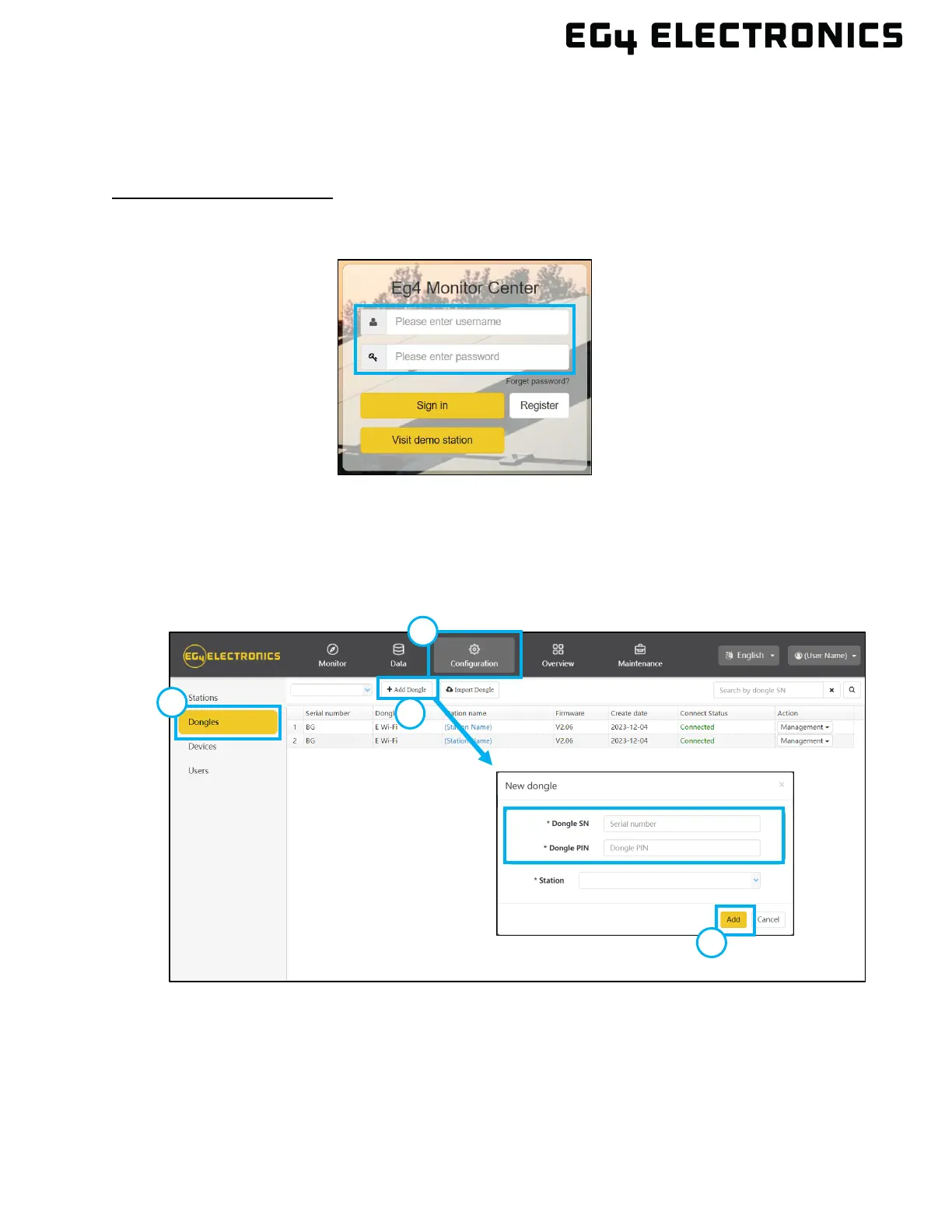
1. Using a web browser, open “monitor.eg4electronics.com” and log in with the existing
username and password.
2. Select the “Configuration” tab, then select “Dongles.”
3. Select “Add Dongle”.
4. Enter the new dongle serial number and pin, select the station to assign the dongle, and
then select “Add”.
5. GridBOSS should now be available in the Monitor Center.



 To Next Page