6. INSTALLATION
This section provides detailed steps for installing and configuring the GridBOSS. It is recommended to
complete each section in the order listed below.
Installation Steps:
6.1 Mounting area and spacing requirements
6.2 Recommended tools
6.3 Mount the unit
6.4 Install breakers
6.5 Install cables
6.6 Configure hybrid inverters
6.7 Configure GridBOSS
6.8 Verify Configuration
6.1 MOUNTING AREA & SPACING REQUIREMENTS
Follow the requirements listed below for system installation:
1. The mounting wall must be strong enough to support the weight of all equipment (GridBOSS,
inverters, wall-mounted batteries, etc.).
2. Maintain the minimum clearances on all sides (see next page).
3. Ensure the mounting surface is made of non-combustible material.
4. Ensure the final installation location has adequate room for making electrical connections and
servicing the unit.
5. Avoid placing the GridBOSS in direct sunlight.
6. The installation location must have a maximum relative humidity of 100%.
7. The location must have a minimum ambient temperature of -40°F (-40°C) and a maximum
ambient temperature of 113°F (45°C).
8. Do not install the equipment in an environment near combustible materials.
9. The maximum supported distance between the GridBOSS and attached hybrid inverters is 260
feet (80 meters). This distance supports proper communication between the GridBOSS and the
inverter using a CAT5 or higher specification straight-through network cable in the 568B format.
10. When mounting the unit, ensure the installation location complies with local codes and UL514B
requirements.
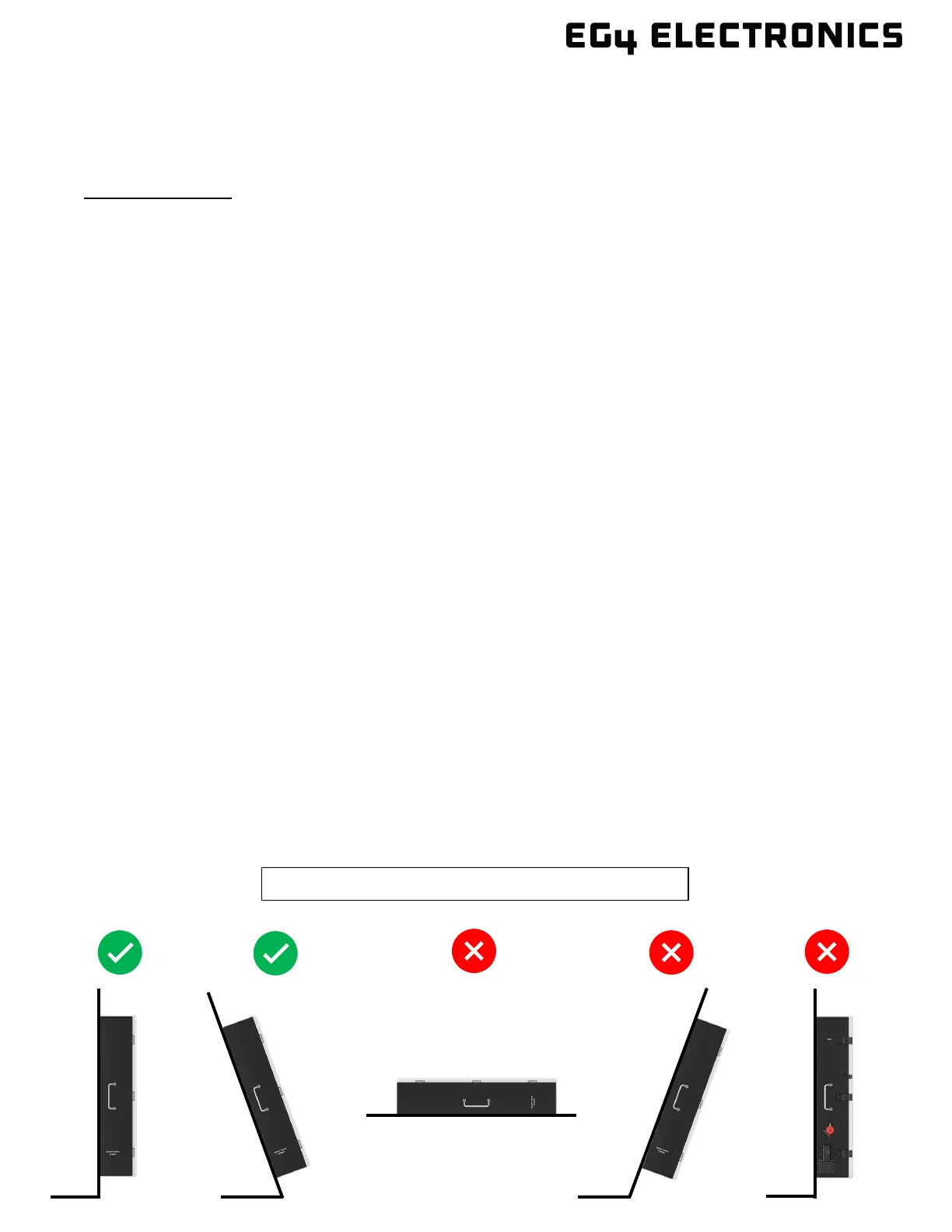
11. Position the unit on a vertical surface. Do not install the unit upside down!
Must be installed vertically between a 75° – 90° angle.



 To Next Page