6.4 INSTALL BREAKERS
This section provides the steps to install the 2-pole breakers included with the GridBOSS and the
optional main breaker.
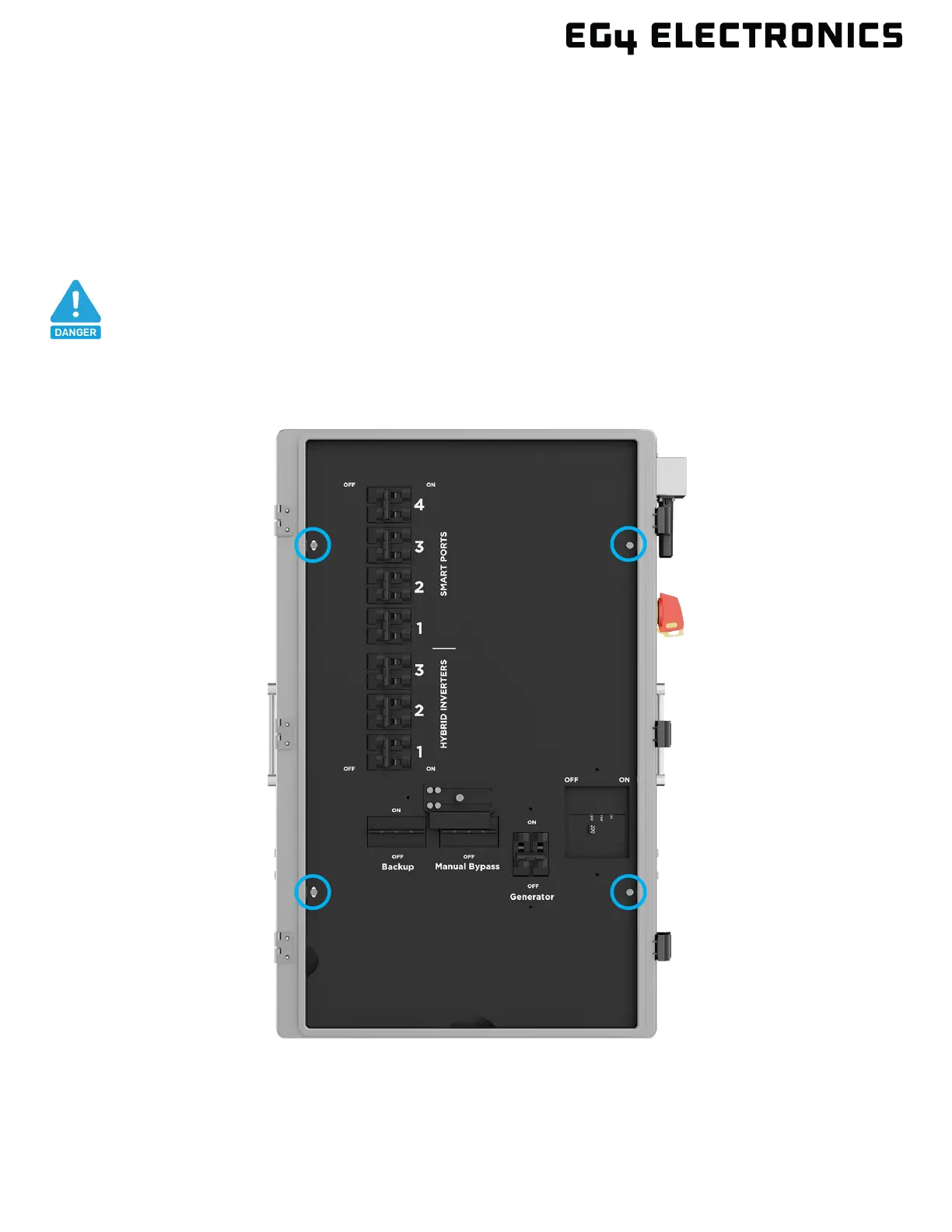
To begin the installation, open the front door by releasing the clasps on the right side of the unit.
Next, remove the four screws as identified in the image below and then carefully remove the inner
black cover by lifting it out of the chassis. Once the cover is removed, use the information in this
section for guidance on installing each breaker.
DANGER
If a breaker is installed after the system is in operation, verify that all breakers
are in the OFF position and that there is no voltage at each breaker and lug



 To Next Page