6.5 INSTALL CABLES
Use the information in this section for guidance on connecting the AC wiring. Using a multimeter,
verify that each wire does not carry voltage/current before making any connections to the GridBOSS.
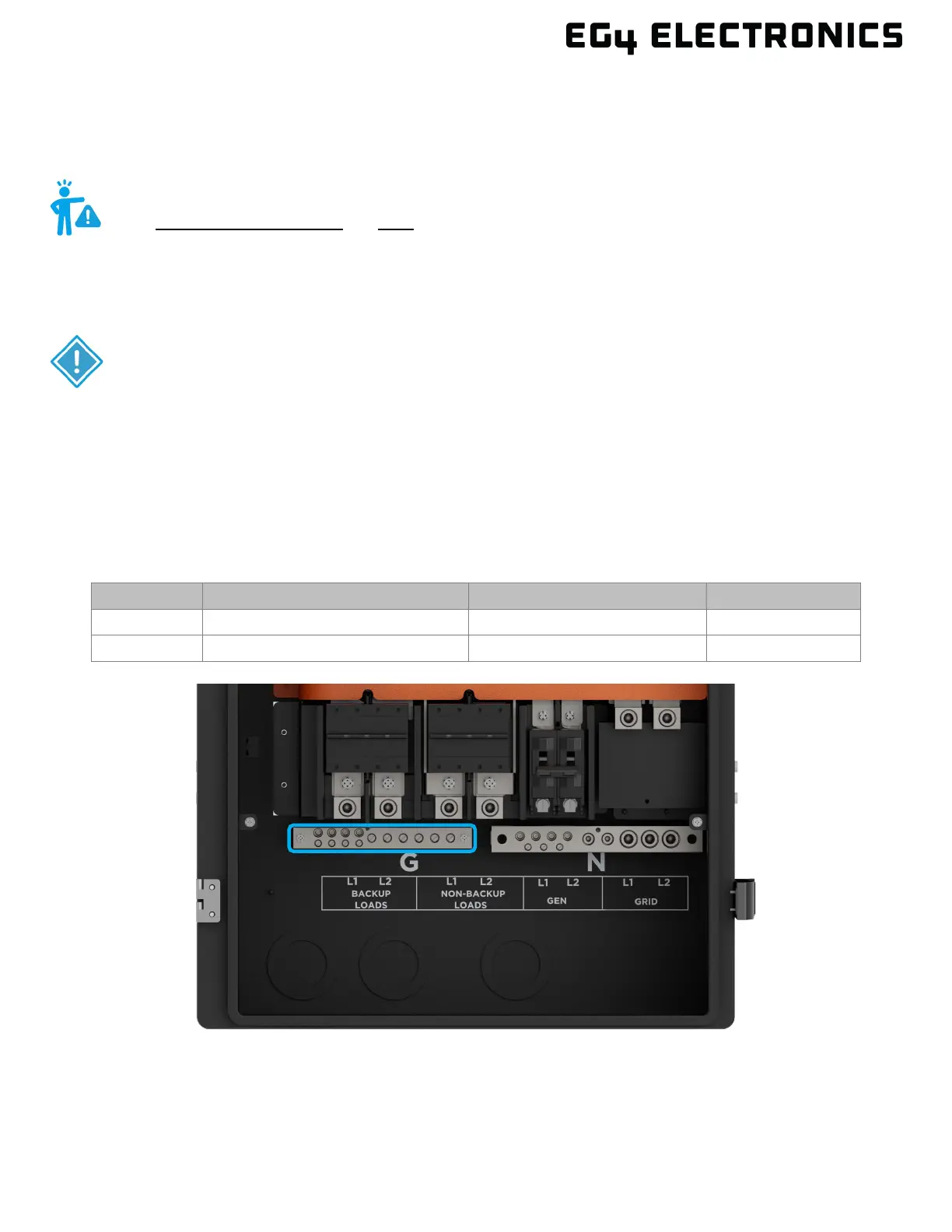
SYSTEM GROUND
The ground busbar supports connecting the GridBOSS to the building's equipment grounding system
and to the building's grounding electrode system if using the GridBOSS as service entrance equipment.
The ground cable should be installed first to provide a solid ground during the wiring installation
process.
LUG COUNT SUPPORTED WIRE SIZE MAX. TORQUE VALUE HEX TOOL SIZE
WARNING
Use ONLY COPPER WIRE for ALL GridBOSS connections! Failure to use copper
wire could result in equipment damage, as the unit has not been approved to
accept other types of wiring. This includes the connections to all GridBOSS
lugs and breakers, regardless of breaker rating.
IMPORTANT
The GridBOSS is Service Entrance Rated and certified under UL869A only
when installed with a 200A Eaton CSR2200N (CSR25K) breaker.



 To Next Page