10.2 SYSTEM - EG4 MONITOR CENTER
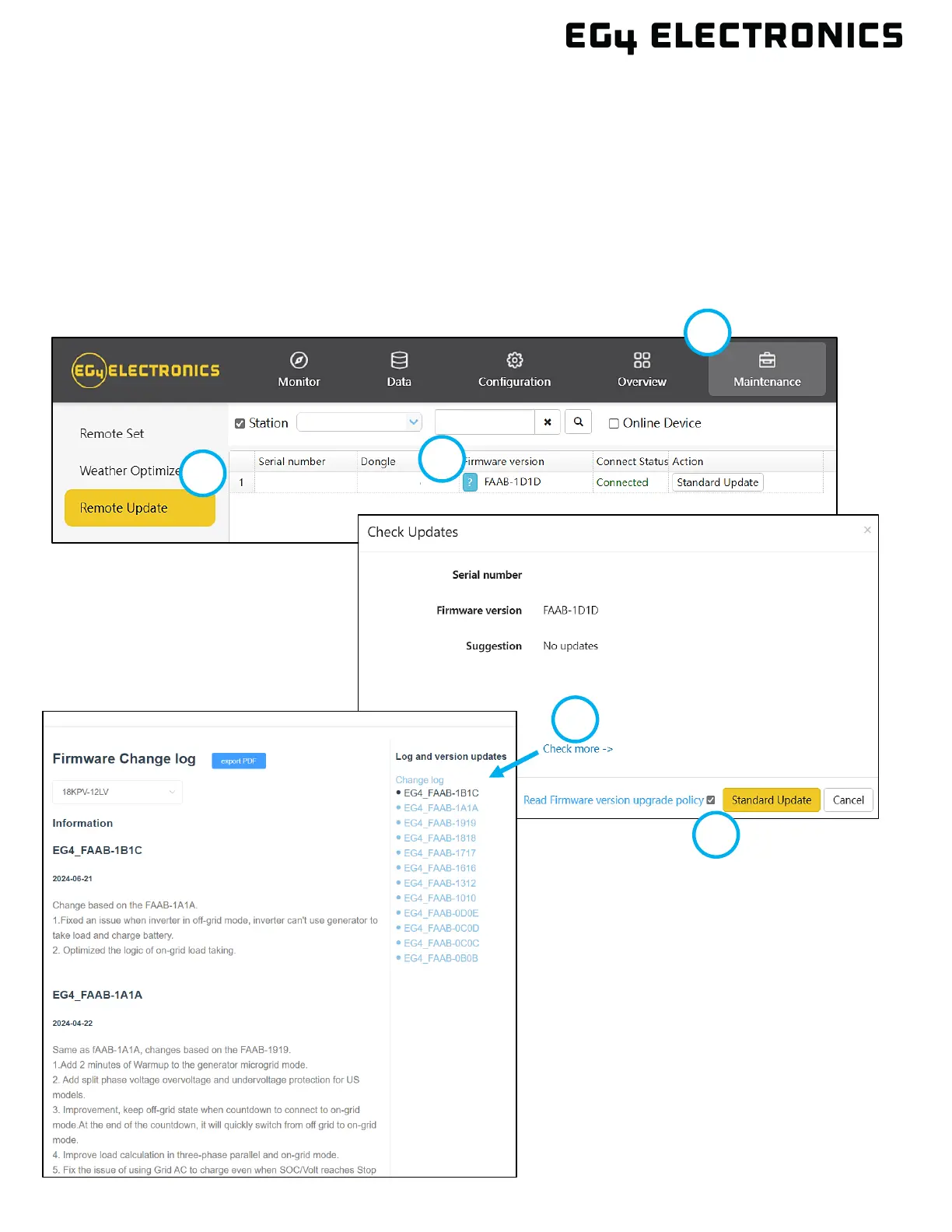
1. Log in to the EG4
®
Monitor website. Select the “Maintenance” tab.
2. Select “Remote Update” on the left side of the screen.
3. Locate the unit needing the update by serial number. Select the blue question mark box next to
the current firmware version.
4. Select “Check more” to view the release notes for the latest release. Close the release notes.
5. Check the upgrade policy check box, then select the “Standard Update” button to start the
firmware update process. The Monitor Center will begin updating both firmware files for the
inverter.



 To Next Page