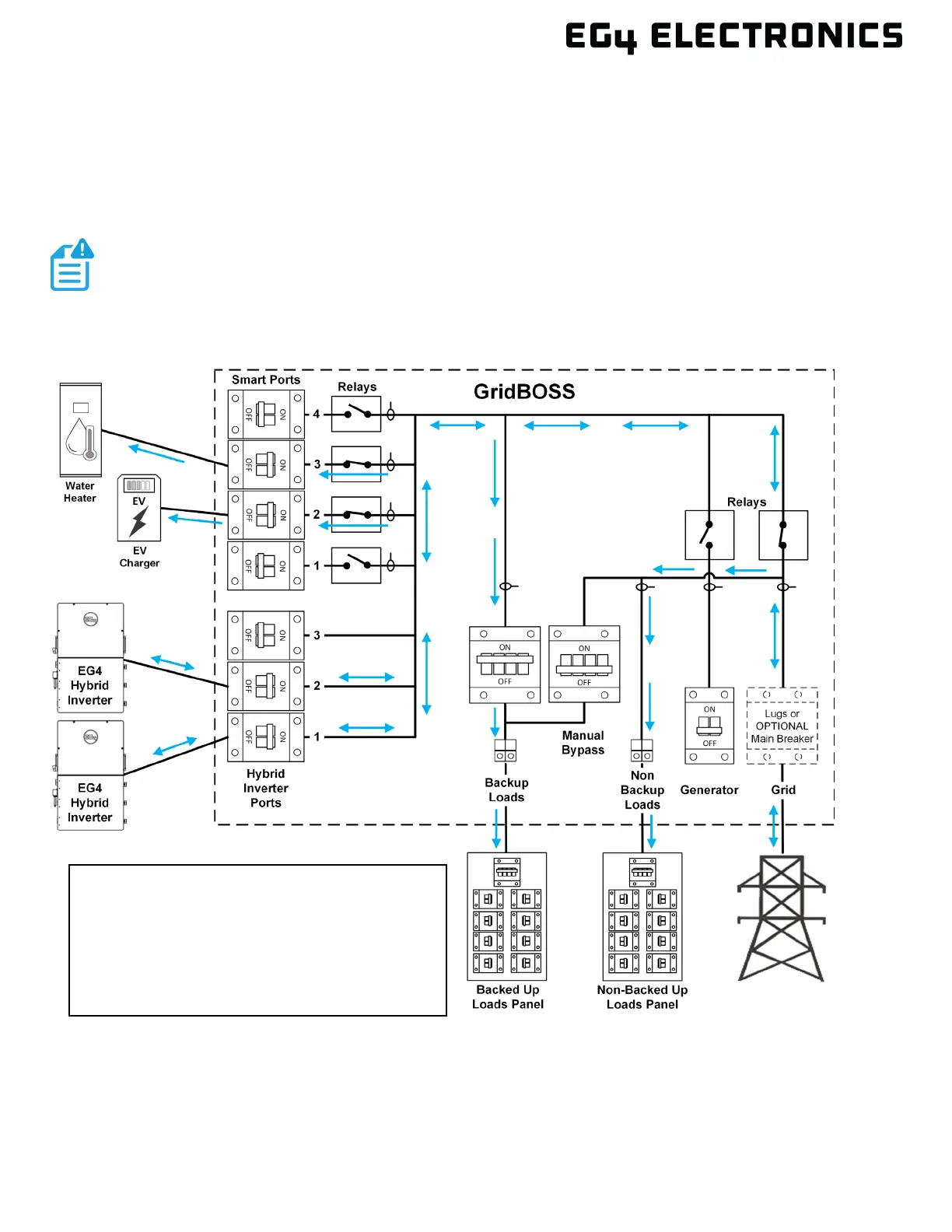
7.4 SMART LOADS
In this scenario, a water heater and an electric car charger are connected to smart ports 2 and 3.
There are multiple ways a smart port can be configured using the EG4
®
Monitor Center, and this
section will cover a few of those ways. The first option is to manually set the port to be always on or
always off. The second option is to turn the port on or off based on battery SOC and/or time periods.
Another option is using load shedding, which adds an additional setting for the PV input level.
Smart port functionality is not supported at the hybrid inverter when attached to a
GridBOSS. All devices powered by a smart port must be connected directly to a
GridBOSS smart port.
See the next page for example configurations.
All smart load settings are configured on
the GridBOSS.
Each smart port is configured individually
based on the device attached and usage.



 To Next Page