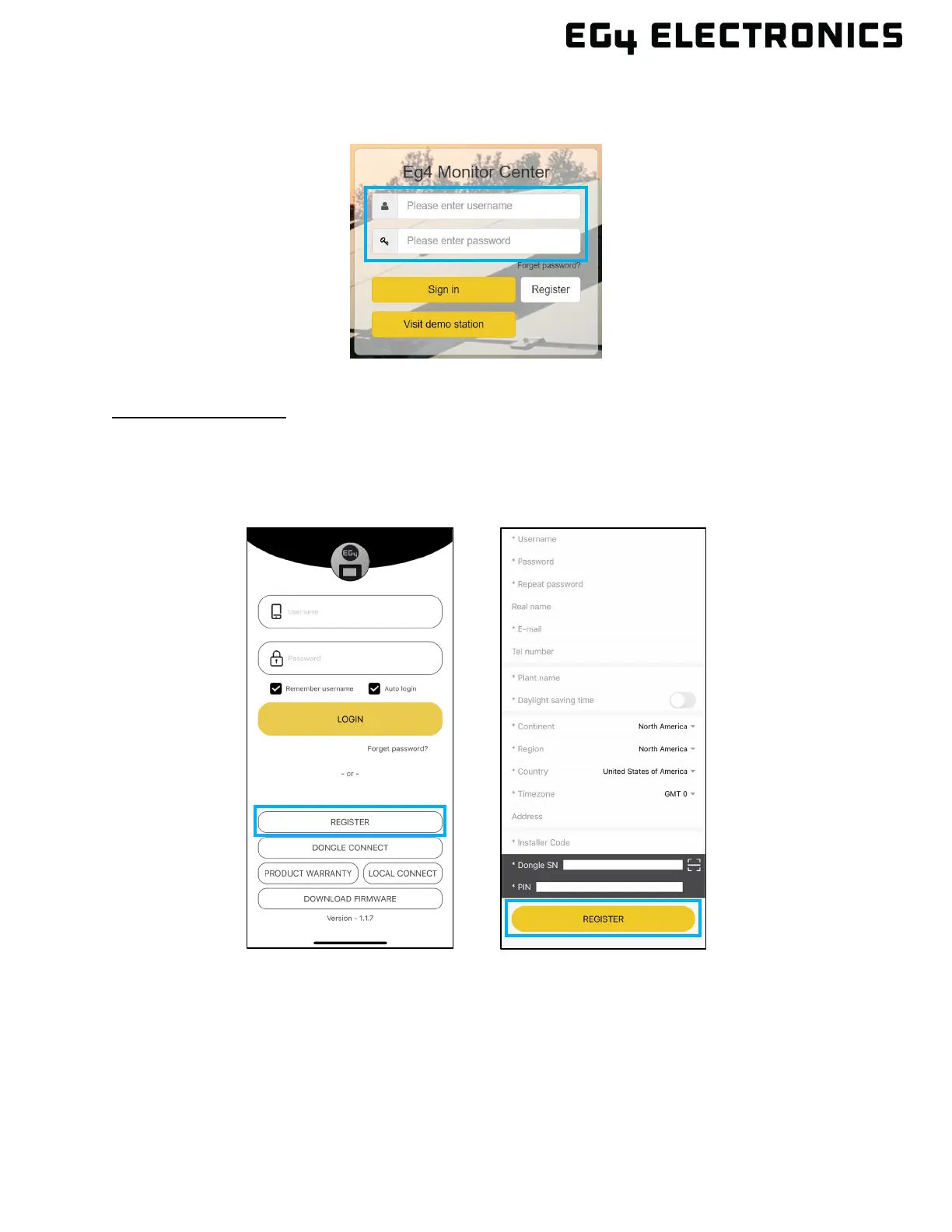
3. Once the registration is complete, return to the EG4
®
Monitor Center web page and log in
using the username and password created during the registration process.
Using the Mobile App
1. Download the “EG4
®
Monitor” app for iOS or Android. After installation is complete, open the
app.
2. Select “Register,” then complete the required information and select “Register.” Contact the
distributor for the installer code.
3. Once the registration is complete, return to the login page and log in using the username
and password created during the registration process.



 To Next Page