• Role: Verify the GridBOSS has only ONE master inverter. The master inverter should be set to
“1 Phase primary,” and all other inverters should be set to “Slave.” Remember to press the “Auto
Detect Phase” reset button if any changes are made to the parallel settings.
• S
hare Battery: Select “Share Battery” if the inverters share a single battery bank. Do not select
“Share Battery” if each inverter is connected to a dedicated battery.
• G
rid Boss: Verify “Grid Boss” is checked for all parallel inverters connected to GridBOSS hybrid
ports.
When a 12kPV or 18kPV inverter is connected to the GridBOSS, the inverter’s
LCD main page shows the total power values for the entire system, which is
different from parallel systems without the GridBOSS. “Grid Power” on the main
page equals the GridBOSS grid power value. “Home Load” shows all the load
power going through the GridBOSS. “AC Couple” power shows all the AC
couple's smart ports’ power.
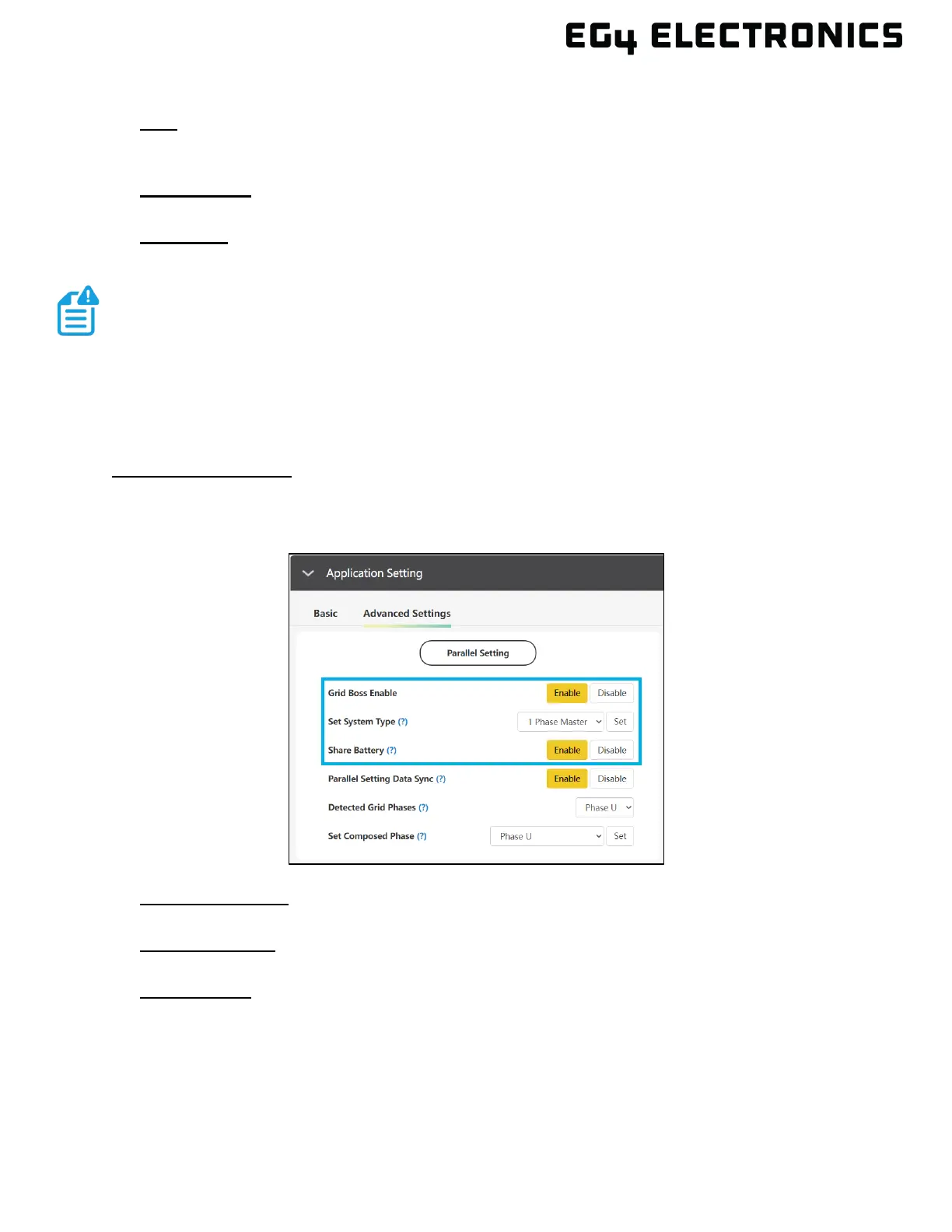
Using Monitor Center:
Select the “Maintenance” tab and then select “Working Mode” in the upper right area of the screen.
Expand “Application Setting” and then select “Advanced Settings.” Select “Enable” next to the “Grid
Boss Enable” setting.
• Grid Boss Enable: Verify “Grid Boss Enable” is enabled for each inverter connected to a
GridBOSS hybrid port.
• S
et System Type: Verify that GridBOSS has only ONE master inverter. The master inverter
should be set to “1 Phase Master,” all other inverters should be set to “Slave.”
• S
hare Battery: Select “share battery” if the inverters share a single battery bank. Do not select
“share battery” if each inverter is connected to a dedicated battery.
3. Check each inverter and verify there are no errors or warnings. If there are any issues, see the
inverter model documentation for additional troubleshooting information.
4. The system is ready for use and can be further configured with advanced features such as auto
generator start, smart loads, and AC coupling.



 To Next Page