7. Safely remove the USB flash drive from the
computer.
8. Power off the inverter.
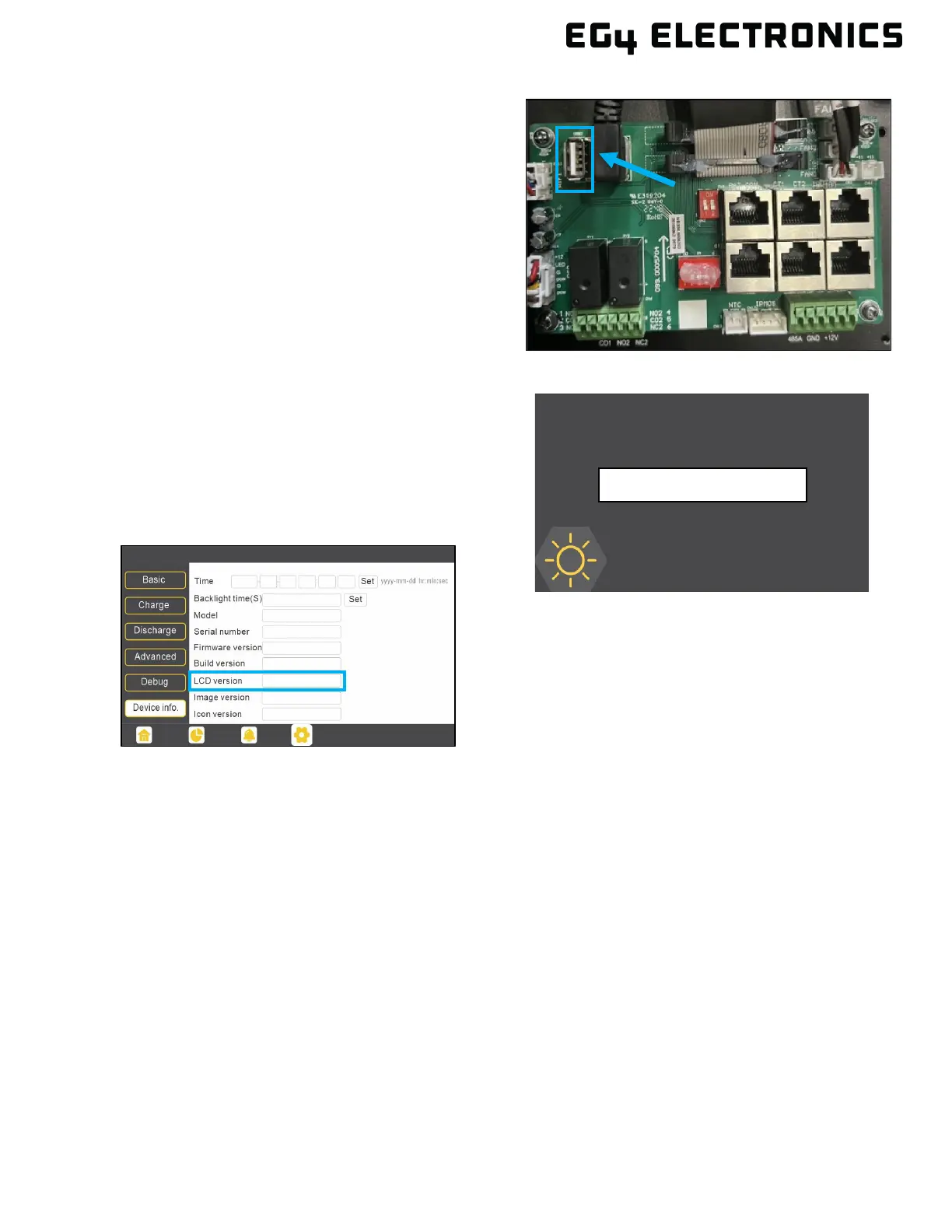
9. Insert the USB flash drive into the USB port on
the inverter’s communications board, as shown in
the image.
10. After the USB flash drive has been connected,
power on the inverter. DO NOT power off the
inverter during the update process.
11. The inverter will display a loading screen for 3 – 5
minutes.
12. After the LCD resets, navigate to:
Settings Device info. LCD version
to confirm that the LCD was correctly updated.



 To Next Page