15.1 BATCH STATISTICS (Batch/Review Batch/Statistics)
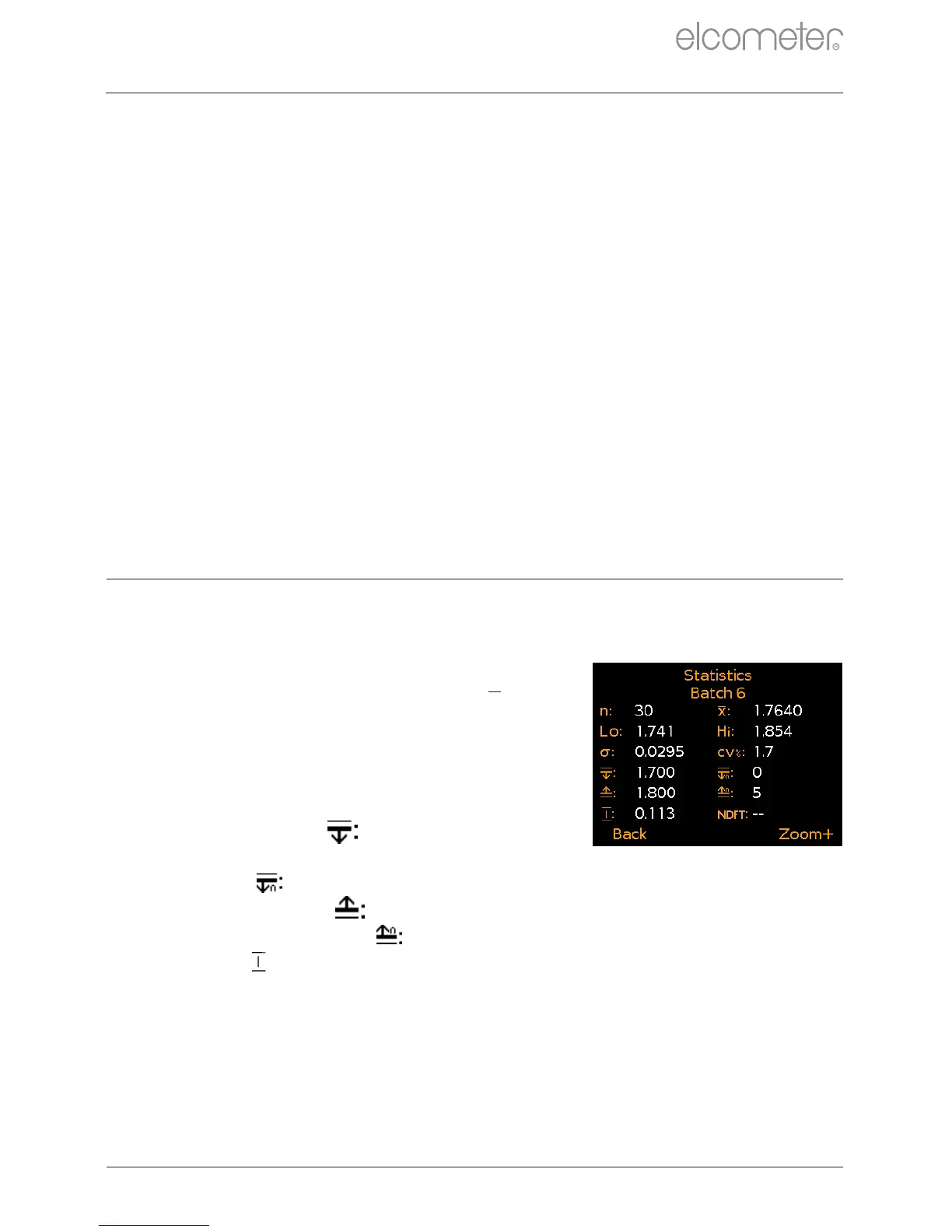
Displays statistical information for the batch including (Figure 26):
Number of readings in the batch (n:)
e
Average reading for the batch (X:)
e
Lowest reading in the batch (Lo:)
e
Highest reading in the batch (Hi:)
e
Standard Deviation (σ:)
e
Coefficient of Variation (cv%:)
Low limit value ( ) - if set - and the
number of readings below the
low limit ( )
High limit value ( ) - if set - and the number of readings
above the high limit ( )
e
Range ( ); the difference between
the highest and lowest reading
in the batch
NDFT (Nominal Dry Film Thickness) value (NDFT:)
Batch/Open Existing Batch; Open an existing batch.
Batch/Review Batch; Review the readings, statistics, batch
information, calibration and limit information and a graph of all
readings - see Section 15 ‘Reviewing Batch Data - Model T’.
Batch/Copy Batch; Copy a batch including the batch header
information, calibration and limit information.
Batch/Edit Batch/Rename Batch; Rename an existing batch.
Batch/Edit Batch/Clear Batch; Clear all readings within a
batch - but leaving all batch header information.
Batch/Edit Batch/Delete Batch; Delete a single batch or all
batches entirely from the gauge.
Batch/Deleted Reading/Delete Without Tag; Delete the last
reading entirely.
Batch/Deleted Reading/Delete With Tag; Delete the last
reading but mark it as deleted in the batch memory.
14 BATCHING - MODEL T (continued)
www.elcometer.com
en-26
R
15 REVIEWING BATCH DATA - MODEL T
Figure 26
e
For batches of more than one reading.



 To Next Page
 Loading...











