15 REVIEWING BATCH DATA - MODEL T (continued)
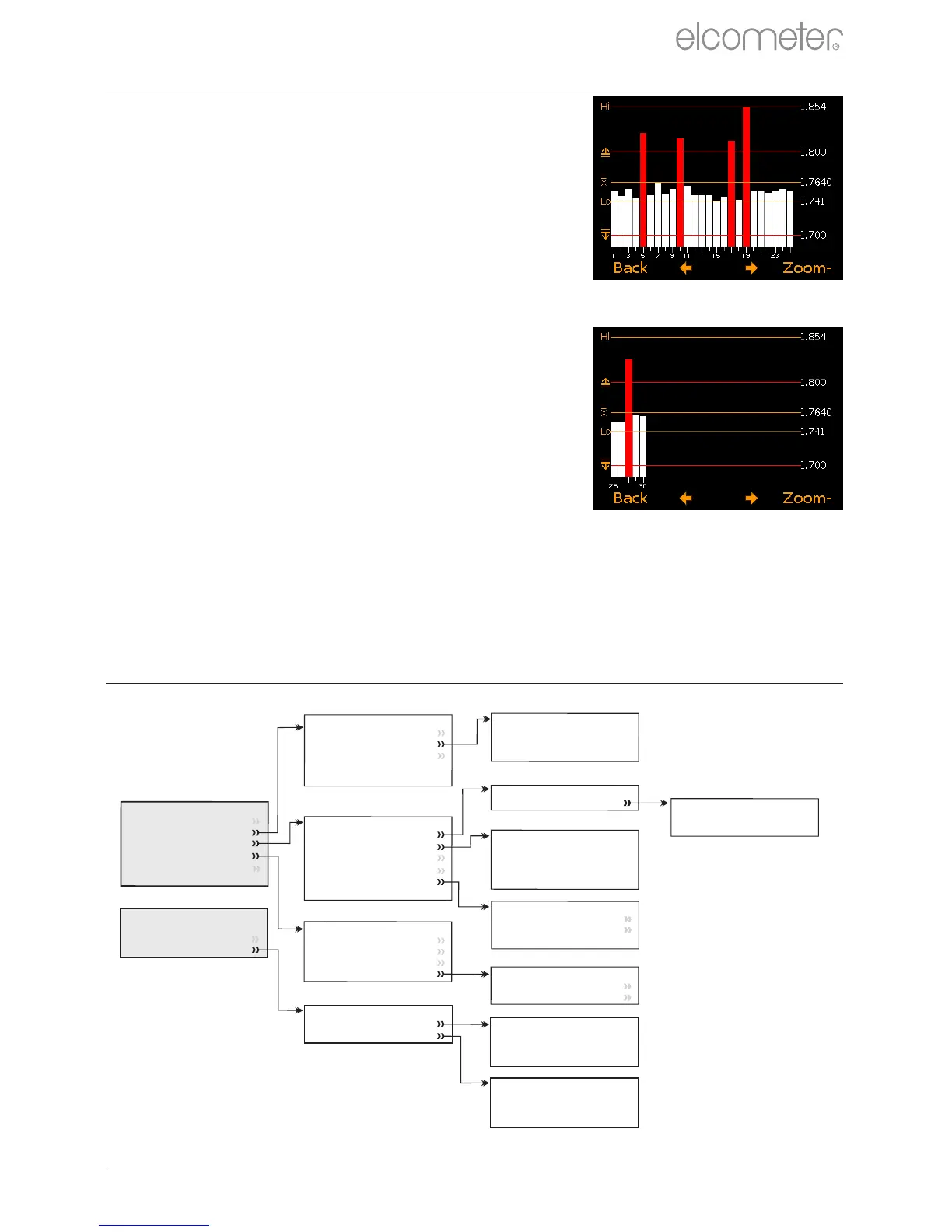
Pressing the ‘Zoom+’ softkey, allows each
individual reading to be displayed, thereby
showing the individual readings outside the set
limits (Figure 29).
When zoomed in, the graph will always display
the first 25 readings. Pressing the softkey
will display the next 25 readings in the batch
(Figure 30).
Subsequent presses of the softkey will scroll
forwards through the readings, 25 readings at a
time. Pressing the softkey will scroll
backwards.
Pressing the ‘Zoom-’ softkey returns to the
original overview graph of all readings in the
batch.
Pressing the ‘Back’ softkey returns the gauge
to the Batch/Review Batch menu.
www.elcometer.com
en-28
R
Figure 29
Figure 30
16 MENU STRUCTURE - MODEL B
Menu
Delete
Last
Reading
Calibration
Setup
About
Reset
Emergency
Light
Calibration
Calibrate
Cal Method
Zero Probe
Factory Calibration
Test Calibration
Cal Method
1 Point
Coating Material
V
elocity Entry
○
○
○
Setup
Reading
Units
Language
Beep Volume
Screen Settings
Gauge
Auto Of
f
Units
µm
mm
mils
Inch
○
○
○
○
○
Screen Settings
Screen Brightness
Screen
T
imeout
Opening Screen
○
About
Gauge Information
Probe Information
Contact
Legal
Legal
Legal Notices
Regulatory
Display
Clear Statistics
Display Information
Setup Display
Setup Display
Top Display
Bottom Display
Top Display
None
Statistics
Readings
○
○
○
Bottom Display
None
Statistics
Readings
○
○
○
Reading
Resolution
Resolution
Low
High
○
○


 To Next Page
 Loading...












