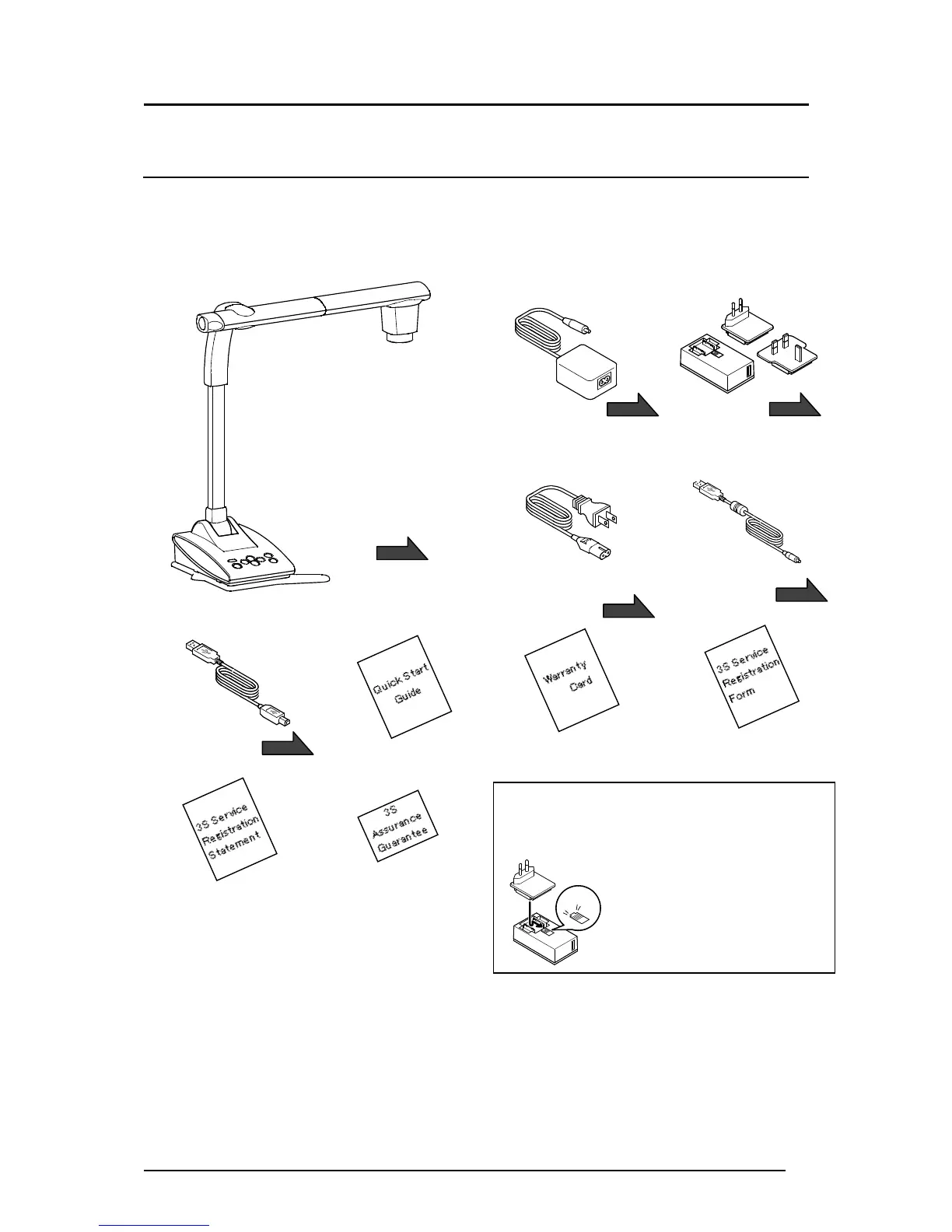
AC power cable(black)
(For Japan/ North America only)
The items below are included with this product. If any item is missing, contact the dealer from
whom you purchased this product.
【Caution】
●The supplied DC power cable (black, for Europe) (⑤) is designed to be used for the TX-1
only. Do not use for other purpose than connecting the supplied AC adapter (for Europe) (③)
to the TX-1.
Using the supplied DC power cable with a computer may damage a computer.
●Use the supplied USB cable (gray) (⑥) to connect the TX-1 to a computer.
Press and slide the plug into the
groove of the AC adapter as shown
in the drawing.
※Slide it until it clicks.
※Choose the correct plug
according to the outlet.
When removing the plug from the AC
adapter, slide and pull the plug in the
opposite direction while pressing the
lock button.
AC adapter
(For Japan/ North America only)
Warranty Card
(For Japan/ North America only)
3S Service Registration Form
(For Japan only)
AC adapter
(For Europe only)
DC power cable(black)
(For Europe only)
3S Service Registration Statement
(For Japan only)
3S Assurance Guarantee
Label (For Japan only)



 To Next Page