EasyManua.ls Logo

Elmo TX-1 - Operating Panel

Elmo TX-1
49 pages
Print Icon
To Next Page IconTo Next Page
To Previous Page IconTo Previous Page
Loading...
14
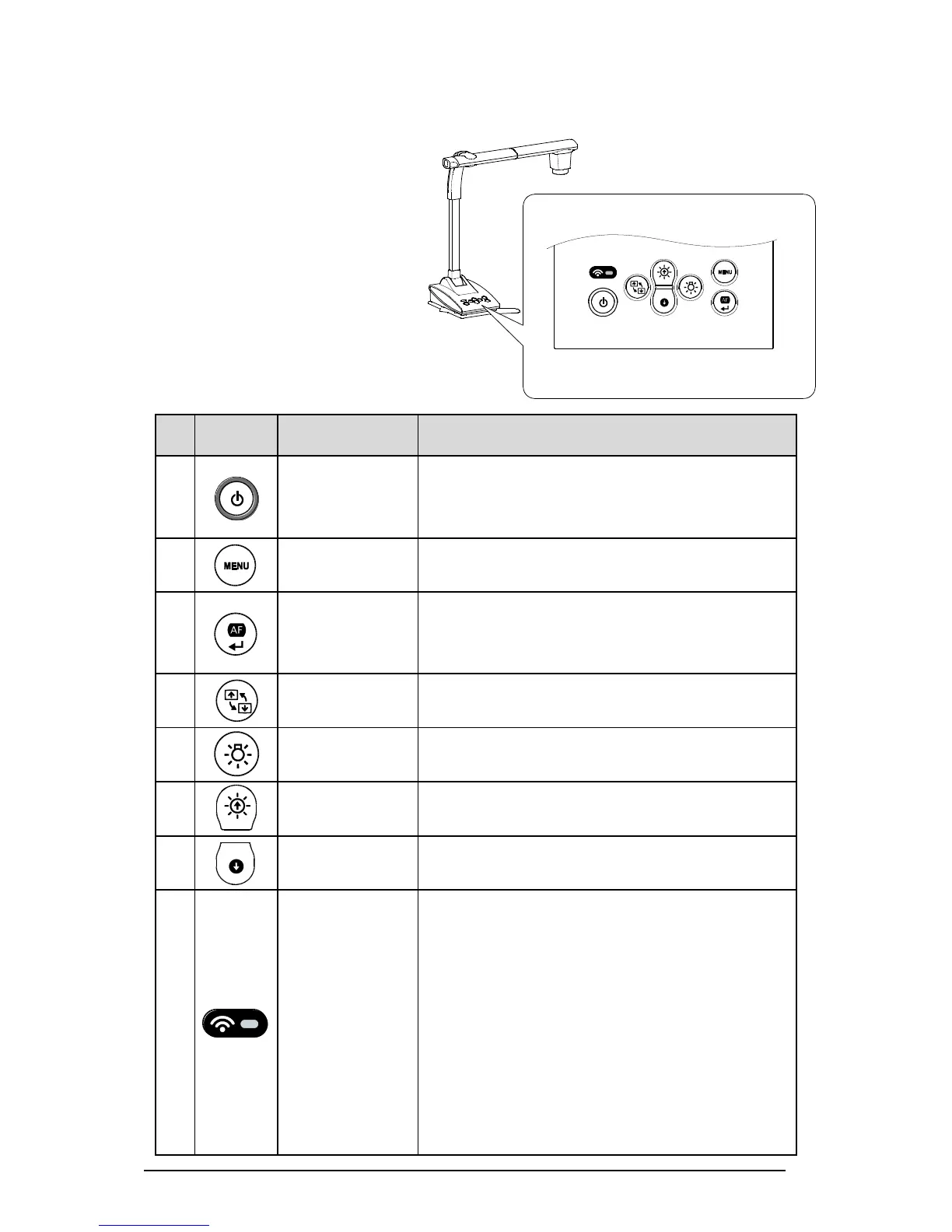
OPERATING PANEL
Mark
Name of function
Detail of function
Power
To turn the power ON/OFF.
Power ON LED turns blue
Power OFF LED turns red
MENU
To show/hide the menu on the screen.
AF/ Enter
When MENU is not displayed: to focus automatically.
When MENU is displayed: to execute the selected
menu item.
Image rotation
To rotate the image by 180°.
LED lighting
To ON/OFF the LED lighting.
Brightness
To brighten the image.
Brightness
To darken the image.
WF LED
To indicate the WiFi connection status.
OFF: LED is off
Connecting: LED flashes
Connected: LED turns
The WiFi modes are also indicated by the color of the
LED.
OFF: LED is off
Access Point mode: LED turns blue
Station mode: LED turns green
Refer to Page 32 for details of the WiFi modes.

Other manuals for Elmo TX-1

Related product manuals