42
6-4 FIRMWARE UPDATE PROCEDURE
The firmware of the TX-1 will be updated from time to time.
By updating the firmware, you will be able to use new functions.
Download the latest firmware from Elmo official website and update the firmware of the TX-1
according to the following procedure.
※Check the firmware version of the TX-1 before starting the firmware update. There is no
need to update the firmware if the firmware of the TX-1 is the latest version.
●Items required for the firmware update
・TX-1
・Computer
・The latest firmware (※1)
・USB cable (to connect the TX-1 to the computer)
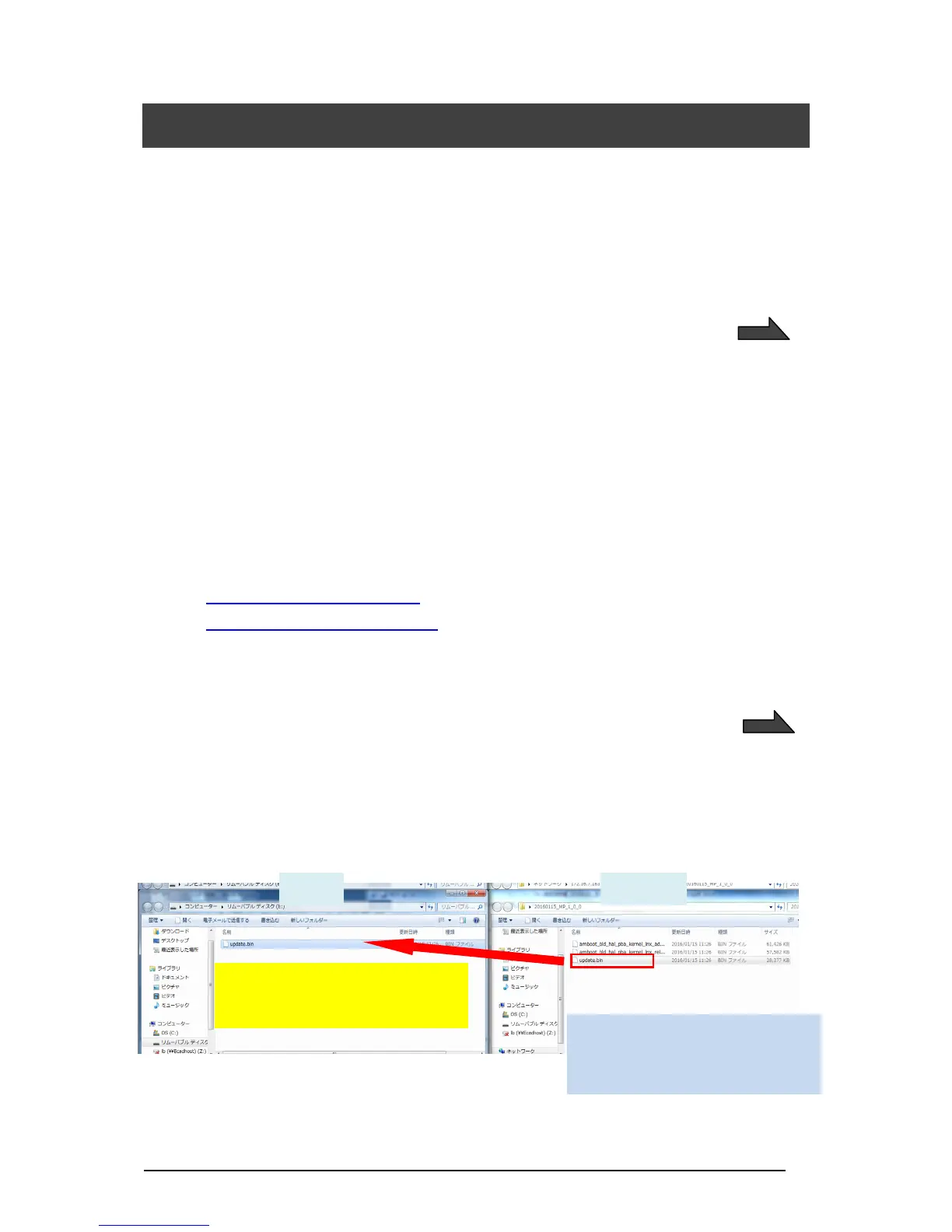
※1 Download the latest firmware from the following Elmo official website and copy
“update.bin” file to your computer in advance.
http://www.elmousa.com/TX-1
www.elmoeurope.com/download
<Update Procedure>
1.Connect the TX-1 to your computer via the supplied USB cable.
2.Press the Power button, Image rotation button and LED lighting button together for about
20 seconds until the purple lit Power LED starts to flash between red and blue.
3.The operating procedure is displayed on a computer screen after the Power LED starts to
flash between red and blue.
4.The AutoPlay window appears on a computer screen. Open the folder.
※If the AutoPlay window does not appear, manually open the folder.
5.Copy “update.bin” to the folder you opened.



 To Next Page