・Depending on the type of eyepiece, you may not be able to view the object clearly even
after adjusting the zoom.
・We recommend using a WF type eyepiece. If you do not use a WF type, we recommend
using an eyepiece of 10x or less.
・You can use the microscope attachment lens when the external diameter of the eyepiece
is 20 to 28mm.
・Use the thinner guide ring for Microscope Lens Attachment. There are two types of rings
included in the package; the thicker one is not used here.
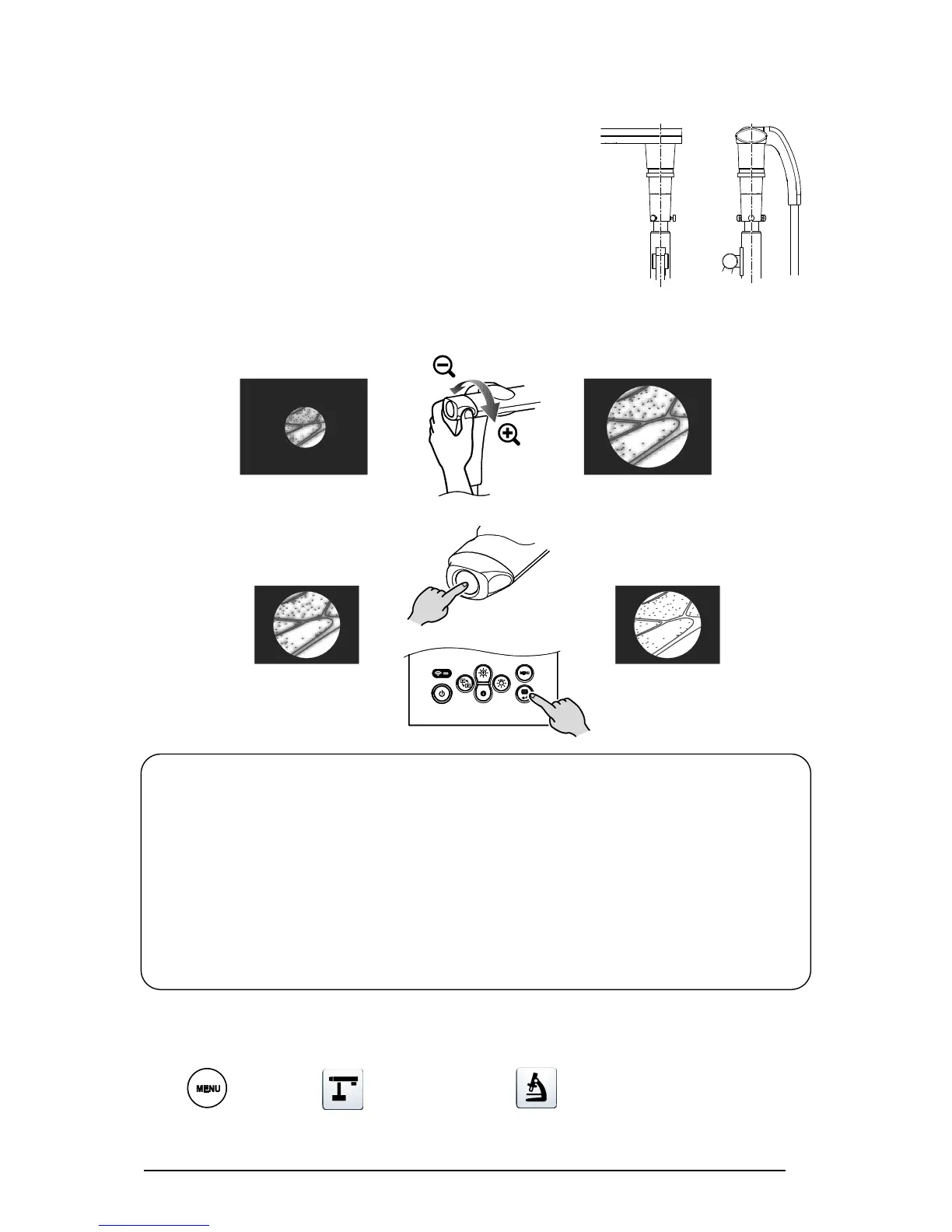
④Adjust the angle of the microscope and the TX-1 to fit each other.
⑤Adjust the brightness.
Adjust the brightness with the mirror or the light on the microscope.
⑥Adjust the display range.
⑦Adjust the focus.
■EXITING THE MICROSCOPE MODE
Change the setting of the TX-1.
[ MENU]>[ Camera control]>[ Microscope mode]>[OFF]



 To Next Page