19
2-3 SHOOTING IMAGES
■SETTING UP THE TX-1
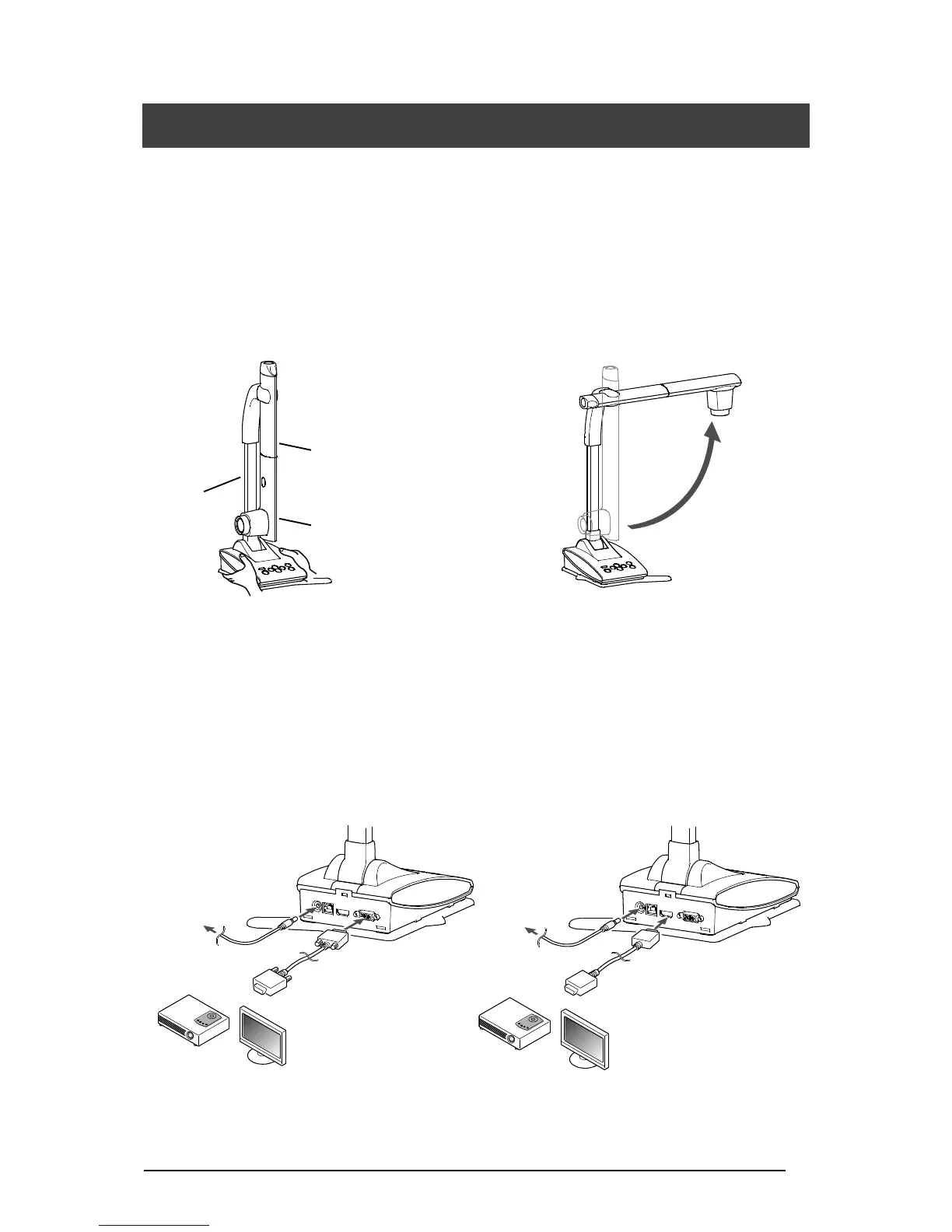
Connect the power cable (black) and the AC adapter. Connect the video cable (connected to
a projector or monitor) and the AC adapter to the TX-1 respectively. Then connect the power
cable (black) to the outlet and setup the TX-1 as shown below.
1. Place the TX-1 on a stable, even surface. 2. Raise the camera head as shown below.
CONNECTING THE VIDEO CABLE
Connect the video cable corresponding to an image display device to the TX-1.
●with RGB cable (commercially available) ●with HDMI cable (commercially available)
⇒RGB OUT ⇒HDMI OUT



 To Next Page