32
3-2 ABOUT WiFi FUNCTION
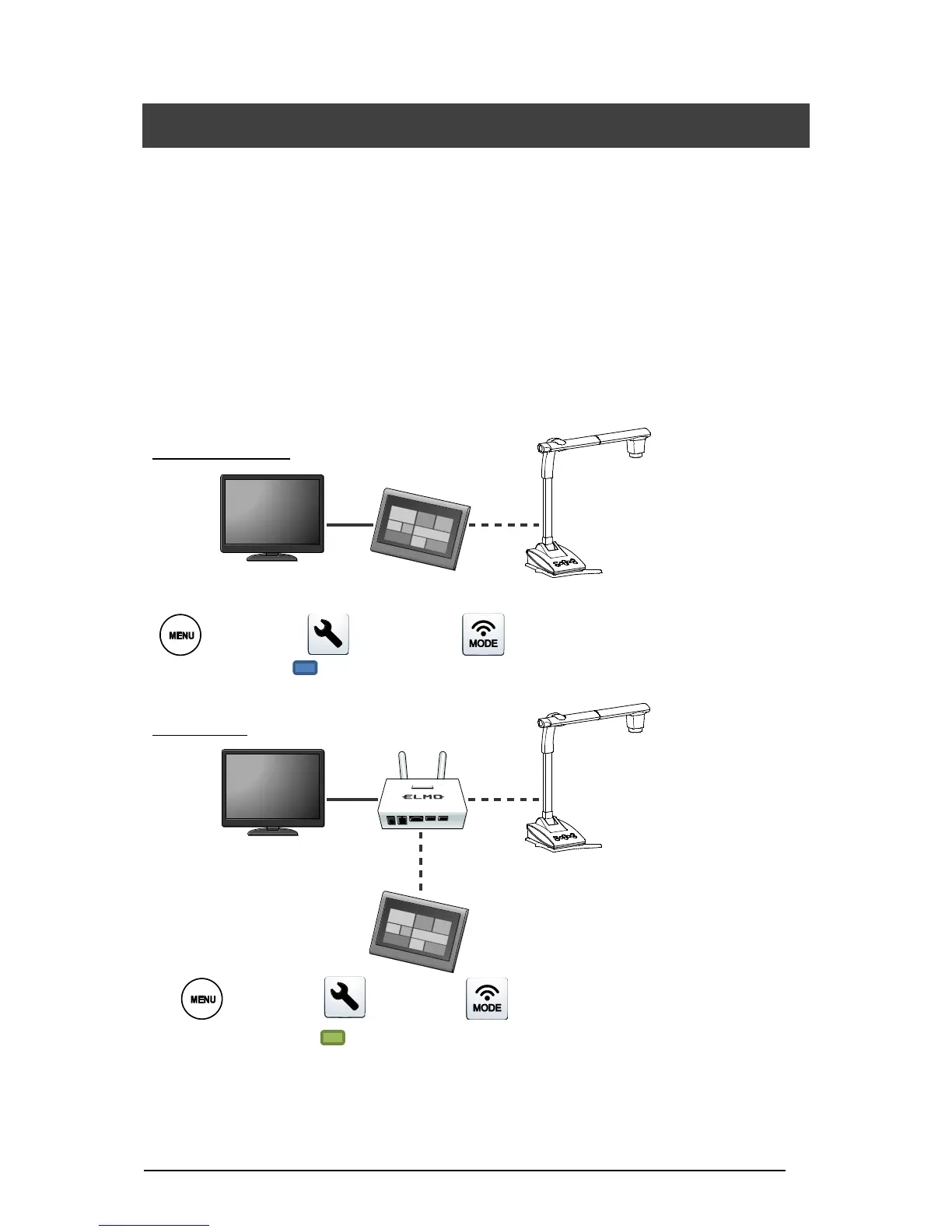
The TX-1 is equipped with the WiFi function. The following WiFi modes are available:
・Access Point mode : The TX-1 can be directly connected to a computer in an environment
where there is no wireless LAN network.
・Station mode : The TX-1 can be connected to the ICB or third party’s wireless
system via wireless LAN network.
*ICB (Interactive Communication Box):Next generation wireless access point for education
By using the WiFi function of the TX-1, you can connect the TX-1 to a computer as shown
below.
・Access Point mode (※Factory default setting)
[ MENU ]⇒[ Settings]⇒[ Network mode]⇒[Access Point]
WiFi LED: Blue[ ]
・Station mode
[ MENU ]⇒[ Settings]⇒[ Network mode]⇒[Station]
WiFi LED: Green[ ]
Refer to Page 28 for details of changing the Network mode.



 To Next Page