15
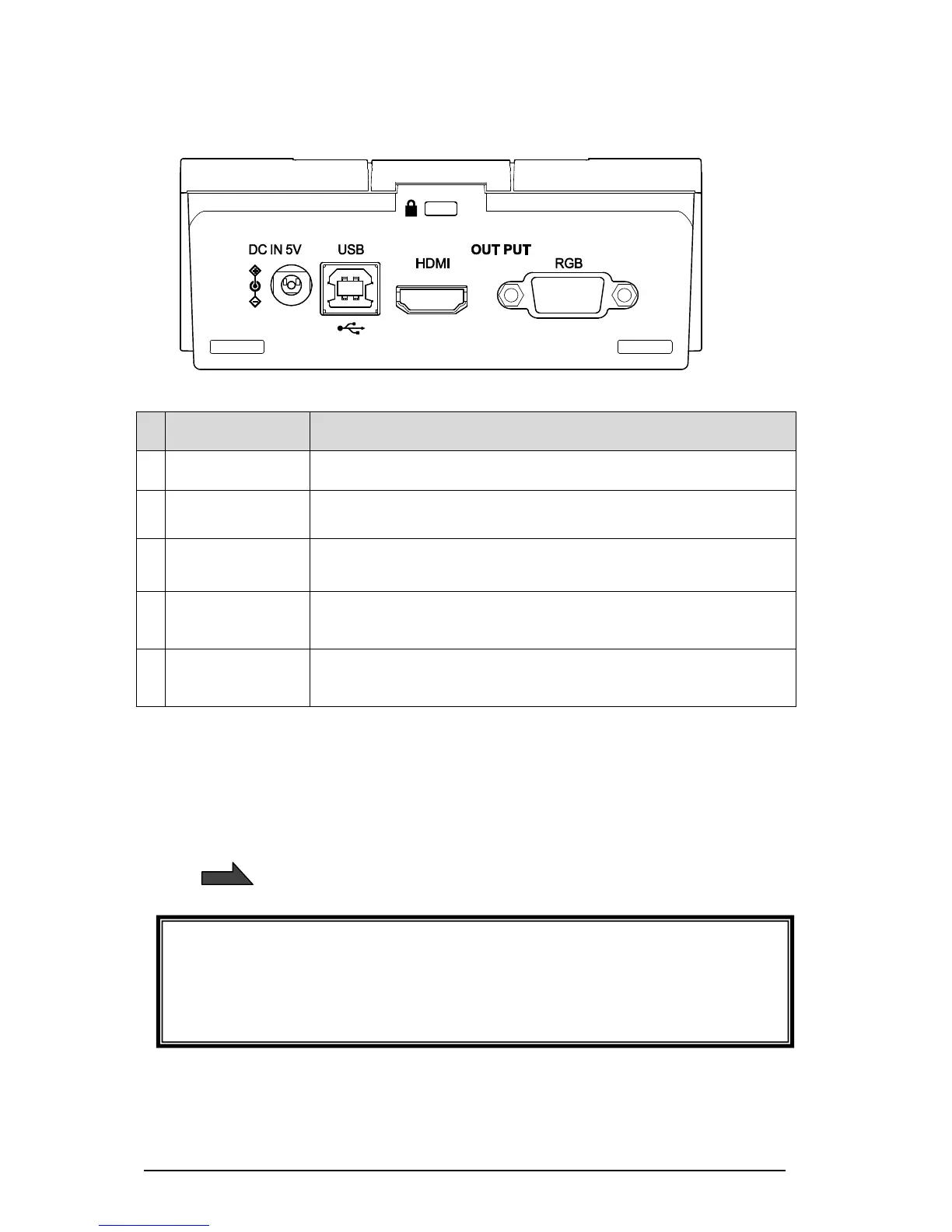
■REAR PANEL AND CABLE CONNECTION
To connect the supplied DC power cable.
To connect to a computer via the supplied USB cable.
To output digital images.
(HDMI cable is not supplied with this product.)
To output analog RGB images.
(RGB cable is not supplied with this product.)
① To connect the AC adapter
Connect the supplied AC adapter and the supplied power cable. Connect video cables such
as HDMI cable and RGB cable to the TX-1. Then connect the AC adapter to the DC IN 5V in
the rear panel and plug the power cable to the outlet.
Make sure to connect the power cable to the outlet after connecting the video cables to the
TX-1.
Caution
The supplied DC power cable (black, for Europe) is designed to be used for the TX-1
only. Do not use for other purpose than connecting the supplied AC adapter to the TX-1.
Using the supplied DC power cable with a computer may damage a computer.



 To Next Page