27
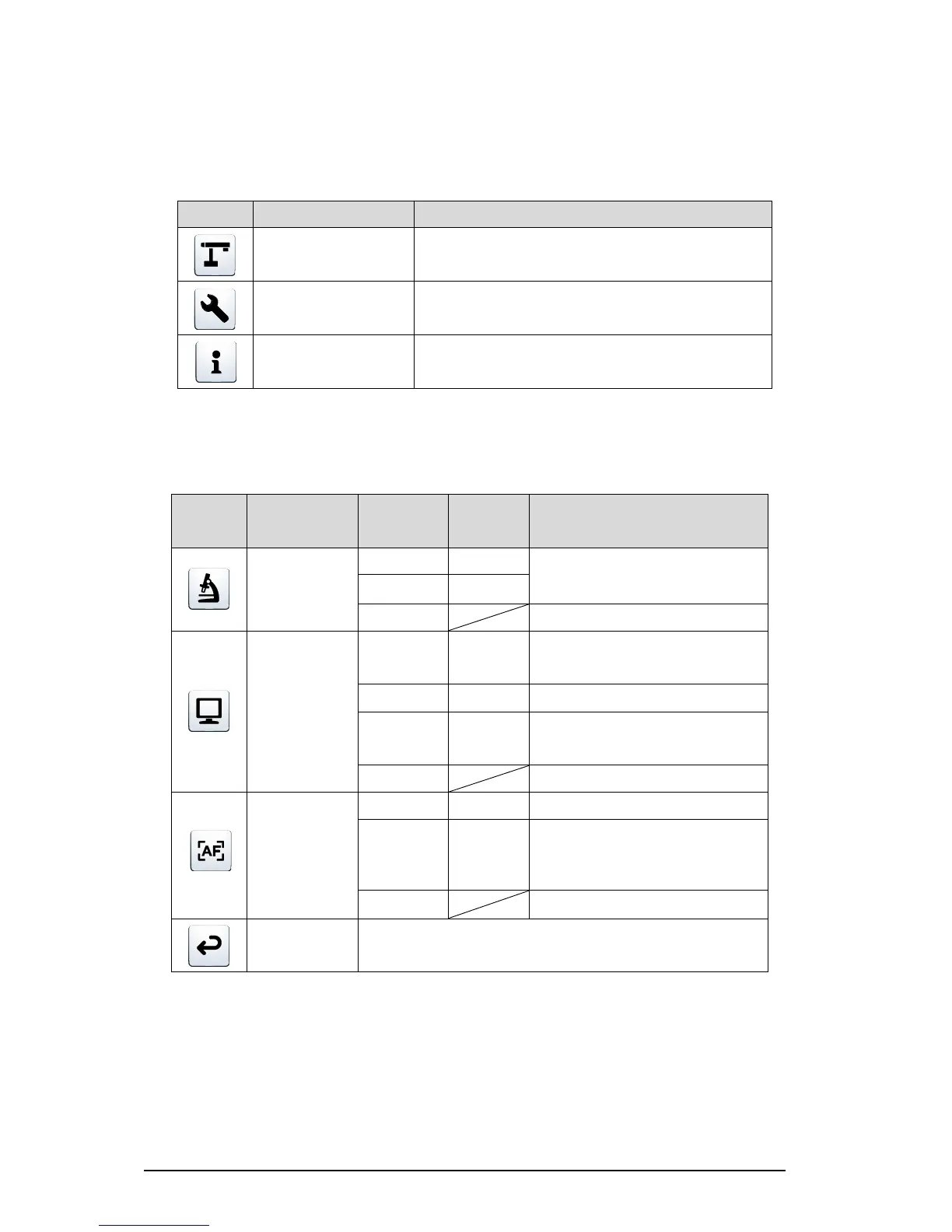
■DESCRIPTIONS OF EACH MENU
MAIN UNIT [FIRST LAYER]
To display the setting menu for the camera image.
To display the setting menu for various functions.
To display the setting details.
CAMERA CONTROL [SECOND LAYER]
To ON/OFF the microscope mode.
To set to the mode suitable for
displaying documents.
To set to the mode suitable for
displaying photos.
To auto focus after zooming.
To auto focus only once when the
AF/Enter button on the operating
panel or the AF button in the camera
head is pressed.
To go back one layer in the menu.



 To Next Page