26
2-4 CHANGING THE SETTINGS
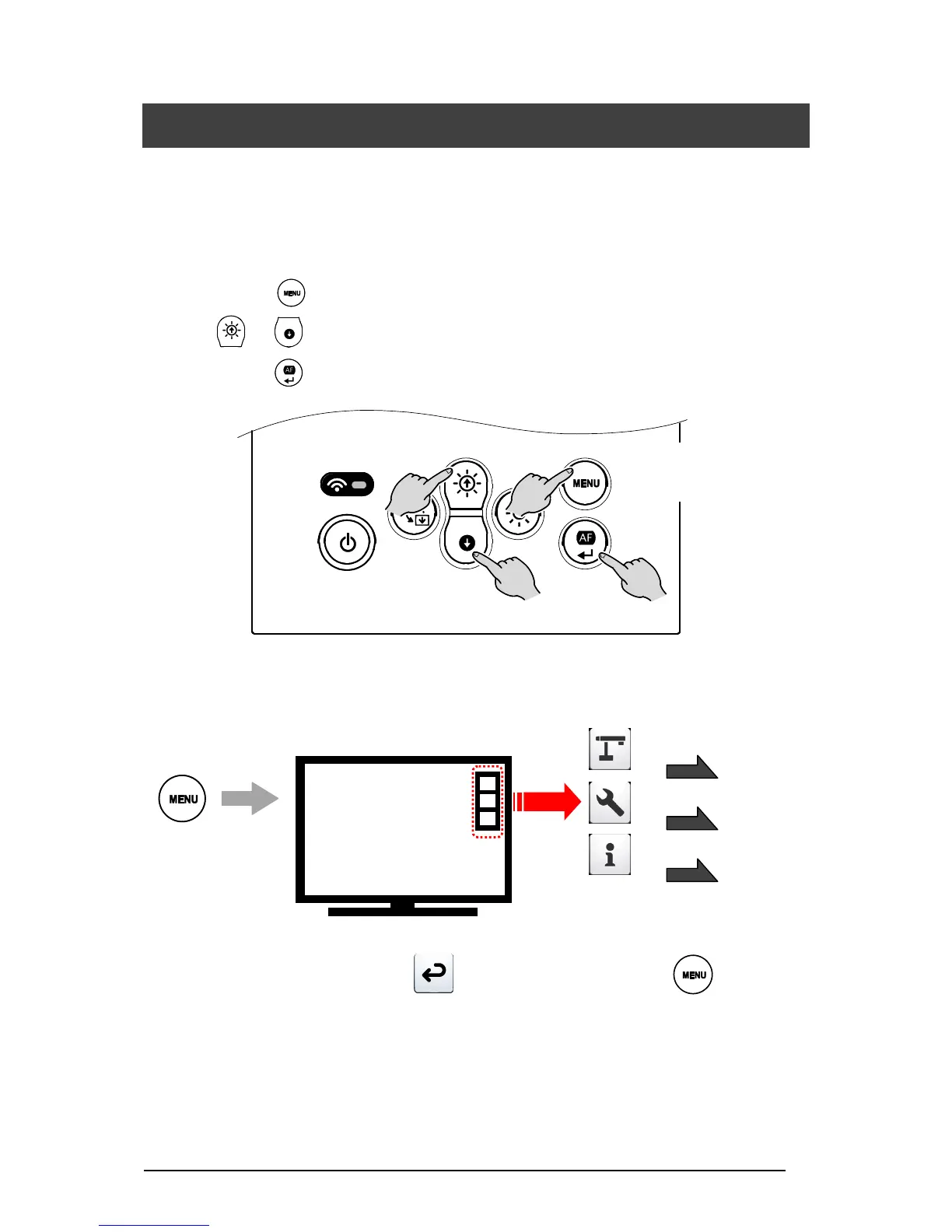
Various settings for the TX-1 can be changed through the OSD menu (characters and icons).
■HOW TO CHANGE THE SETTINGS
①Press the [ ] button on the operating panel to display the OSD menu, and then use the
[ / ] buttons to move the cursor to the icon you want to operate or set.
②Press the [ ] button to set the setting value.
■LIST OF MENU ICONS
※To go back the previous layer, select [ ]. To hide the menu, press the [ ] button.



 To Next Page