50
Mechanical Adjustment
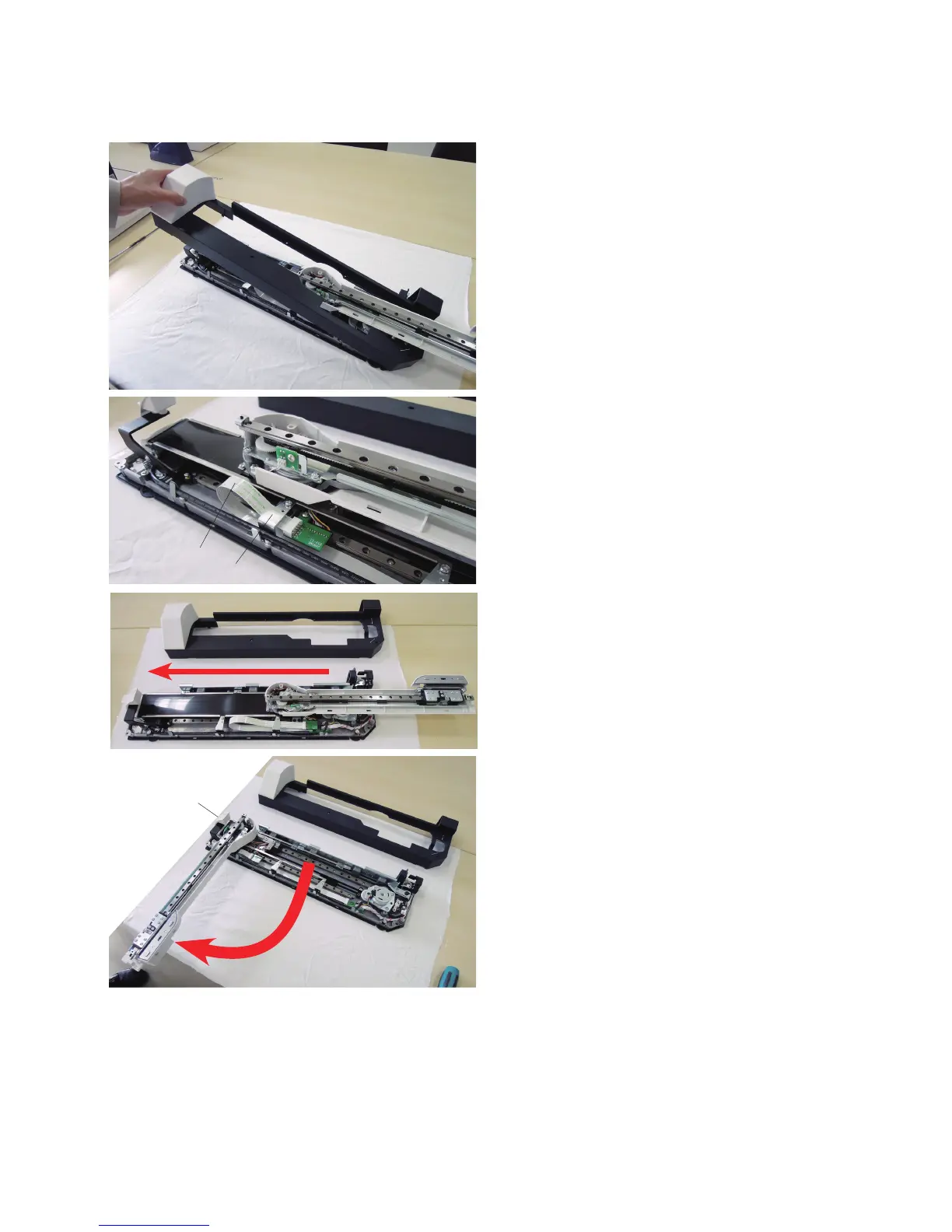
⁄2 Remove the embroidery unit cover (unit).
!1
!2
!3
⁄3 Position the flexible cable !2 under the guide plate !3 so
the cable will not be damaged when moving.
q
⁄4 Move the carriage arm in the direction of arrow !1.
⁄5 Push down the carriage arm release lever q.
Extend the carriage arm.
To attach the Y-carriage cover (upper), X-carriage cover
and Embroidery unit cover, follow the above procedure in
reverse.















 To Next Page