Chapter 1 5
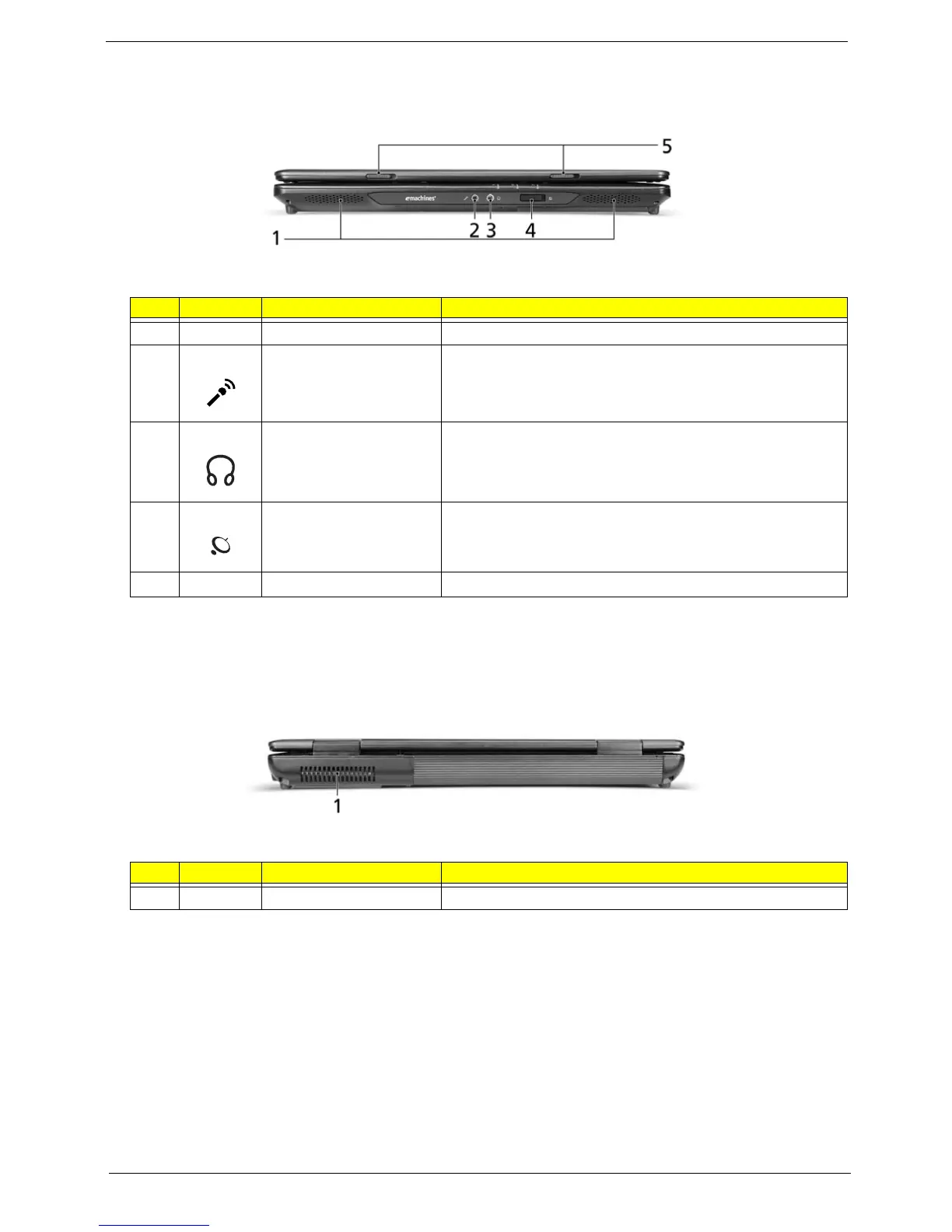
Closed front view
Rear Panel
# Icon Item Description
1 Speakers Left and right speakers deliver stereo audio output.
2 Microphone-in jack Accepts inputs from external microphones.
3 Headphones/speaker/
line-out jack
Connects to audio line-out devices (e.g., speakers,
headphones).
4 Wireless communication
switch
Enable/disable the wireless function. (manufacturing option).
5 Latch Locks and releases the lid.
# Icon Item Description
1 Ventilation slots Enable the computer to stay cool, even after prolonged use.













 To Next Page