Chapter 3 61
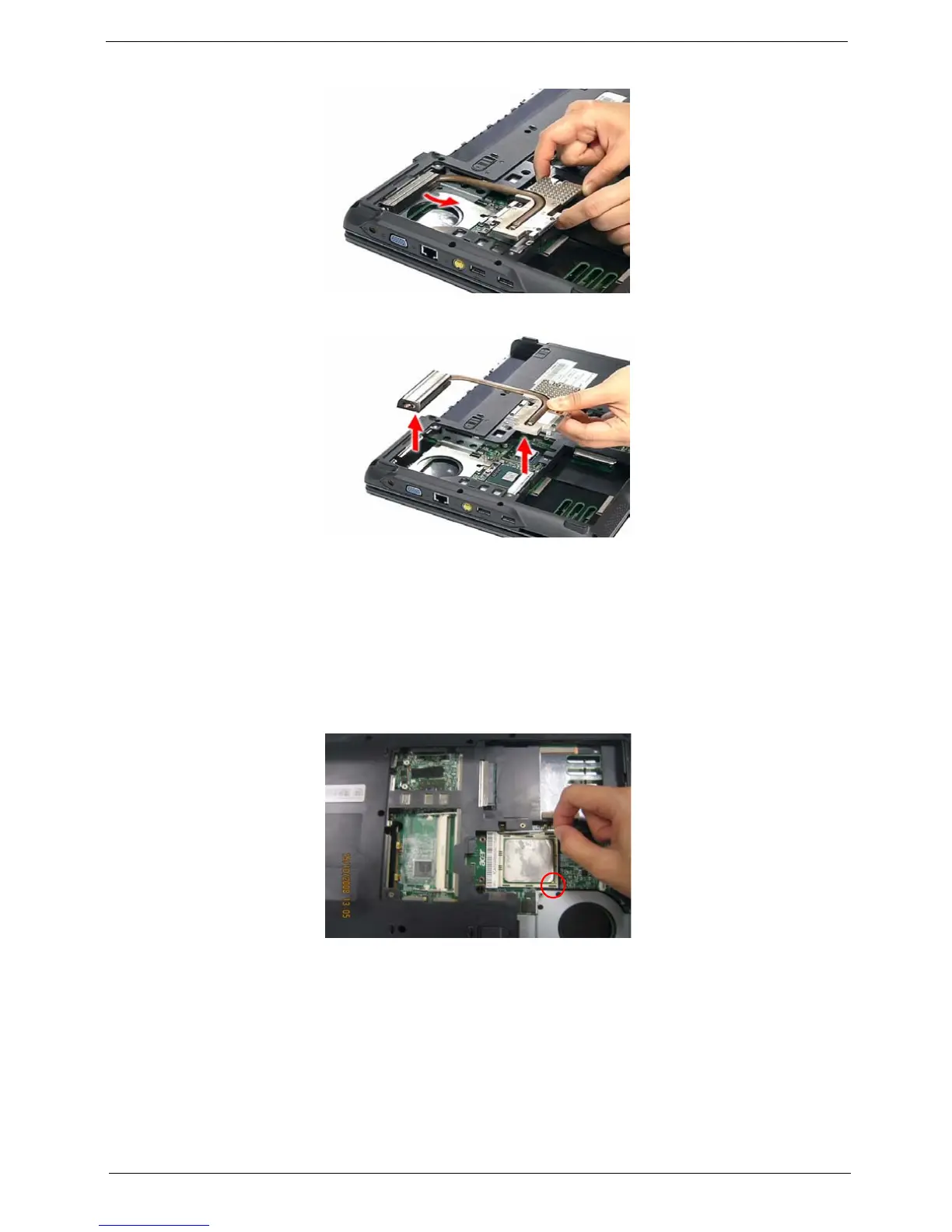
5. Carefully pull the heatsink out of the edge of the main unit.
6. Remove the heatsink.
Removing the CPU
1. See “Removing the Battery Pack” on page 51.
2. See “Removing the Lower Cover” on page 51.
3. See “Removing the Fan Module” on page 59.
4. See “Removing the CPU Heatsink Module” on page 60.
5. Press the CPU released lever to release the CPU then remove the CPU from the CPU socket.
NOTE: When installing the CPU, make sure to install the CPU with PIN 1 at the corner as shown.
IMPORTANT:To prevent any overheating problem, please apply some more thermal grease on the processor
when you need to reatch the thermal module onto the processor. Thermal grease brand and
model:Honeywell PCM45SP.













 To Next Page