56 Chapter 3
Removing the Optical Drive Module
1. See “Removing the Battery Pack” on page 51.
2. See “Removing the Lower Cover” on page 51.
3. See “Removing the Lower Cover” on page 51.
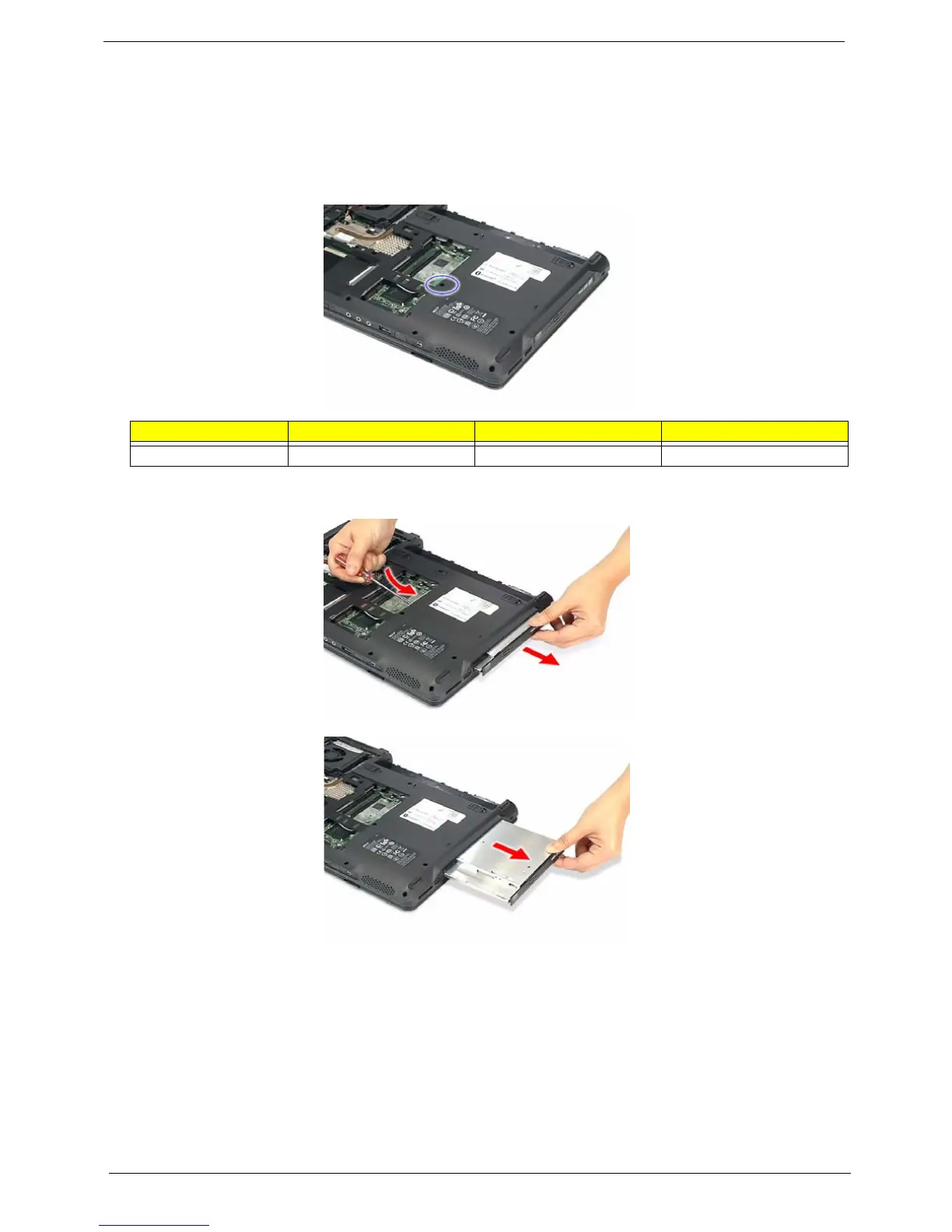
4. Turn the base unit over, then remove the screw (E) on the bottom side of the unit.
5. Using the flat screwdriver, press the end of the module forward, then slide out the optical drive module
from the main unit.
Step Size (Quantity) Color Torque
1 M2.5 x L6 (1) Black 1.6 kgf-cm













 To Next Page