Chapter 3 51
Removing the Battery Pack
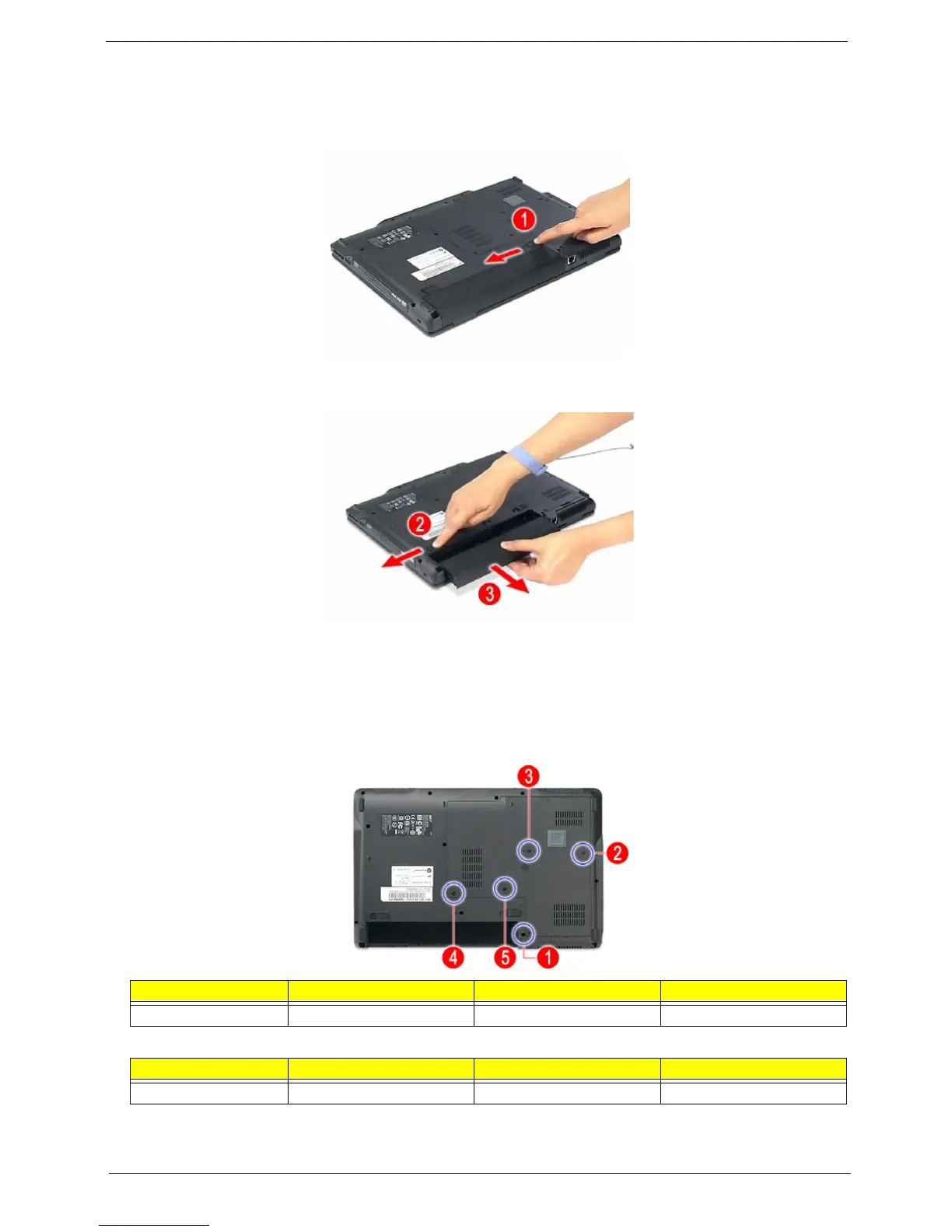
1. Turn base unit over.
2. Slide the battery lock/unlock latch to the unlock position (1).
3. Slide and hold the battery release latch to the release position (2), then remove the battery from the main
unit (3).
Removing the Lower Cover
1. See “Removing the Battery Pack” on page 51.
2. See “Removing the Lower Cover” on page 51.
3. Loosen the four screws (A) on the lower cover.
4. Remove the screw (B) on the lower cover.
5. Use a plastic screw driver to pry open the lower cover.
Step Size (Quantity) Color Torque
1~4 M2 x L4 (4) Black 1.6 kgf-cm
Step Size (Quantity) Color Torque
5 M2 x L18 (1) Black 1.6 kgf-cm













 To Next Page