Chapter 3 55
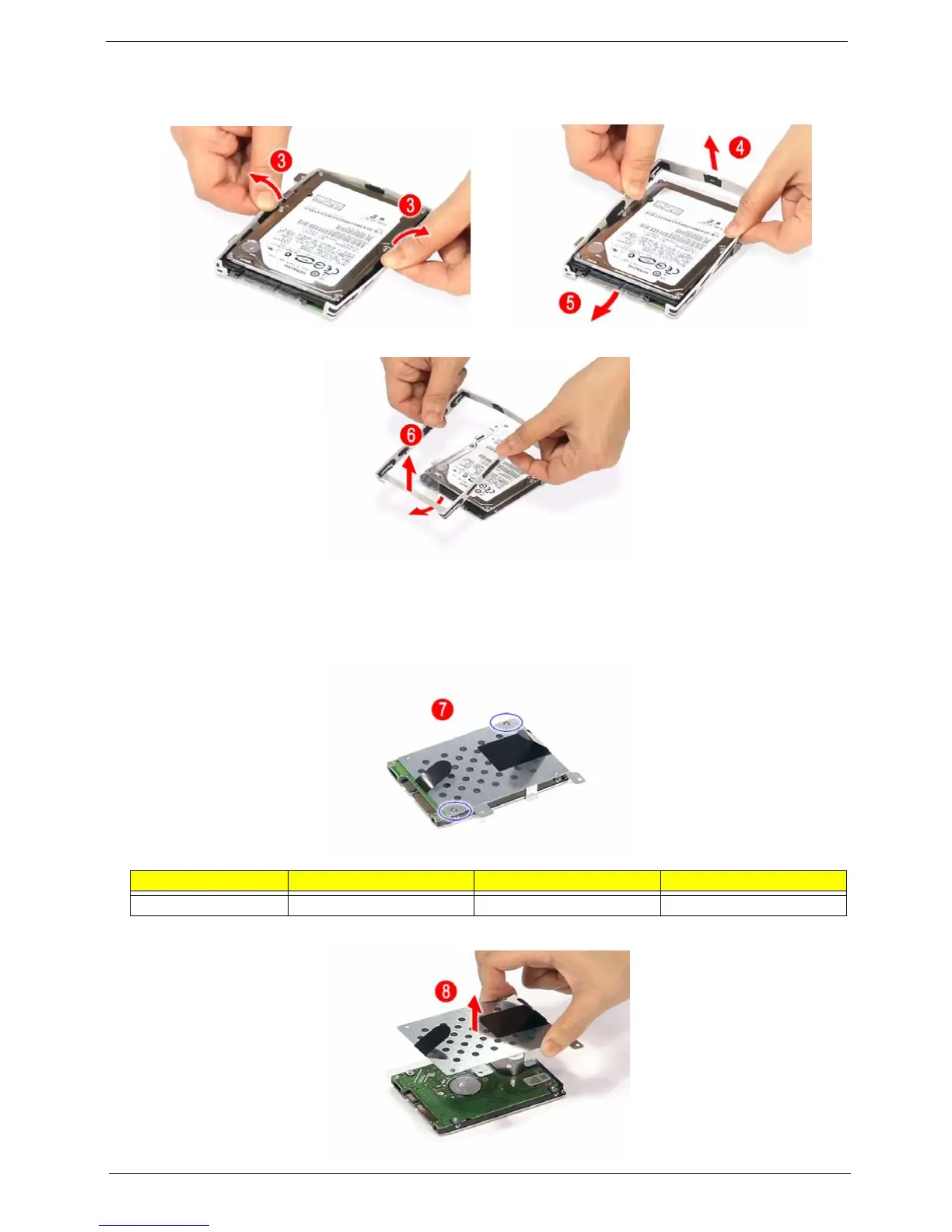
5. Remove the HDD rubber enclosure by gently prying open the enclosure, starting on either side (3) and
proceeding down the bottom (4) and towards the top of the disk (5), then pull it up to detach from the HDD
module (6).
NOTE: The HDD on this model does not have the rubber enclosure as above images show. Please skip these
steps and got to next step directly.
6. Remove the two screws (D) on the HDD bracket.
7. Remove the bracket as shown.
Step Size (Quantity) Color Torque
7 M3 x L4 (2) Silver 1.6 kgf-cm













 To Next Page