60 Chapter 3
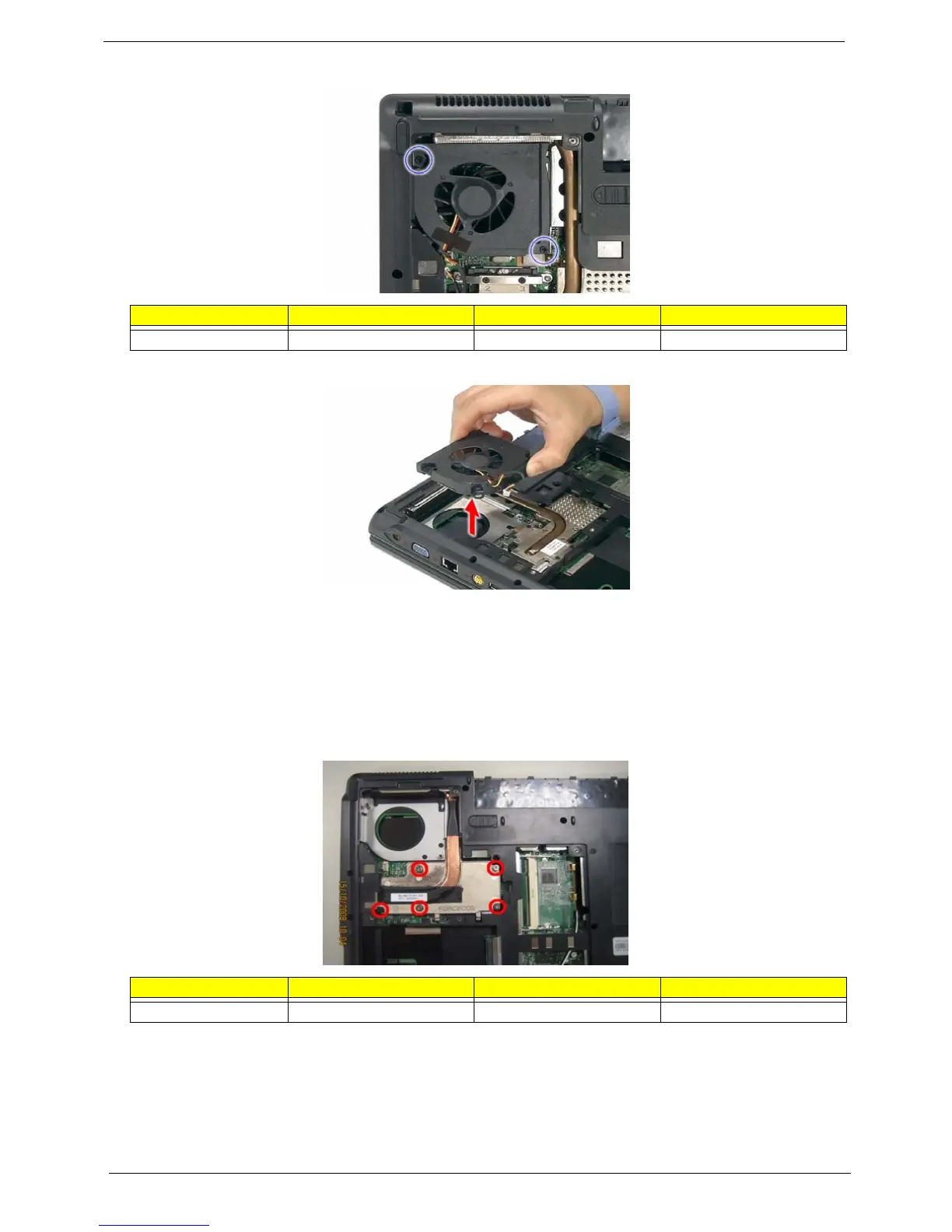
6. Remove the screws (H) securing the fan to the main unit.
7. Remove the fan from the main unit.
Removing the CPU Heatsink Module
1. See “Removing the Battery Pack” on page 51.
2. See “Removing the Lower Cover” on page 51.
3. See “Removing the Fan Module” on page 59.
4. Unfasten the screws (A) securing the heatsink in the order shown.
Step Size (Quantity) Color Torque
1-2 M2.5 x L5 (2) Black 1.6 kgf-cm
Step Size (Quantity) Color Torque
1-5 M2 x L4 (5) Silver 1.6 kgf-cm













 To Next Page