Chapter 3 67
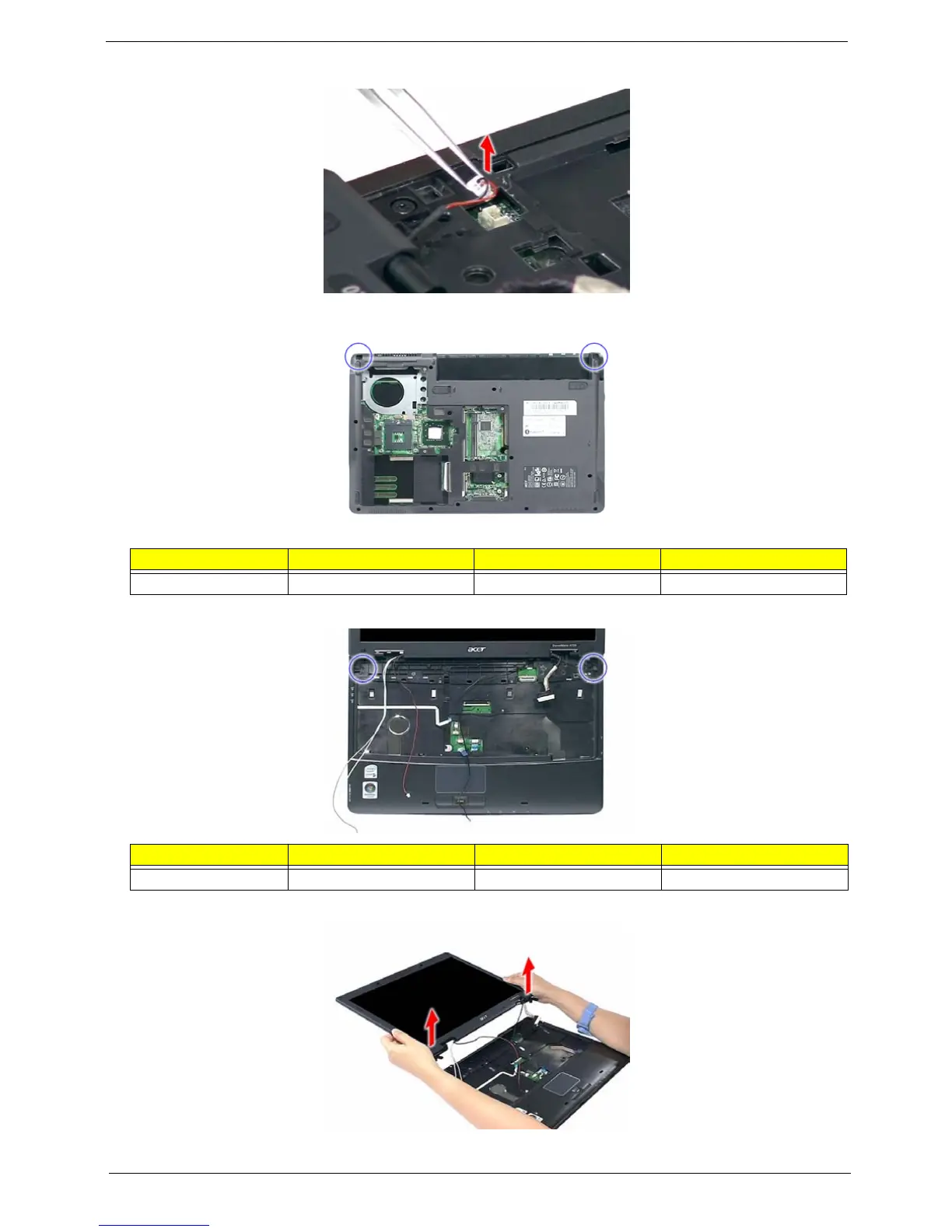
16. Disconnect the cover switch cable from the mainboard.
17. Turn the system over and remove the two screws (E) from the base of the unit.
18. Remove the two screws (E) from the left and right hinge of the LCD module.
19. Carefully remove the LCD module from the base unit.
NOTE: Make sure the cables are routed well before connecting the cables back to the unit.
Step Size (Quantity) Color Torque
1~2 M2.5 x L6 (2) Black 3.0 kgf-cm
Step Size (Quantity) Color Torque
1~2 M2.5 x L6 (2) Black 3.0 kgf-cm













 To Next Page