80 Chapter 3
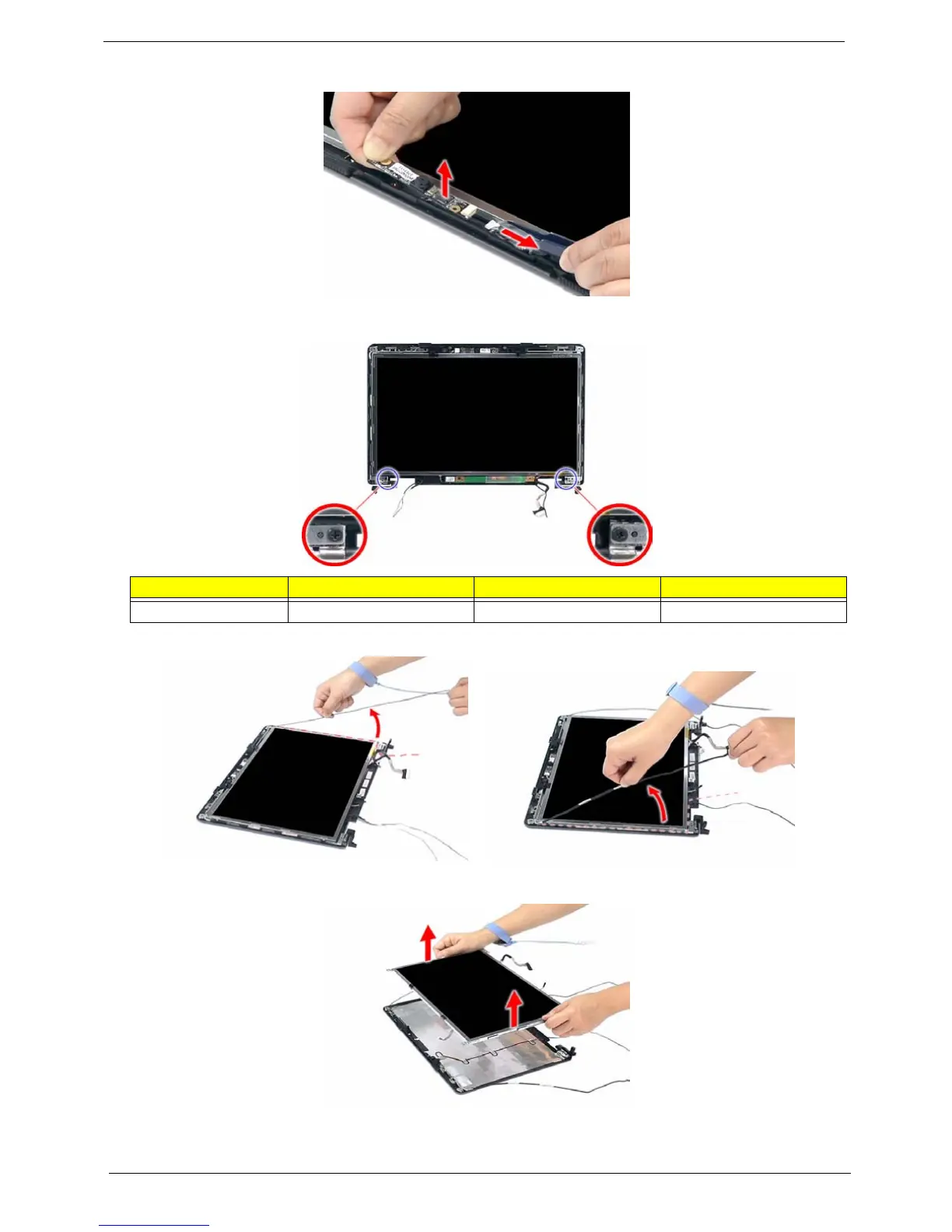
13. Detach the CCD board cable from the CCD board, then remove the board.
14. Remove the two screws (I) securing the left and right LCD brackets to the LCD back cover.
15. Carefully detach the cables from the latches on the LCD bracket as shown.
16. Detach the LCD with the brackets from the back cover.
Step Size (Quantity) Color Torque
1~2 M2.5 x L5 (2) Silver 2.5 kgf-cm













 To Next Page