E-ESD3000-E-Manual.doc 19/66
4 Control Panel
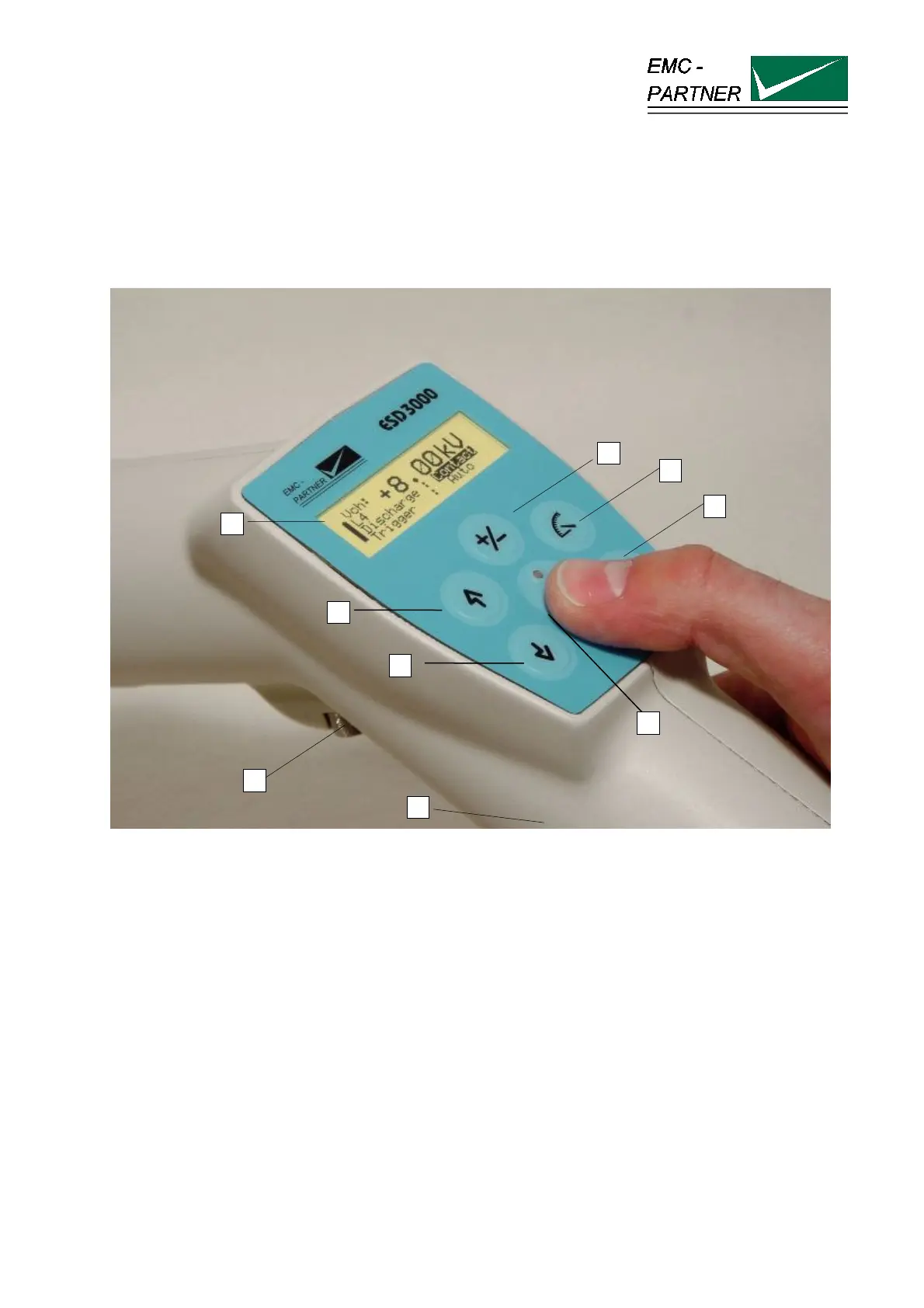
4.1 Front panel of the ESD3000
The operator should study the manual in detail. Only instructed personal is allowed to operate the ESD3000.
The most important elements of the front panel are:
1. Display
2. Voltage up or menu command line up
3. Voltage down or menu command line down
4. Run button: With the „Run“ button, a test can be started or interrupted. With the run button the unit is
turned „ON“
5. Enter
6. Selection of the programmed test levels. The programmed test levels changes with discharge module
interchange
7. Polarity selection
8. Screw for looking the discharge modules. The same screw can be used for fix the ESD3000 on a
tripod stand.
9. Trigger button: When manual trigger is programmed and the tester is ready for manual trigger, this will
be signalled by the LED. As soon as the signal occurs the pulse can be released.
2
9
8
7
6
5
4
1
3



 To Next Page