E-ESD3000-E-Manual.doc 51/66
13 E3Loader and Serial Communication
13.1 Remote control with „E3Loader“
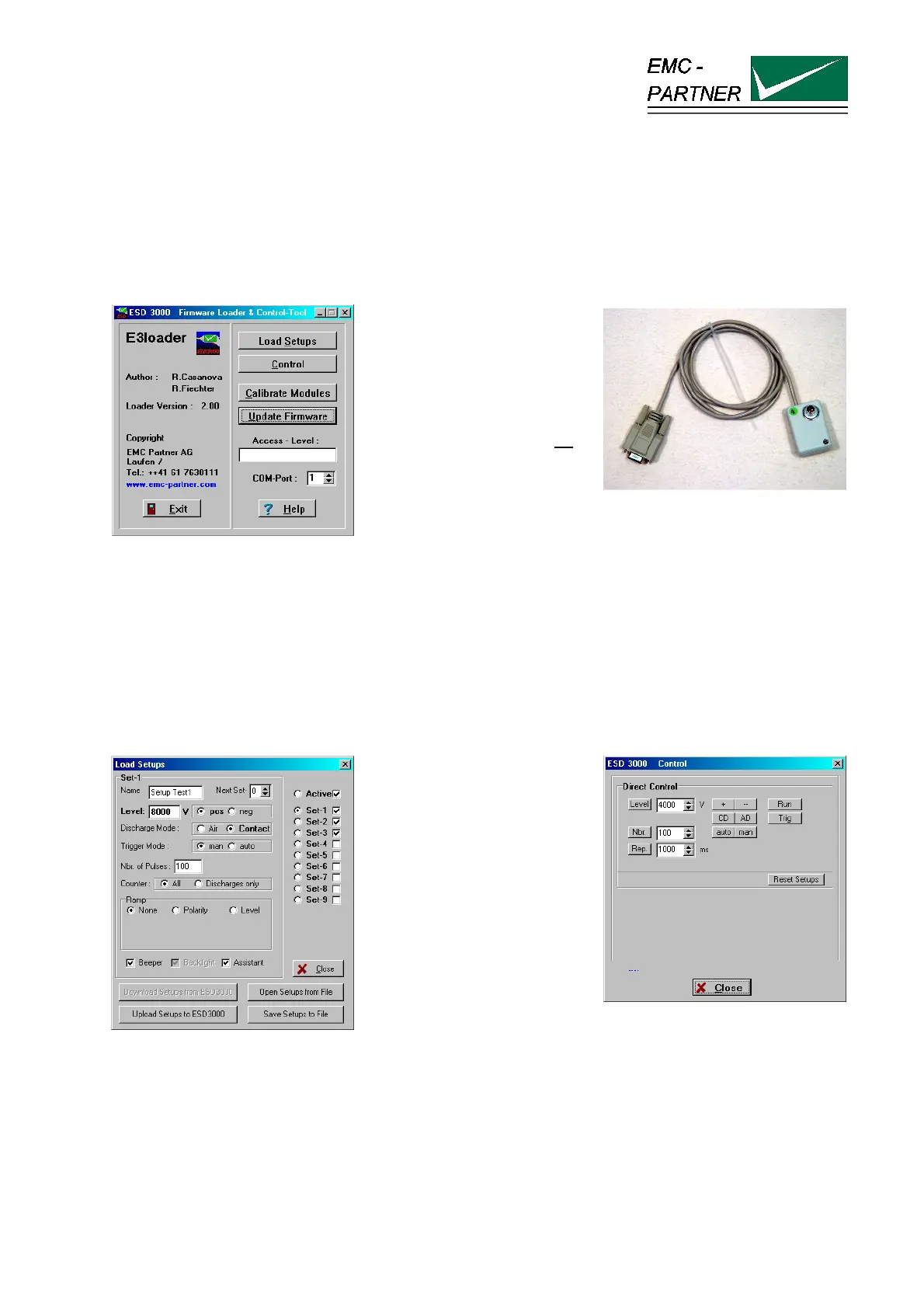
The E3Loader program, delivered with ESD3000, is a basic software package primarily used for updating
firmware and, with the optional ESD-VERI-V, adjusting the HV-DC level. E3Loader can also be used as a
simple remote control tool.
The Download-Module
(picture right) connects
ESD3000 to a 9-pin serial
port on the PC.
This is an easy way to
upload new settings or
firmware but as there is no
galvanic insulation high-
voltage testing is not
possible.
For remote controlled testing,
an optional optical RS232
interface is required.
The serial port uses just the data lines TxD and RxD for information transfer (9600Baud, 8 N 1).
13.2 Controlling ESD3000
Click ‘Load Setup’ to enter
the parameter input menu
(picture left). Parameters
can be changed and saved
in one of 9 memory
locations on the computer
hard disk. These setup files
can be transferred to the
ESD3000 using the
download module.
Click ‘Control’ to enter the
real-time test menu (picture
right). Parameter values
can be changed, even when
ESD3000 is operating
(optical interface required).



 To Next Page