ESD3000-System
32/66
6.4.4 Menu „Settings“
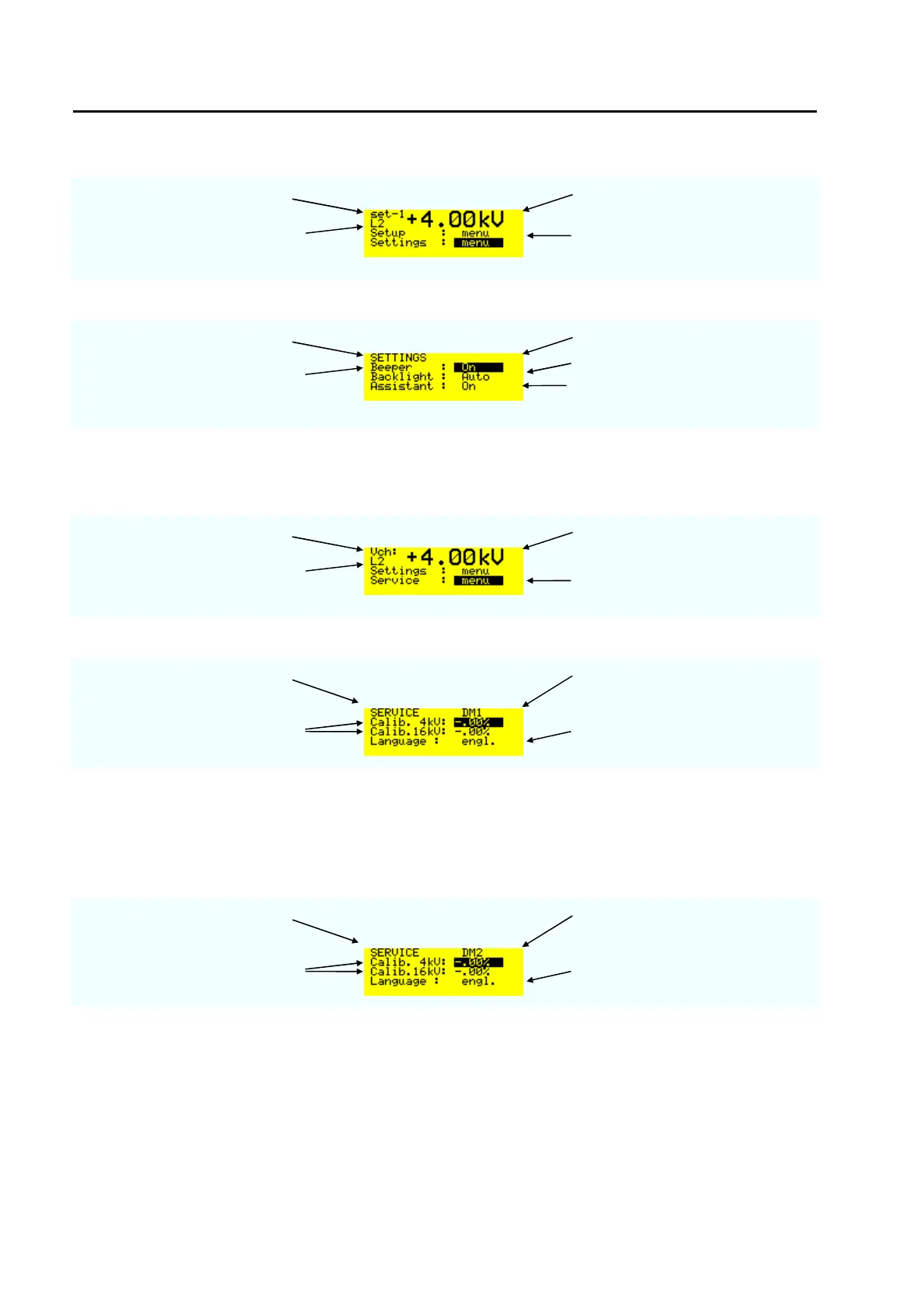
charging voltage selected voltage level
voltage level selected L2 = 4 kV
When the black cursor is
positioned as showed and the
ENTER button is pressed, the
trigger change to „Auto“
menu page selected voltage level
Beeper „ON“ or „OFF“ with
“ENTER“ button
Backlight „Auto“, „OFF“ or „ON“
Assistant: „ON“ or „OFF“. The
message displays occur only when
the assistance is in the „ON“ mode
6.4.5 Menu „Service“
Last menu which can be found with the down arrows is the service menu
charging voltage selected voltage level
voltage level selected L2 = 4 kV
When the black cursor is
positioned as showed and the
ENTER button is pressed, the
display below will be showed
menu page ESD3000 equipped with
Discharge module DM1
calibration of the charging voltage
at 4 kV or 16 kV
For the time being only the English
version exists
Remark: With the voltage calibration divider ESD-VERI-V all customers can calibrate the voltages at 4 or 16
kV with an oscilloscope. The calibration factor include two values: the value from ESD3000 and the values
of the different discharge modules. As soon as the discharge module is interchanged the calibration factor
will be adapted to the new discharge module.
menu page ESD3000 equipped with
Discharge module DM2
calibration of the charging voltage
at 4 kV or 16 kV
For the time being only the English
version exists
Remark: This solution offers different advantages :
advantage 1: The accredited calibration Lab can calibrate the ESD3000 directly
advantage 2: Additional DM can extend the application of the ESD3000 system after the first sale. The
factor delivered with the DM must be set in the service menu.



 To Next Page