E-ESD3000-E-Manual.doc 25/66
6 Testing with the ESD3000
6.1 Contact discharge
When you have studied Chapter 2 „Safety“ and Chapter 5 „Preparation for operation“ and all instructions
have been followed you have green light for a quick start..
EMC PARTNER store the needed tests specified in the basic standard in the ESD3000 before shipping.
To carry out a contact discharge, the following steps must be carried out:
• Connect correctly the earth or ground cable to a laboratory supply earth point or to a earth point of the
EUT.
• The discharge module must be equipped with the sharp tip
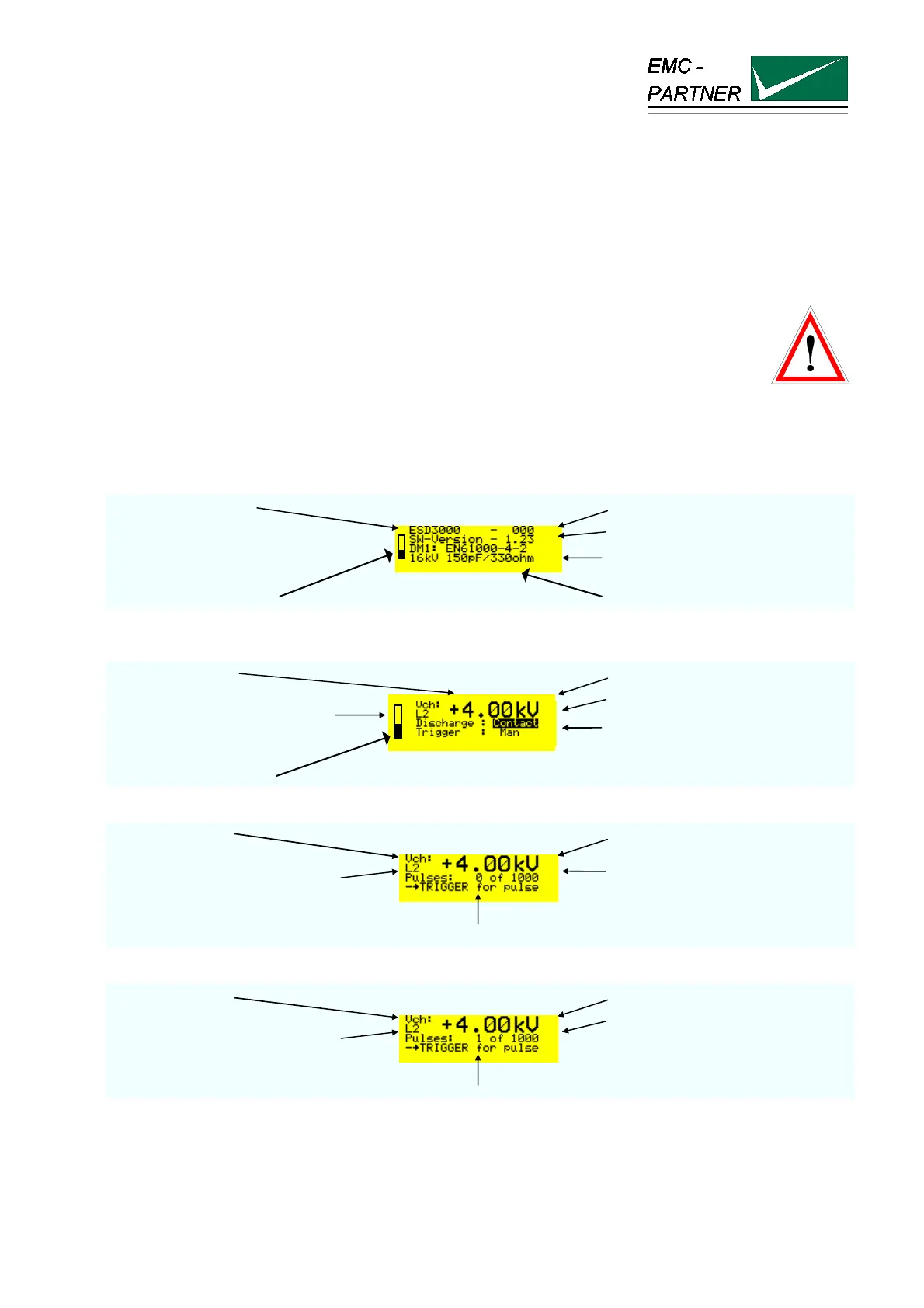
• Operate the „RUN“ button on the front panel the display turns to the EMC PARTNER logo and after a
second to:
test generator type serial number
software version
main parameter of the DM
batteries charge status inserted discharge module DM
Press the „RUN“ button one more time and the display turns to:
charging voltage polarity positive and voltage in kV
voltage level selected L2 = 4 kV
activated discharge mode
trigger mode manual
batteries charge status
Press the „RUN“ button one more time and the display turns to:
charging voltage charged voltage
voltage level selected L2 = 4 kV
first number indicates how many
pulses are released and second
number „how many pulses can be
carried out before the tests stops
TRIGGER button must be pressed
When the TRIGGER button has been pressed :
charging voltage charged voltage
voltage level selected L2 = 4 kV
first number change to 1. The first
ESD with 4 kV has been occurred
TRIGGER button must be pressed
Press the „RUN“ button and the ESD3000 return to the main setting mode.



 To Next Page