ESD3000-System
26/66
6.2 Air discharge
To carry out a air discharge, the following steps must be carried out:
• Connect correctly the earth or ground cable to a laboratory supply earth point or to a earth point of the
EUT.
• The discharge module must be equipped with the finger tip
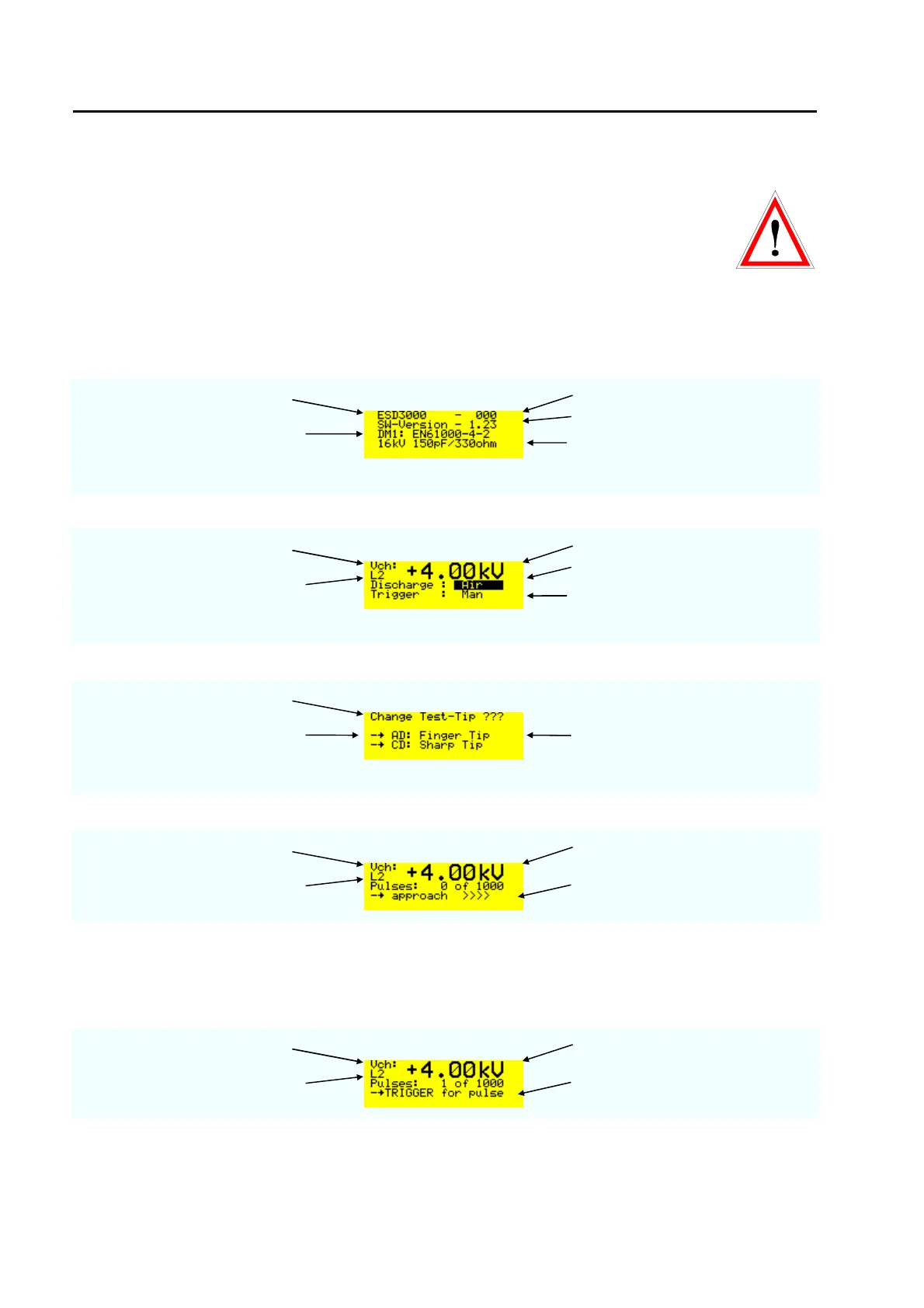
• Press the „RUN“ button on the front panel and the display turns to the EMC PARTNER logo and after a
second to:
test generator type serial number
inserted discharge module DM
software version
main parameter of the DM
Press the „RUN“ button one more time and the display turns to:
charging voltage polarity positive and voltage in kV
voltage level selected L2 = 4 kV
press ENTER button and the
display change contact to air
trigger mode manual
Press the „RUN“ button one more time and the display turns to:
Information display
AD = air discharge,
CD = contact discharge
check whether the correct tip is
put on the DM, AD = air discharge,
CD = contact discharge
Press the „RUN“ button twice and the TRIGGER button once - the display turns to:
charging voltage charged voltage
voltage level selected L2 = 4 kV
The air discharge must occurred
before 5 s are over
As soon as „approach >>>>“ is indicated on the display, the finger can be moved against the EUT. For the
movement against the EUT a maximum of 5 Seconds are reserved, corresponding to the holding time in the
IEC standard. For ISO 10605 test on insulated equipment press the Trigger button a second time when the
15 mm position is reached. This will avoid second air discharges.
Press the „RUN“ button - the display turns to:
charging voltage selected voltage level
voltage level selected L2 = 4 kV
first number change to 1. The first
ESD with 4 kV has been occurred
Press the „RUN“ button and the ESD3000 will be in the main setting mode.



 To Next Page