ESD3000-System
36/66
7.4 System Reset
A system reset can be made as follow:
1. Remove the batteries and wait about 5 to 10 seconds before inserting the batteries back.
2. With +/- hold, press button the power ON/OFF (RUN button).
The software will be reset to the default values.
7.5 Caution with calibration labels
It is strictly forbidden to use metallic labels for calibration information. No metallic labels are allowed on
neither on ESD3000 or modules and networks. Metallic labels could influence the current waveform or the
voltage withstand capability.
Only plastic foils are allowed.
7.6 What must be done when the serial number is not indicated during the start up
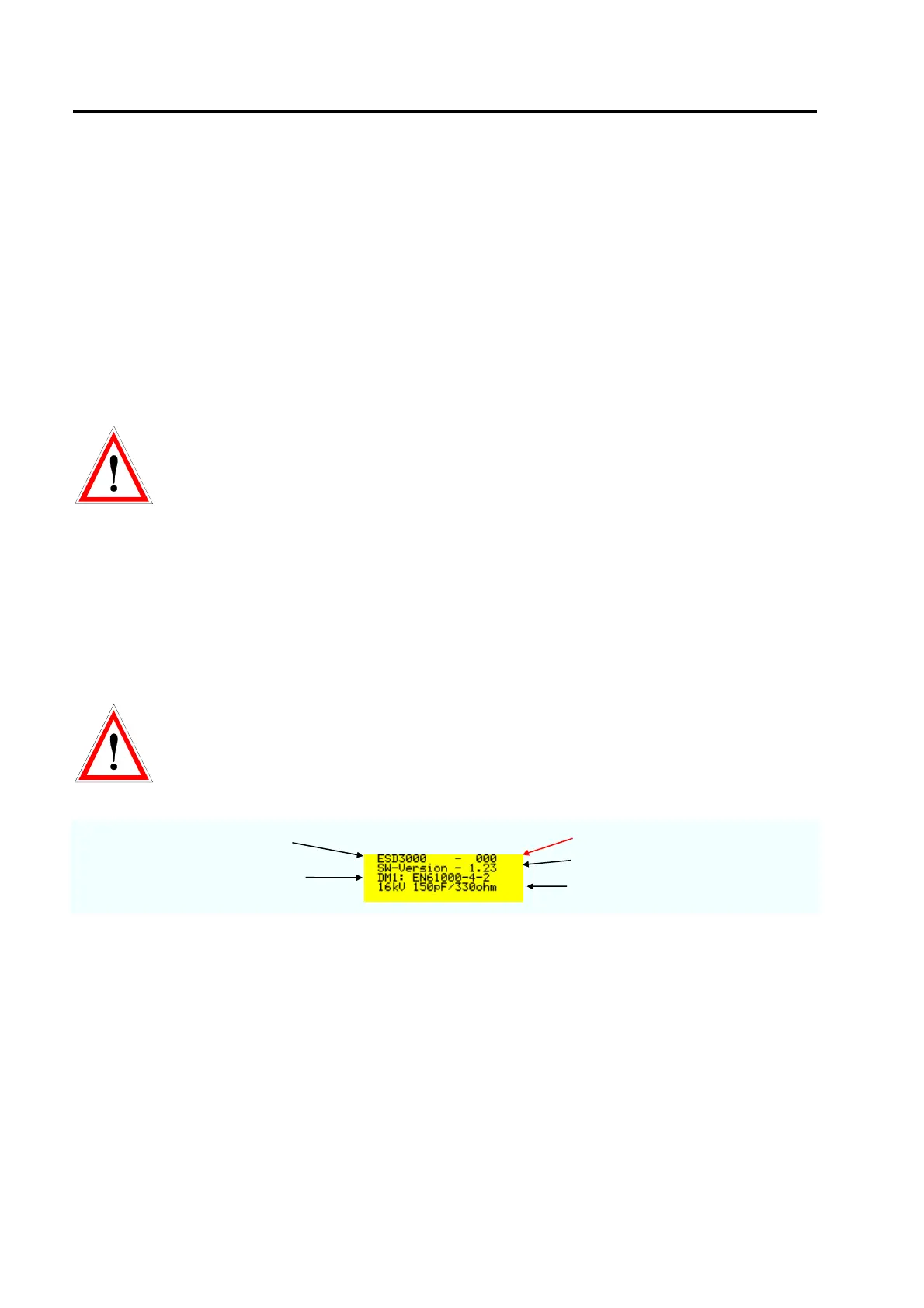
If the serial number is not indicated in the display as showed below the stored information about
the DN are lost. The calibration data “calib” and serial number must be manually inputed. Only with the
correct % values the output current and voltages are correct.
test generator type
serial number
inserted discharge module DM
software version
main parameter of the DM



 To Next Page