ESD3000-System
27/66
6.3 Main parameter setting with the buttons on the front plate
RUN
this button has different functions:
• Turn „ON“ and „OFF“ the supply of the ESD3000
• Turn “ON“ and „OFF“ the high voltage in the discharge modules DM
• The blinking light above the „RUN“ button indicates „High Voltage ON“
ENTER
this button has different functions:
• Change the mode of the black cursor location
• Activate parameter in one line to vary the parameter with up and down
• Quit the selected parameter
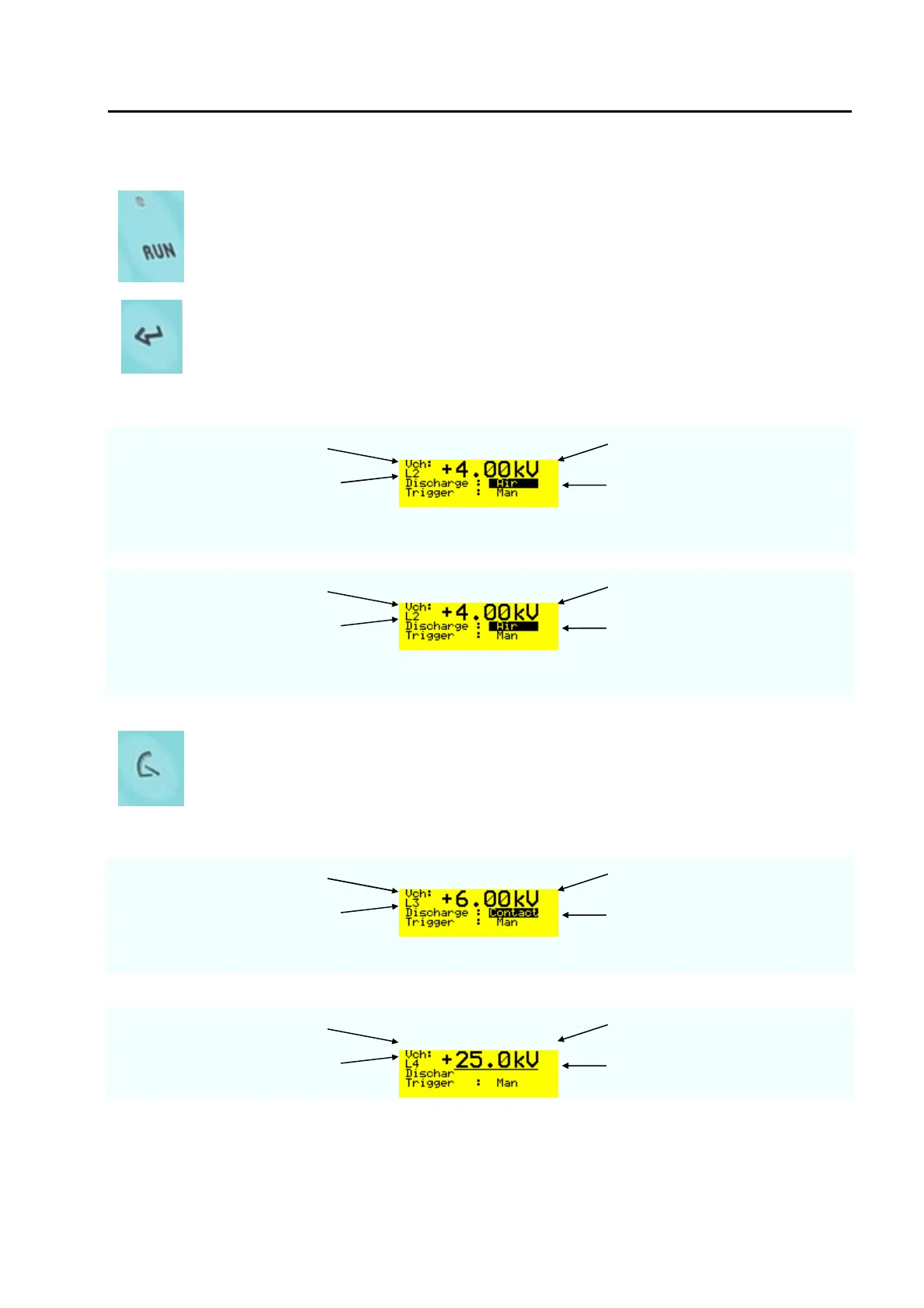
Examples with ENTER button
charging voltage selected voltage level
voltage level selected L2 = 4 kV
When the black cursor is
positioned as showed and the
ENTER button is pressed, the
discharge change to „contact“
charging voltage selected voltage level
voltage level selected L2 = 4 kV
When the black cursor is
positioned as showed and the
ENTER button is pressed, the
trigger change to „Auto“
LEVEL
• With the button „level“ very quickly the test levels of different standards can
be selected.
• The test levels change in function of the DM discharge module inserted into
the ESD3000.
Examples with LEVEL button
charging voltage polarity and Voltage value
voltage level selected L3 = 6 kV
Wit discharge module DM1“
Examples with LEVEL button
charging voltage charged voltage
voltage level selected L4 = 25 kV
With discharge module DM3



 To Next Page