ESD3000-System
28/66
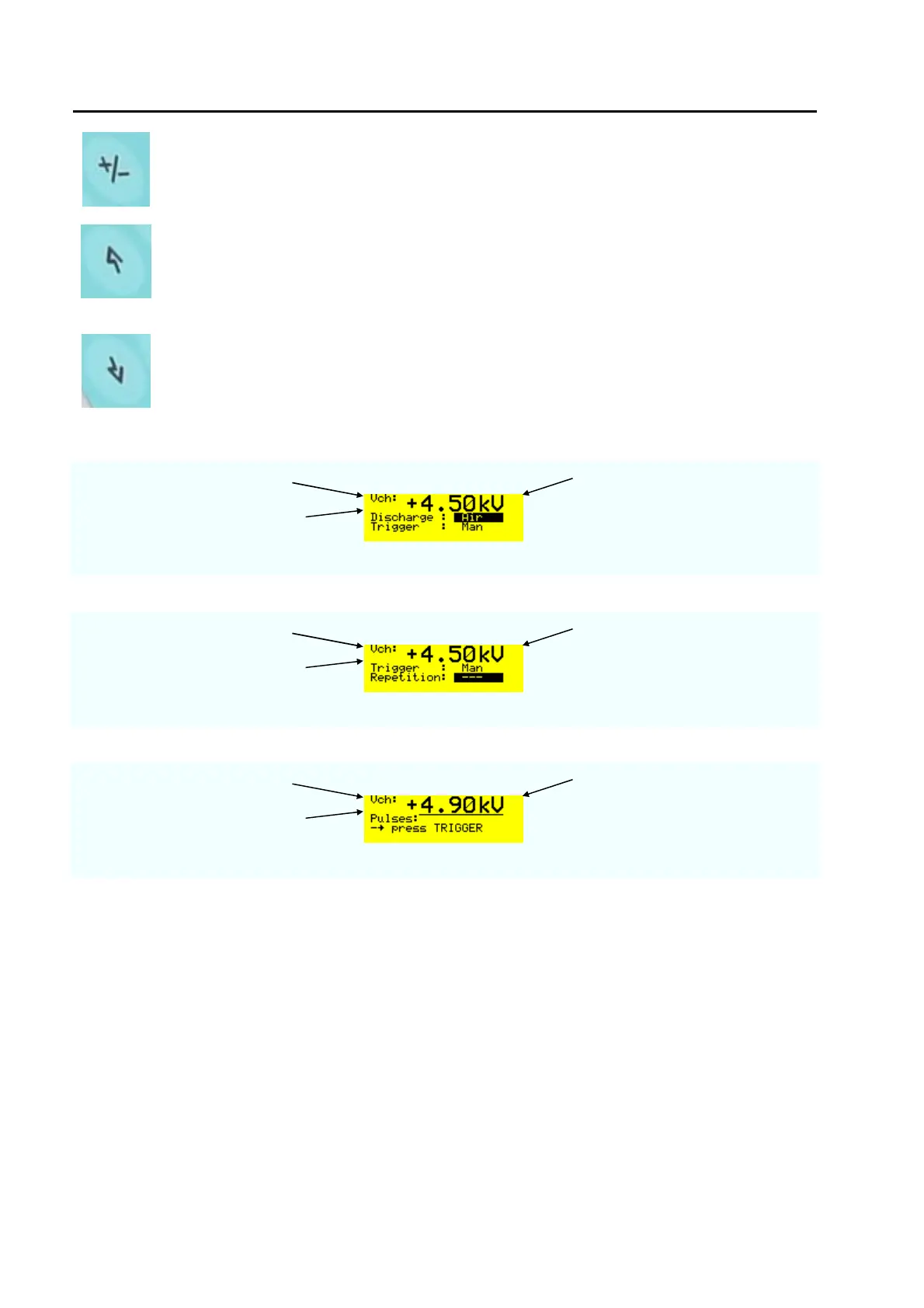
POLARITY
• Change the polarity of the charging voltage from positive to negative or from
negative to positive.
UP
this button has different functions:
• Change the charging voltage between the levels
• Moves the cursor in the menu up
• In the operation mode the charging voltage can be increased
DOWN
this button has different functions:
• Change the charging voltage between the levels
• Moves the cursor in the menu down
• In the operation mode the charging voltage can be decreased
Examples with charging voltage
charging voltage voltage increased to 4.5 kV
No level is indicated
“
Examples with menu
charging voltage Increased voltage 4.5 kV
voltage level selected L2 = 4 kV
Twice the button „down“ pressed
Examples with voltage changes in operation mode
charging voltage Increased voltage
No voltage level selected kV
RUN button pressed and with “up“
the voltage increased to 4.9 kV
Well that's easy isn't it ?
Most of the ESD tests can be done only using the hardware button on the front plate. In the next two
sections, the additional possibilities of the ESD3000 will be explained in detail.



 To Next Page