Operation
36 Emerson
®
MPH2
™
User Manual
3.6 View Receptacle-level Information
1. At the input-level (main) screen, highlight the receptacle icon, , and press .
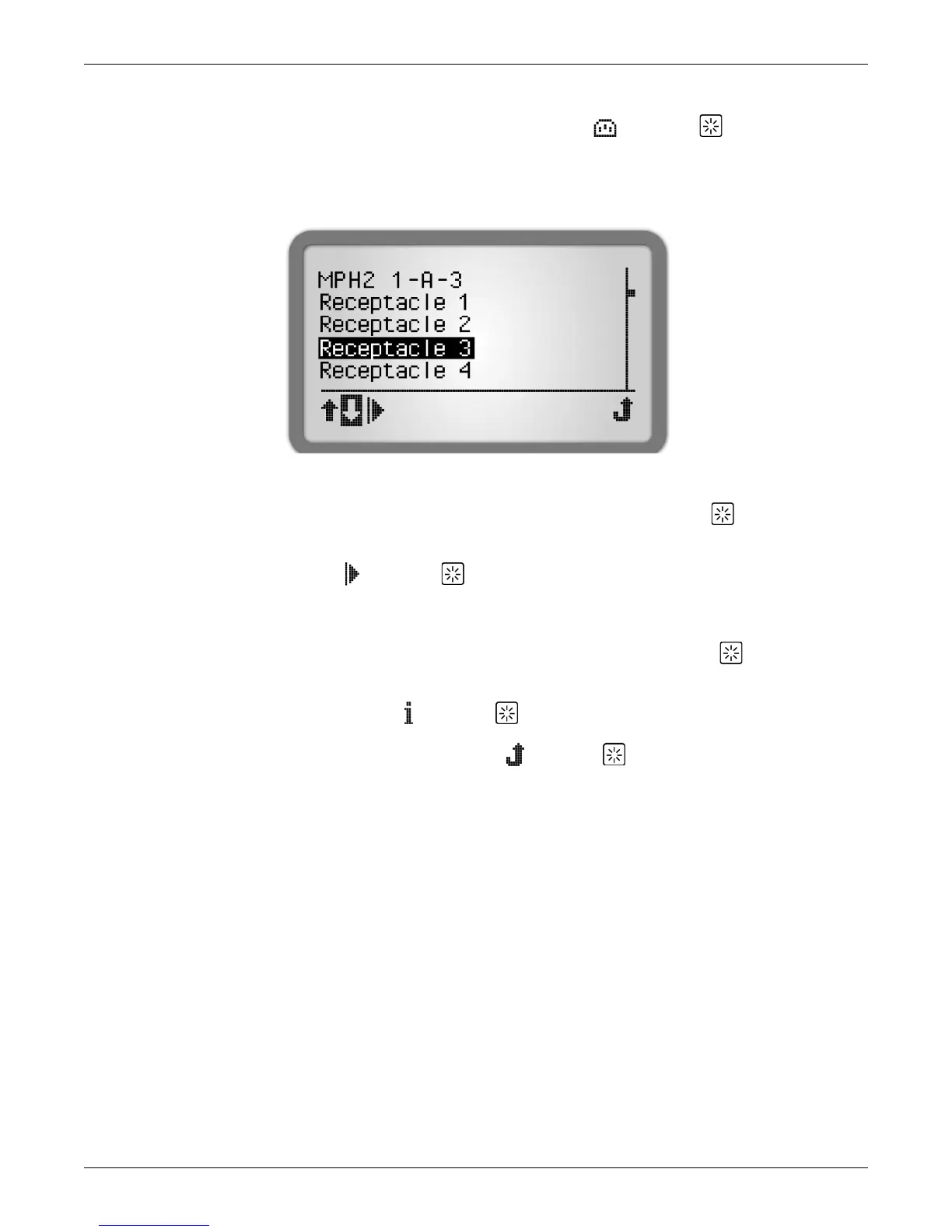
The receptacle list displays, Figure 3-13.
Figure 3-13 Receptacle list
2. Use the arrow keys to highlight an up/down arrow at the bottom-left, and press to highlight a
receptacle.
3. Highlight the play button, , and press .
The receptacle information displays, Figure 3-14. The receptacle numbers display along the bottom-
left, and the number of the selected receptacle number flashes.
4. To view a different receptacle, highlight the number of the receptacle, and press .
• To display more details about the selected receptacle,
highlight the information icon, , and press .
• To return to the previous level view, highlight and press .


 To Next Page