14
ModeandthenenableWDSLinkSettingsfunction.
4.2WirelessSettings
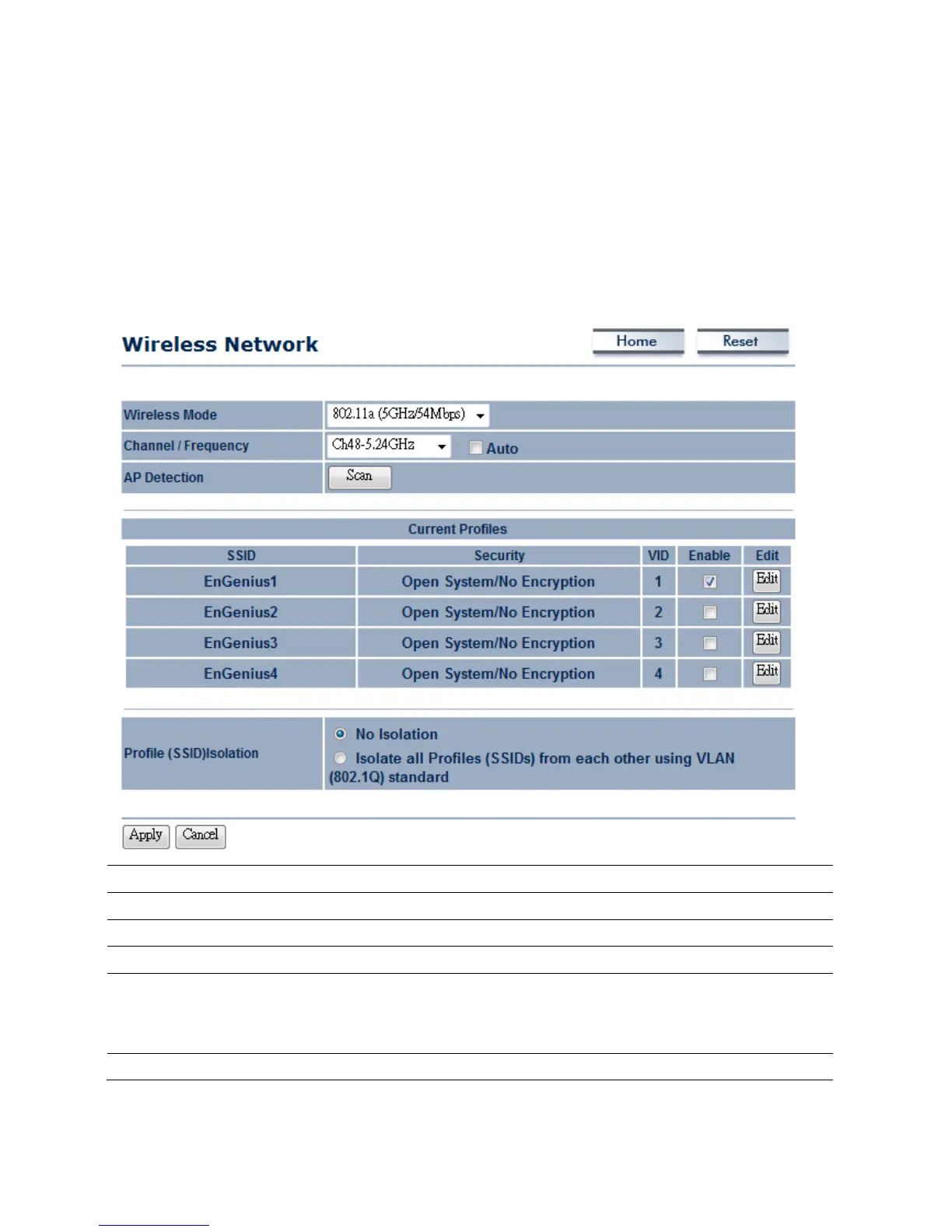
4.2.1AccessPointMode→WirelessNetwork
WirelessMode
EOC5611Psupports802.11a/b/gwirelessband.
Channel/Frequency
Thechannelavailabilityisbasedonthecountry’sregulation.
Auto
PlaceaChecktoenableAutochannelselection.
APDetection
APDetectioncanhelptoselectabestchannelbyscannearbyarea.
CurrentProfile
ConfigureuptofourdifferentSSIDs,itcanhelptodividegroupofclientstoaccess
thenetwork.PressEdittoconfigure theprofileandplaceaChecktoenableextra
SSID.
ProfileIsolation
RestrictedClienttocommunicatewithdifferentVIDbySelectingtheRadiobutton.



 To Next Page