57
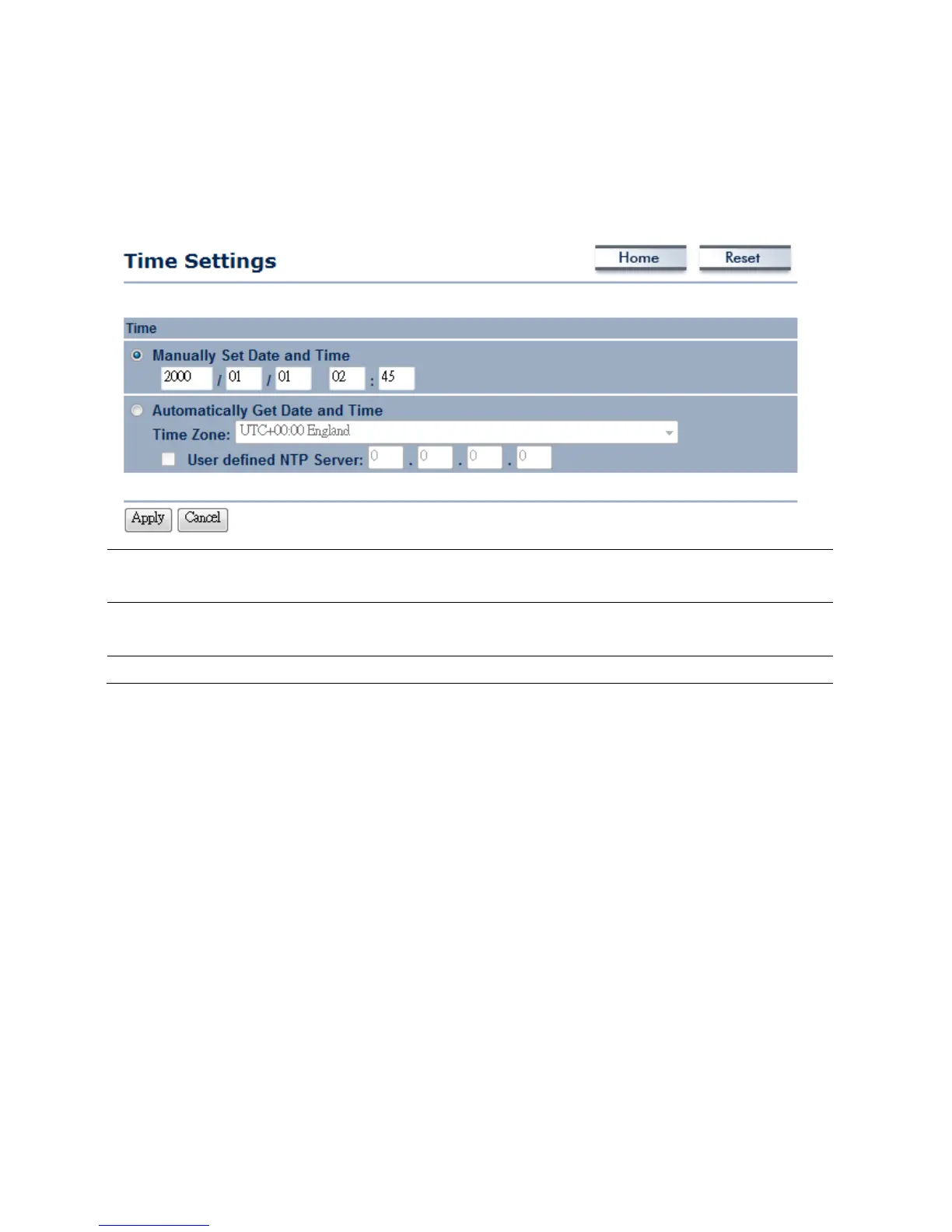
8.6Management→TimeSettings
ClickontheTimeSettingslinkundertheManagementmenu.Thispageallowsyoutoconfigurethe
timeonthedevice.YoumaydothismanuallyorbyconnectingtoaNTPserver.
ManuallySetDateand
Time
Manuallysetupthedateandtime.
AutomaticallyGetDate
andTime
SpecifytheTimeZonefromthedropdownlistandPlaceaChecktospecifytheIP
addressoftheNTPServermanuallyorusesdefaultNTPServer.
Apply/Cancel
PressApplytoapplythechangesorCanceltoreturnpreviousset tings.



 To Next Page