35
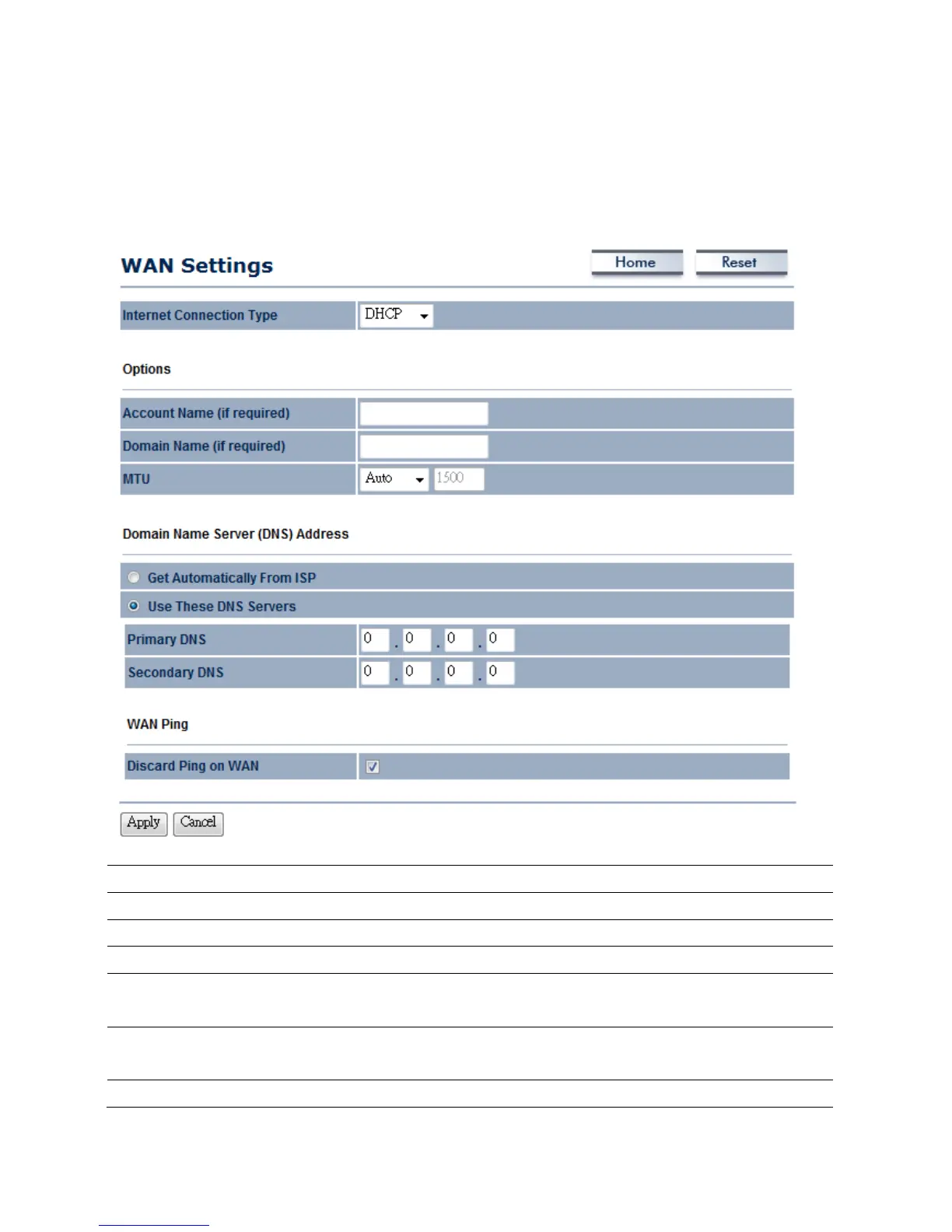
6.1.2WANSettings→DHCP(DynamicIP)
SelectDHCPasyourWANconnectiontypetoobtainyourIPaddressautomatically.Youwillneedto
enterAccountNameasyourhostnameandDNS(Optional).
InternetConnectionType
SelectDHCPtobeginconfigurationoftheDHCPconnection.
AccountName
SpecifyAccountNamethatisprovidedbyISP.
DomainName
SpecifyDomainNamethatisprovidedbyISP.
MTU
SpecifytheMaximumTransmitUnitsize.SuggestremaininAuto.
GetAutomaticallyFrom
ISP
SelecttheRadiobuttonforgettheDNSautomaticallyfromDHCPserver.
UseTheseDNSServers
SelecttheRadiobuttonforsetupthePrimaryDNSandSecondaryDNSservers
manually.
DiscardPingonWAN
PlaceaChecktoEnableorDisablepingfromWAN.



 To Next Page