64
10VLANCONFIGURATIONGUIDE
Followingproceduresareusedtoconfigur eVLANonEnGeniusproduct.EnGeniusproduct
supportsbothwirelessandwiredtaggingonyournetwork.Wirelesstaggingcanhelpyoutodivide
thepermissionfordifferentgroupofusers.WirelessClientsassociatedwithSSID1‐4will nothavethe
authoritytomanagethedevicewhen
youenabletheProfileIsolationexcepttheWirelessVLANIDis
thesameasManagementVLANID.EnableProfileIsolationwillalsorestrictthecommunication
betweenwirelessclientswithdifferentgroupofWirelessVLANID.ManagementVLAN(Wired)is
usedtomanageyourdeviceifthecomputerhasauthorizedVLANID.
FollowingareVLANconfigurationprocedures:
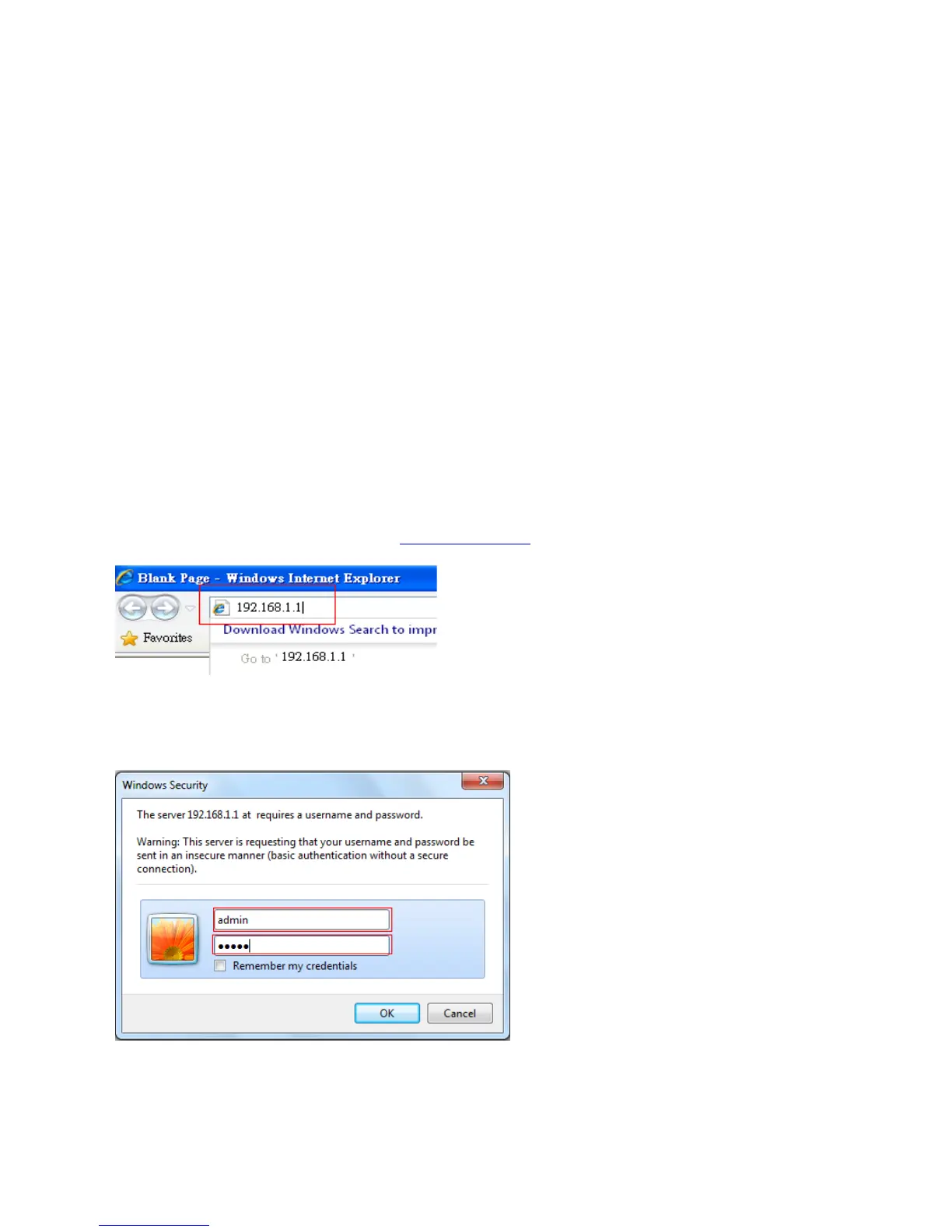
ConnectaPCtoEnGeniusproducttoLANportwithanIPaddresslike192.168.1.100/
255.255.255.0whichislocatedwithinsamesubnetofEnGeniusproductLANportIPaddressand
thenopenanypopularWEBbrowserathttp://192.168.1.1
.
1.EnteradminforbothdefaultUsernameandPasswordorenteryourownUsernameandPassword.



 To Next Page