37
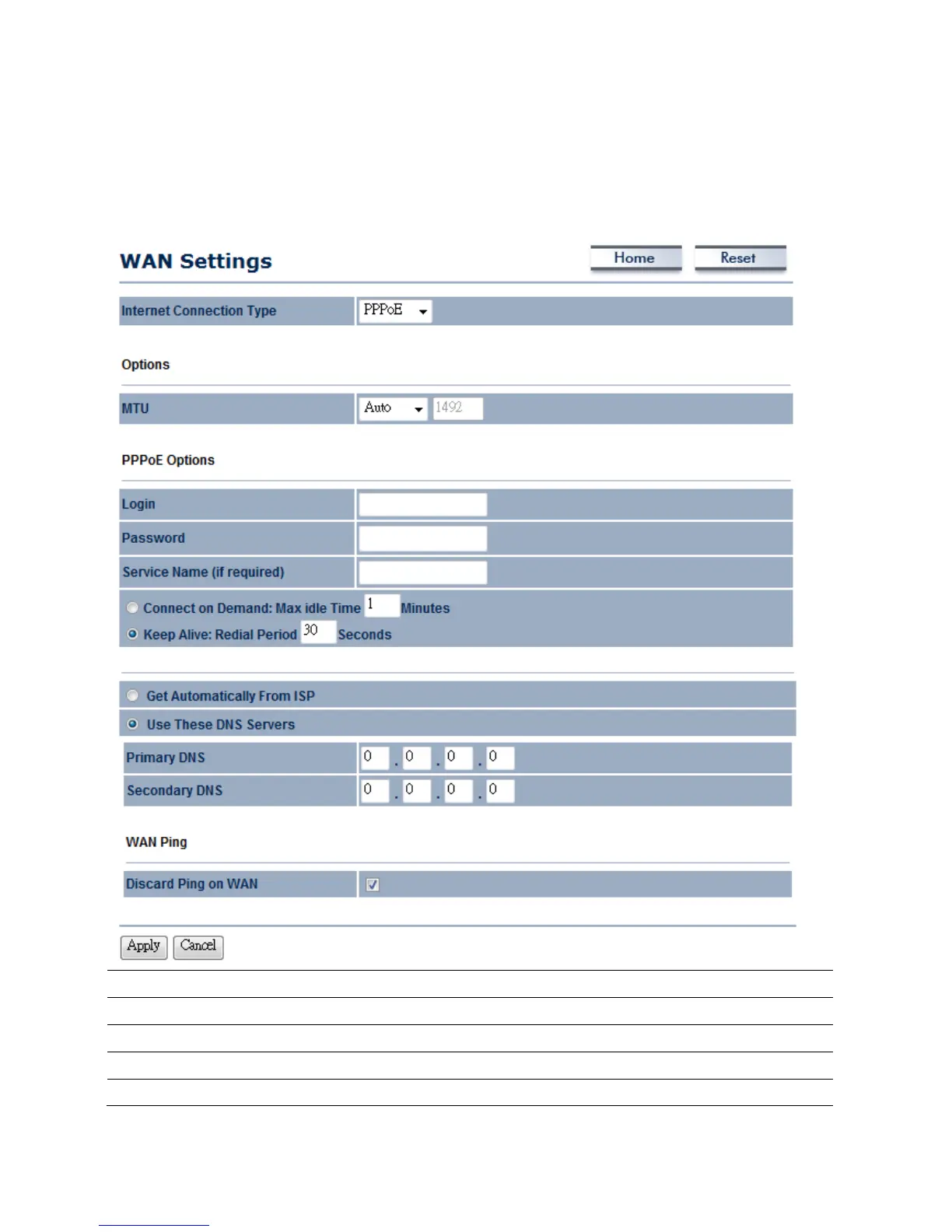
6.1.3WANSettings→PPPoE(Point‐to‐PointProtocoloverEthernet)
SelectPPPoEasyourWANconnectiontypeifyourISPprovidesUsernameandPassword.PPPoEisa
DSLserviceandpleaseremoveyourPPPoEsoftwarefromyourcomputer,thesoftwareisnotworked
inEOC5611P.
InternetConnectionType
SelectPPPoEtobeginconfigurationofthePPPoEconnection.
MTU
SpecifytheMaximumTransmitUnitsize.SuggestremaininAuto.
Login
SpecifytheUsernamethatisgivenbyyourISP.
Password
SpecifythePasswordthatisgivenbyyourISP.
ServiceName
SpecifytheServiceNamethatisgivenbyyourISP.



 To Next Page