21
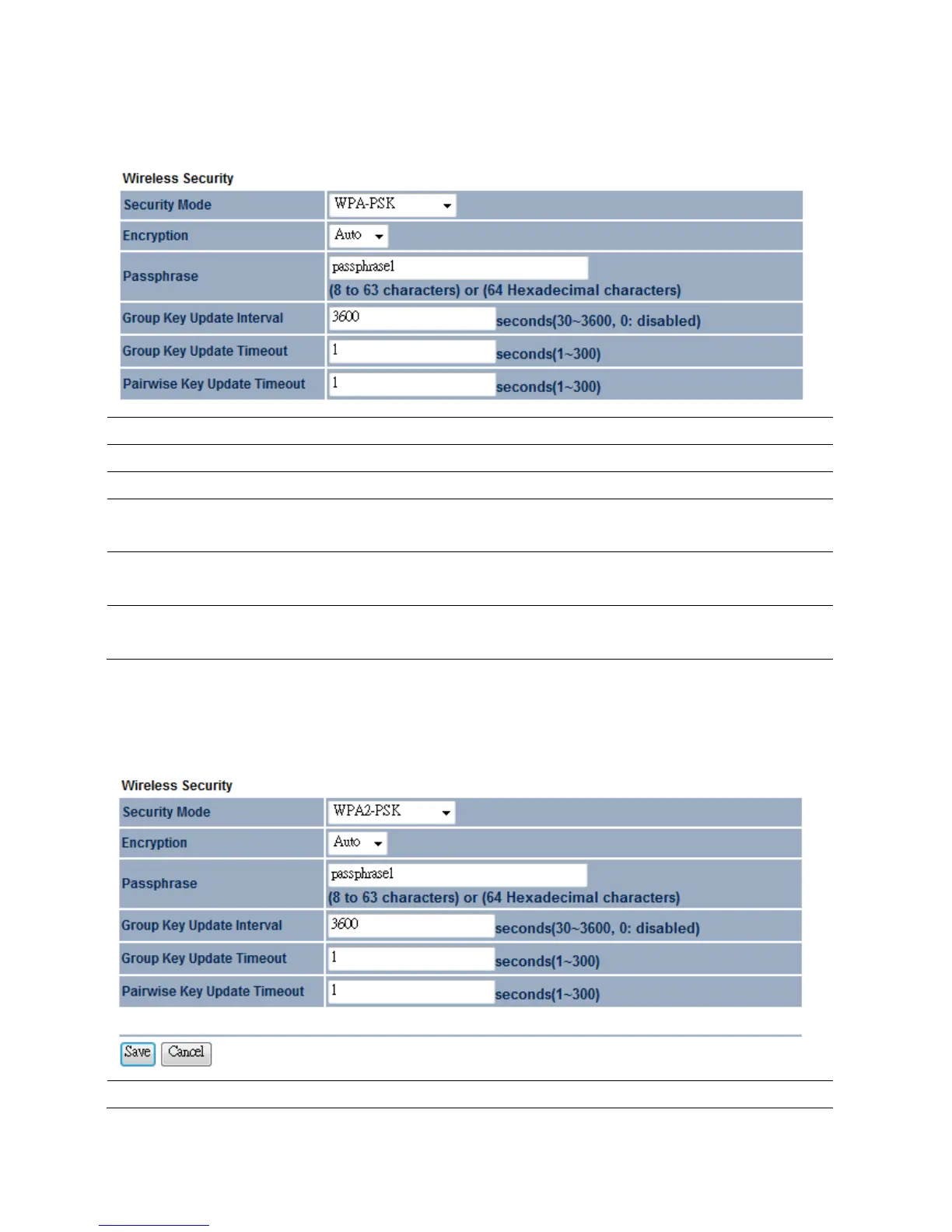
4.3.2WPA‐PSK
SecurityMode
SelectWPA‐PSKfromthedrop downlisttobegintheconfiguration.
Encryption
SelectAuto,TKIPorAESforEncryptiontype.
Passphrase
Specifythesecuritypassword.
GroupKeyUpdate
Interval
SpecifyGroupKeyUpdateIntervaltime.
GroupKeyUpdate
Timeout
SpecifyGroupKeyUpdateTimeouttime.
PairwiseKeyUpdate
Interval
SpecifyPairwiseKeyUpdateTimeouttime.
4.3.3WPA2‐PSK
SecurityMode
SelectWPA2‐PSKfromthedropdownlisttobegintheconfiguration.


 To Next Page