41
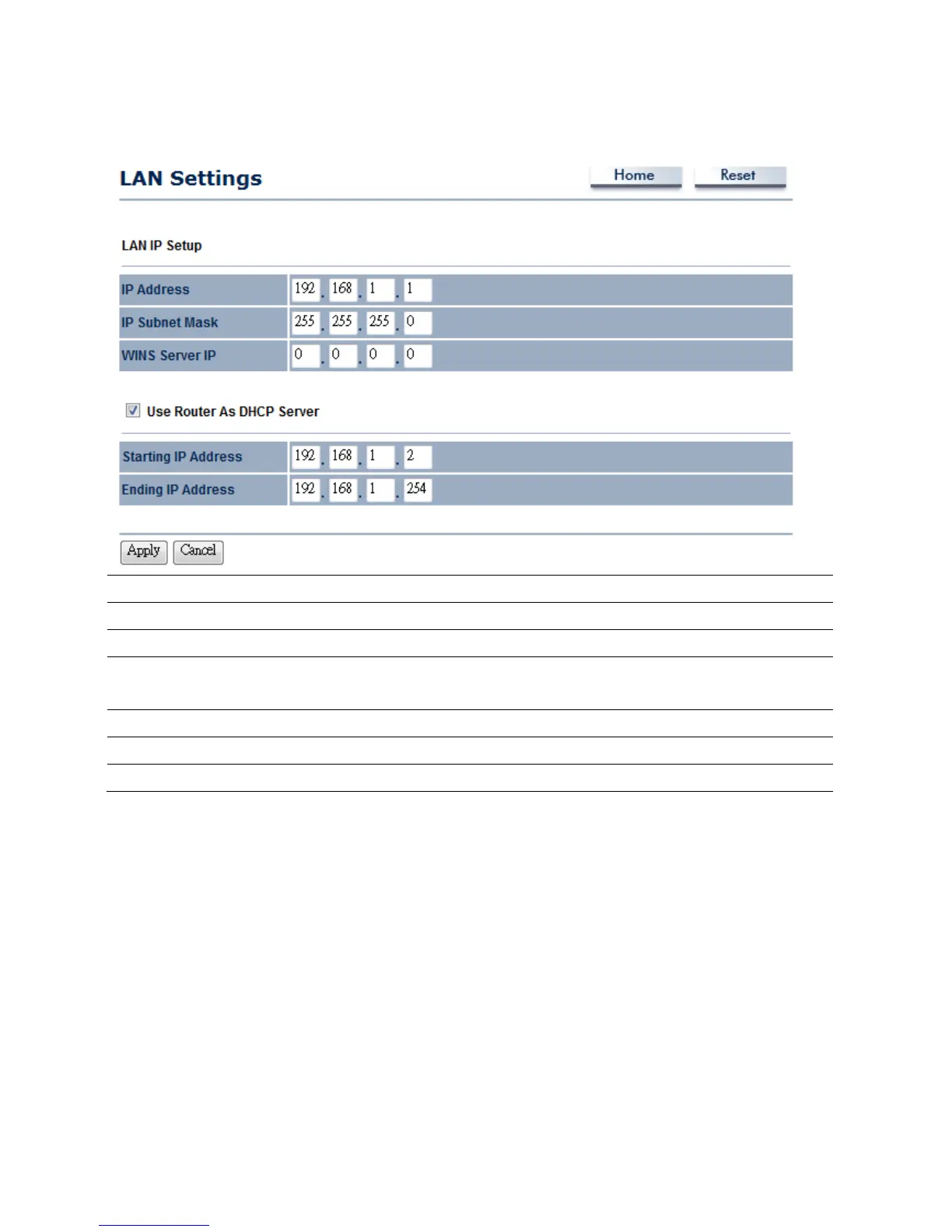
6.2Router→LANSettings
IPAddress
SpecifyLANportIPaddress.
IPSubnetMask
SpecifyLANIPSubnetMask.
WINSServerIP
SpecifyWINSServerIP.
UseRouterAsDHCP
Server
PlaceaChecktoenableDHCPserver.
StartingIPAddress
SpecifyDHCPserverstartingIPaddress.
EndingIPAddress
SpecifyDHCPserverendingIPaddress.
Apply/Cancel
PressApplytoapplythechangesorCanceltoreturnpreviousset tings.
Auction:IfyouunchecktheDHCPServerfunction,youmustconfigureyouIPAddressmanually.The
instructionpleasereferstotheComputerSettingssection.



 To Next Page