60
9NetworkConfigurationExample
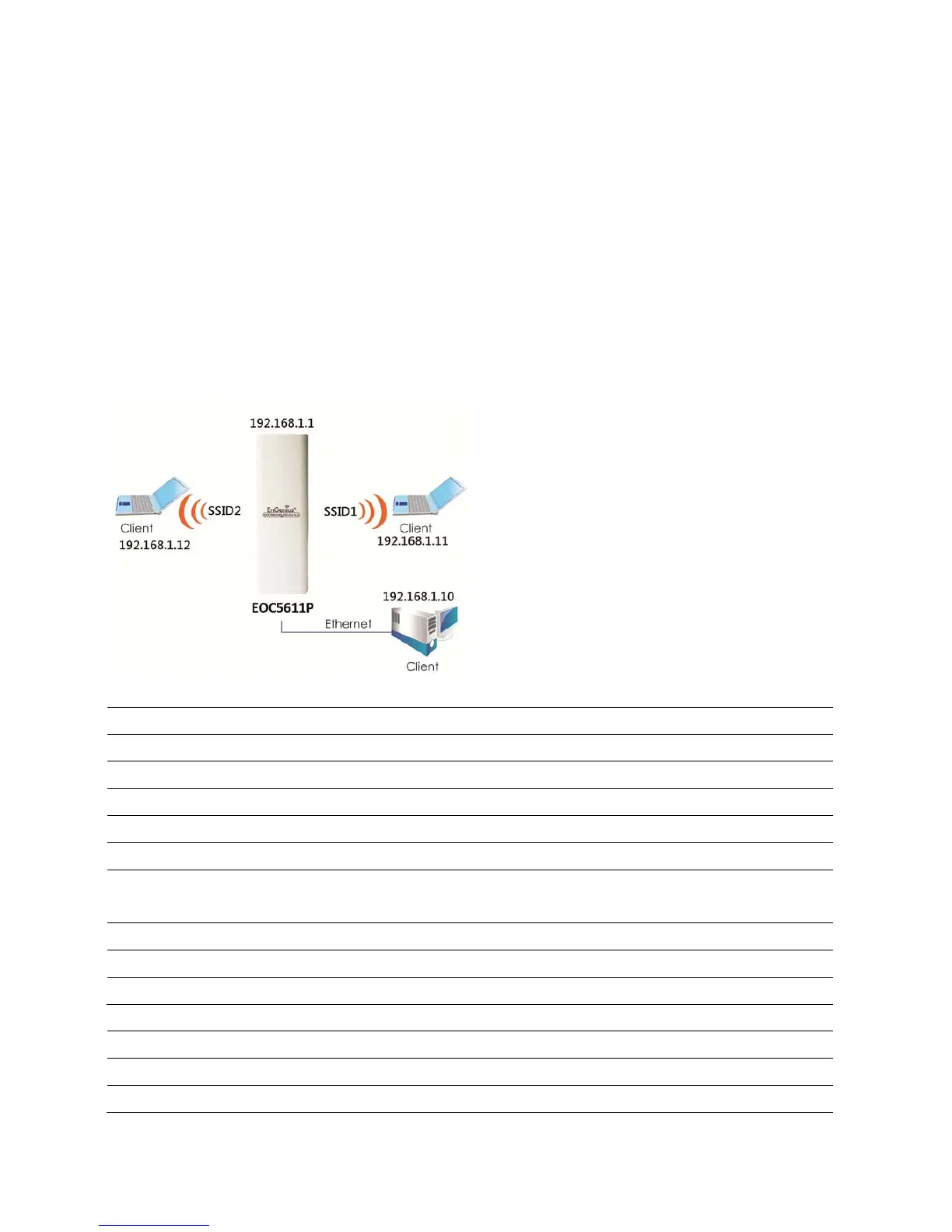
ThischapterdescribestheroleoftheEOC5611Pwith4differentmodes.TheAccessPointmode’s
defaultconfigurationisacentralunitofthewirelessnetworkorasarootdeviceofthewired
environment.
9.1AccessPoint
AccessPoint
Step1 Logintotheweb‐based configurationinterfacewithdefaultIP192.168.1.1
Step2 Selectyourcountryorregion’ sregulation.
Step3 802.11a/b/gwirelessnetwork
Step4 Usesit esurveytoscanchannelsthathavebeenusedinnearbyarea.
Step5 Selectchannelwithlessinterferences.
Step6
SpecifytheSSIDforyourbroadcastSSIDandyoucanalsoconfiguremultipleSSIDat
thesametime.
Step7 VerifyVLANidentifiertoseparateservicesamongclients
Step8 Setuptheauthen ticationsettings.
Step9 PressApplytosaveallchanges.
Note:Formoreadvancedsettings,pleaserefertothepreviouschapters.
WirelessClient
Step1 Selectwireless modeyouwouldliketoassociatewith.
Step2 Usesit esurveytoscannearbyAccessPointandselectthecertainAPyouwouldlike



 To Next Page